TV Antenna Stopped Working Suddenly? Causes & Fixes Guide
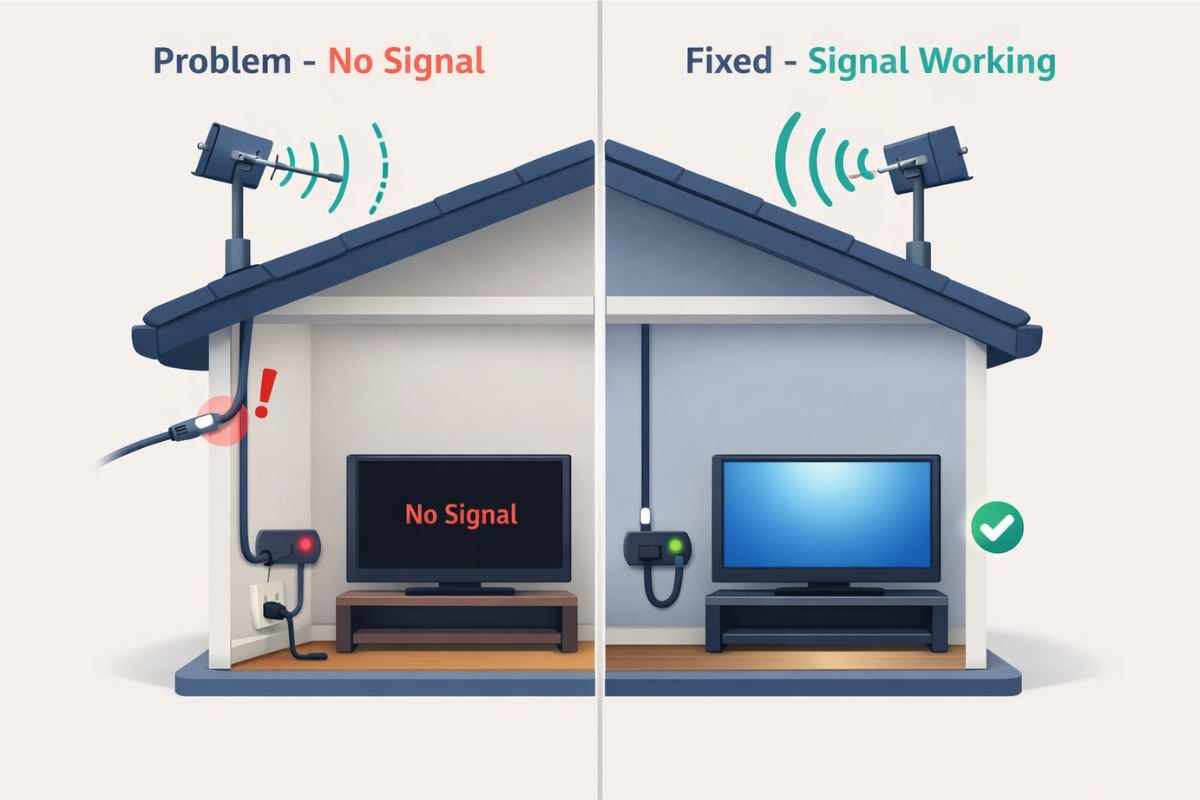
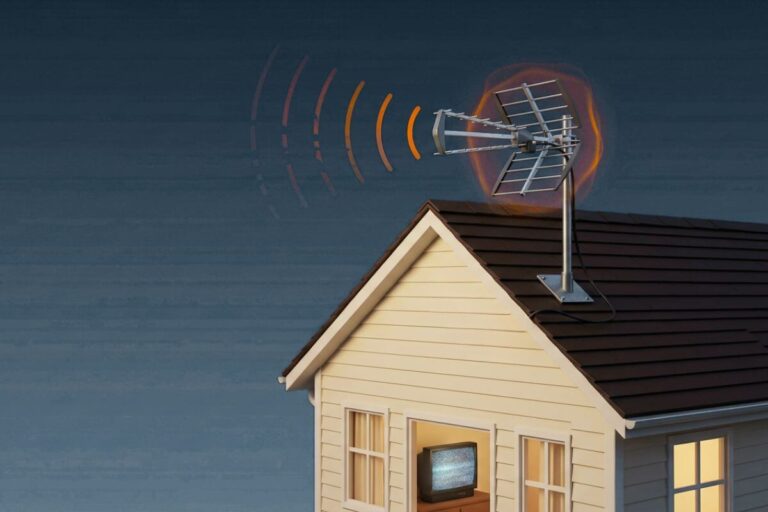
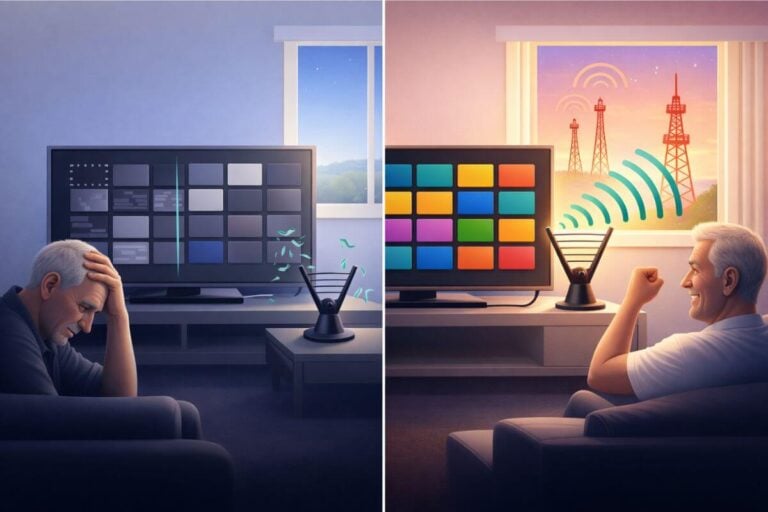
Did your TV antenna suddenly stop working—and now you’re staring at “No Signal”?
Most of the time, the antenna isn’t broken. It’s usually a loose cable, a power issue, or a small change in signal.
The good news is most problems can be fixed in minutes without replacing anything.
If you’re not sure whether your current antenna setup is strong enough for your location, it helps to understand the limits of both indoor and outdoor antennas before replacing equipment. Our guides explain when an indoor antenna is enough and when an outdoor antenna provides more reliable reception based on distance, placement, and signal conditions.
If you’re using an older television, you may also need a digital converter box. Our guide explains how an antenna works with an old TV and when a converter box is required.
Before replacing anything, try the quick fixes below. Most antenna problems are fixed in minutes. For the full fix path, see how to strengthen your TV antenna signal.
Fast Fix: TV Antenna Not Working? Try These First
- Connect one TV directly to the antenna (remove splitters)
Disconnect all other TVs and splitters. Plug a single TV straight into the antenna cable to rule out signal loss from distribution. - Power-cycle the amplifier or booster, then rescan
Unplug the power inserter, wait 30 seconds, plug it back in, then run a full channel scan on your TV. - Check outdoor coax connections for damage or water
Inspect all outdoor cable connections. Tighten loose fittings and look for corrosion, cracks, or moisture inside the connectors. - Confirm your TV is set to Antenna (Air) mode
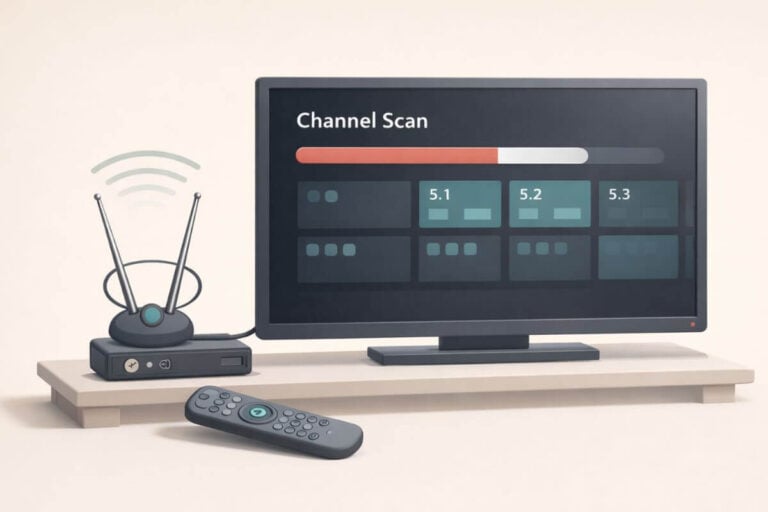
Make sure your TV input is set to “TV” or “Antenna,” not HDMI or Cable mode, or channels won’t appear. - Run a full channel scan
If channels disappeared, rescanning often restores them after signal changes or outages. - Move or adjust the antenna slightly
Shift the antenna a few inches or rotate it slightly. Small changes can restore missing channels instantly.
While you troubleshoot, you can watch classic TV free without cable right away using streaming apps.
If you want something to watch in the meantime, many classic shows are available as full episodes on YouTube.
Before You Buy an Antenna
Use The Keen Guide Antenna Advisor to think through your living situation, where an antenna can realistically go, and whether add-ons like boosters, splitters, converter boxes, or extra cable are likely to help.
You’ll get a free antenna report with a practical starting setup for a house, apartment, rural location, senior living space, RV, or other situation.
The goal is simple: make the first purchase smarter, not more expensive.
Start Here: More Help for Missing Channels
If the quick steps didn’t fix it, use the guides below to target the exact problem.
- Run a full channel scan
If channels disappeared, start by rescanning your TV to pick them back up before you adjust your antenna. - Check what channels you should be getting
Make sure the stations you expect are actually available in your area. - Test signal strength limits
If you’re far from towers, your antenna may be at its range limit. - Fix weak or unstable reception
If channels come and go, improve your signal before replacing anything. - Adjust antenna direction
A small aim change can restore missing channels instantly. - Check if you lost channels suddenly
If everything worked before, this explains the most common causes. - Still missing channels?
Use this step-by-step guide to get them back.
Is it an Indoor or Outdoor Antenna Problem?
When a TV antenna stops working, the first step is figuring out whether the issue comes from an indoor setup or an outdoor installation. Both receive the same broadcast signals, but they fail for different reasons and require different fixes.
Indoor antennas usually struggle with signal blockage inside the home. Walls, windows, nearby electronics, and distance from broadcast towers can weaken reception enough for channels to disappear suddenly. Small placement changes or rescanning channels often restore service.
If you’re using an indoor antenna, follow this step-by-step guide to fix common indoor antenna reception problems first.
Outdoor antennas are less affected by indoor obstacles but face environmental wear instead. Weather exposure, loose outdoor cable connections, alignment shifts, or power issues with amplifiers are more common causes of sudden signal loss.
If your antenna is mounted outside or in an attic, start with these outdoor antenna troubleshooting steps designed for installation-related problems.
Identifying the antenna type early prevents unnecessary adjustments and helps you focus on the fixes most likely to restore channels quickly. If your antenna suddenly stopped working, it may be the wrong setup for your area, which is why it helps to understand what TV antenna you should be using for your location.
Do These 7 Checks in Order (Most Fix “No Signal” Fast)
When a TV antenna suddenly stops working, the problem is almost always somewhere in the setup — not the antenna itself. Before adjusting placement or buying new equipment, run through these basic troubleshooting checks in order. These steps fix most cases where an antenna is not picking up channels anymore or your TV suddenly shows “No Signal.”
1. Test One TV Connected Directly to the Antenna
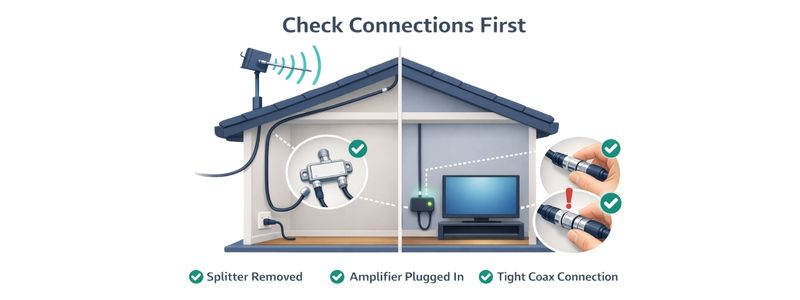
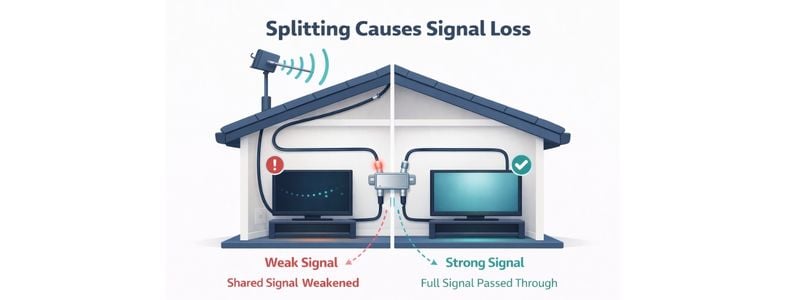
Splitters often cause signal loss or failure after small signal changes. Disconnect all extra TVs and connect a single television directly to the antenna cable.
If channels return, the issue is signal distribution — not the antenna. In that case, a booster or amplifier may help.
2. Check Amplifier Power (Most Common Cause)
Many outdoor and amplified indoor antennas stop working simply because the power inserter was unplugged or reset.
Look for:
- unplugged power adapter
- switched-off surge protector
- loose USB power connection
A powered antenna without electricity behaves like a weak passive antenna.
3. Rescan Channels After Any Signal Change
Digital TVs must rescan channels when signal conditions change.
Run a full channel scan if:
- storms recently passed
- equipment was unplugged
- you moved cables or TVs
If you’re not sure whether you should be receiving certain channels at all, it helps to check what broadcasts are actually available in your area. Our guide to what channels you can get with an antenna explains what most viewers should expect based on location
4. Inspect Outdoor Cable Connections
Outdoor coax connections are exposed to weather and frequently cause sudden failure.
Check for:
- loose connectors
- corrosion
- moisture inside fittings
- cracked cable jackets
If problems started after rain or wind, this is often the culprit.
5. Confirm TV Mode/Input
TV must be in Antenna/Air mode (not Cable), and you’re watching Live TV (not HDMI/app).
6. Swap the Coax (or Test a Different Cable Path)
A bad coax jumper is a common “sudden failure.” Try a known-good short RG6 from wall/antenna to TV.
7. Check for a Recent Tower/Channel Change
Run another full scan at a different time of day. If channels come and go, that’s a signal behavior issue.
If these quick checks don’t restore channels, the next step is deeper TV antenna troubleshooting to identify where the signal is breaking down.
Your TV Antenna Not Working Even After Basic Troubleshooting?
If your TV antenna still isn’t working after the basic checks, the issue usually comes down to signal strength, placement, or equipment compatibility. At this stage, the goal is to isolate whether the problem is reception, setup, or expectations.
Indoor setups and outdoor installations fail for different reasons. If you haven’t already isolated the antenna type, continue troubleshooting with the dedicated indoor antenna fixes or outdoor antenna troubleshooting guide for installation-specific problems.
Check Antenna Placement and Direction
Even small alignment changes can affect reception. Signals travel in straight lines, so obstructions or slight rotation changes can cause channels to disappear.
If your antenna may have shifted slightly, even a small change in direction can cause channels to disappear. This step-by-step guide explains how to aim a TV antenna for the strongest signal.
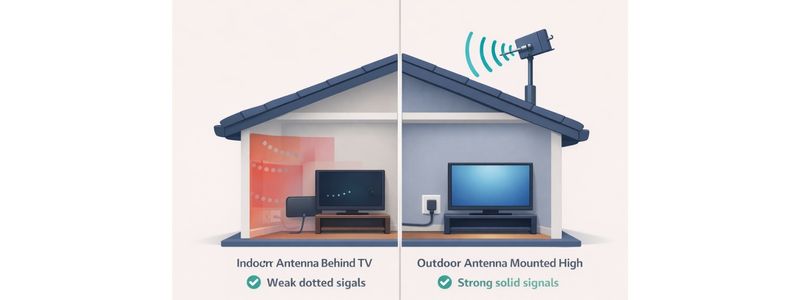
Signal reliability also depends heavily on mounting height. Antennas placed too low often struggle with obstructions, which is why proper installation height makes such a difference.
Confirm Your Antenna Matches Your Location
Sometimes an antenna hasn’t actually “stopped working” — conditions simply changed enough to expose a setup that was already operating at its limits. This often happens when seasonal foliage grows in, weather patterns shift, or small signal fluctuations push a marginal setup below the reception threshold.
Indoor antennas are especially sensitive to distance and obstructions. In rural or wooded areas, signals must travel farther and pass through trees, walls, and terrain before reaching your TV. When that happens, channels may disappear suddenly even though nothing inside your home changed.
If you’re unsure whether an indoor antenna can realistically handle your location, this comparison of indoor vs. outdoor TV antennas for rural areas explains when each type works — and when upgrading becomes necessary.
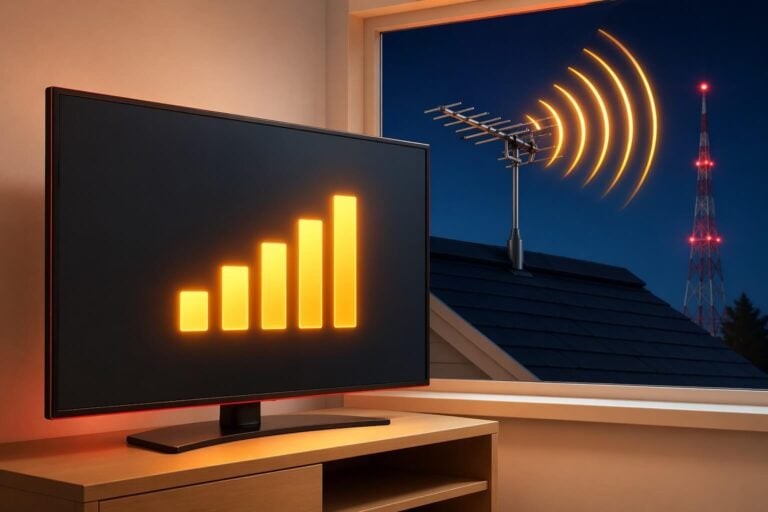
Distance from broadcast towers also plays a major role. Many reception problems occur simply because the antenna is operating near its maximum range, where signals fluctuate daily. This guide shows how far a TV antenna can actually reach and why reception can seem inconsistent at longer distances.
If your setup sits right on that edge, even minor environmental changes can make channels appear to stop working all of a sudden.
If you want to verify how strong broadcast signals should be in your area, the FCC’s reception map lets you check expected coverage based on your location before making equipment changes.
Older TVs May Need Additional Equipment
If channels disappeared after switching televisions or reconnecting equipment, the issue may be compatibility rather than reception. Modern TV broadcasts are digital, and some older TVs cannot process those signals directly without additional hardware.
This situation often looks like an antenna failure — the TV shows “No Signal” or finds zero channels — even though the antenna itself is working normally.
Televisions manufactured before the digital transition may require a converter box to receive over-the-air channels. If you’re unsure whether your TV needs one, this guide explains when an antenna requires a converter box and how to tell.
Once equipment compatibility and setup issues have been ruled out, remaining problems usually point to signal behavior instead of hardware. If your antenna works sometimes but loses channels during certain weather conditions or times of day, the cause is likely environmental or signal-related.
The next section explains the most common reasons outdoor antennas lose signal — and how to fix each one.
When Your TV Antenna Finds Some Channels but Not Others
If your TV antenna still works but certain channels disappear or break up, the issue is usually signal strength imbalance rather than a complete failure. Digital broadcasts behave differently from older analog signals — channels tend to work perfectly until signal quality drops below a threshold, then vanish suddenly.
If your channels suddenly disappeared, you can start by checking how to get missing TV channels back.
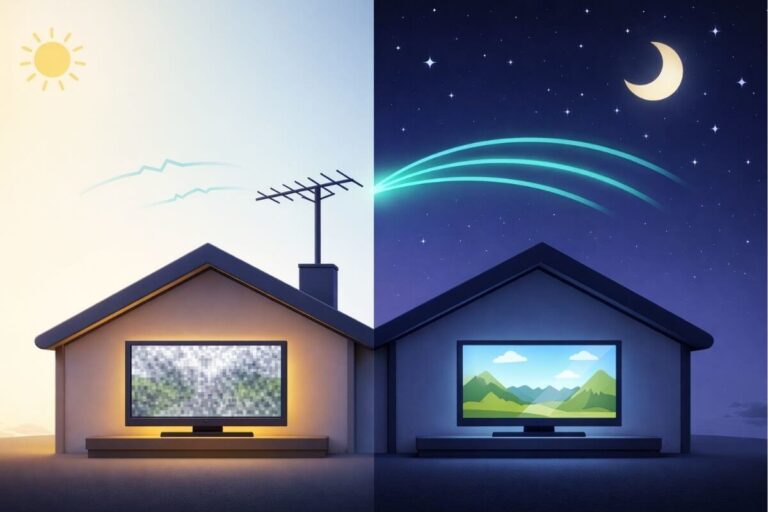
If your channels seem to come and go depending on the time of day, here’s why your antenna may work better at night.
Check for Signal Overload or Weak Distribution
Homes located closer to broadcast towers sometimes receive signals that are too strong, while distant homes struggle with signals that are too weak. Both situations can cause missing channels.
If you’re using an amplifier, it may actually be hurting reception instead of helping. This guide explains when TV antenna boosters improve reception — and when they make it worse.
Splitters Can Reduce Signal to Individual TVs
Every time a signal is divided between multiple televisions, strength drops slightly. When reception conditions change, weaker channels are usually the first to disappear.
If your antenna works well on one TV but not another, temporarily reconnect a single television directly to the antenna to confirm signal loss isn’t caused by distribution.
Confirm Your Cord-Cutting Setup Is Still Balanced
If you recently changed your TV setup while replacing cable, your antenna system may simply need rebalancing. Free over-the-air TV behaves very differently from cable service — reception depends on signal strength, antenna placement, and how the signal is distributed throughout your home.
Many viewers notice problems after adding streaming devices, reconnecting TVs, or rearranging equipment during a cord-cutting transition. These changes can introduce splitters, longer cable runs, or power interruptions that weaken antenna signals enough for channels to disappear suddenly.
A reliable no-cable setup works best when antennas, streaming devices, and TV connections are working together rather than competing for signal strength.
If you’ve recently changed your setup while cutting cable, it helps to review how antennas and TVs work together in a reliable no-cable system — especially when channels suddenly stop appearing.
Once your overall setup is balanced again, antenna reception usually becomes far more consistent.
If channels appear and disappear depending on conditions rather than equipment changes, environmental factors may be affecting how signals reach your antenna.
Environmental Changes That Can Affect TV Antenna Reception
Sometimes a TV antenna appears to stop working even though nothing inside your home has changed. Broadcast signals travel through open air, which means reception can shift when outdoor conditions change — even slightly.
Trees, Buildings, and Seasonal Growth
Leaves contain moisture that weakens TV signals. Many viewers notice channels disappearing in spring or summer as trees fill in, then returning during winter when branches are bare.
Obstructions matter even more when antennas are installed indoors or low in an attic, where signals must pass through additional walls and roofing materials. This is one reason outdoor installations tend to deliver more consistent reception than indoor setups.
If you’re unsure how placement affects reliability, this comparison explains when outdoor mounting provides a real advantage.
Antenna Height and Line-of-Sight Matter More Than Most People Expect
TV signals travel best when antennas have a clear path toward broadcast towers. Even raising an antenna a few feet can move it above nearby obstacles and stabilize reception.
If installation height hasn’t been evaluated recently, reviewing how mounting height affects signal strength can often explain sudden channel loss.
Why Indoor Antennas React More Dramatically to Change
Indoor antennas typically operate closer to the minimum signal level required for reception. Because of that, small environmental changes — weather, foliage growth, or nearby interference — can push signals just below usable levels.
This is why indoor antennas sometimes seem to “fail” even though nothing actually broke. If you live in a rural or obstructed area, this guide explains why indoor antennas struggle under certain conditions.
If your antenna passes all setup checks but reception still changes with weather, time of day, or seasonal conditions, the issue usually isn’t installation — it’s how broadcast signals behave. Next, we’ll look at the most common signal patterns that cause antennas to lose channels and how to recognize them.
Why Your TV Antenna Says “No Signal” Even When Everything Looks Connected
One of the most frustrating antenna problems happens when everything appears connected correctly, yet the TV still shows a “No Signal” message. In many cases, this is not a reception failure at all — it’s a TV input or tuner issue.
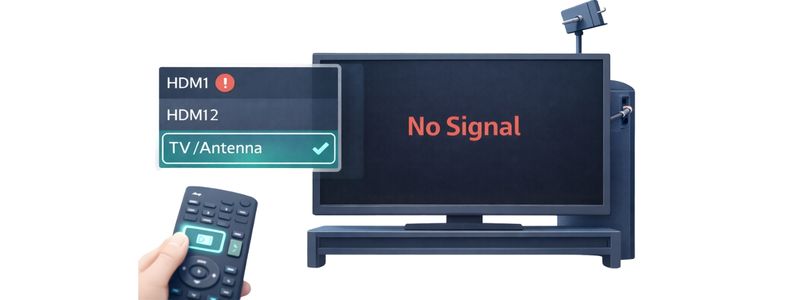
Digital televisions only display antenna channels when the correct input and tuner mode are selected. After power outages, rescans, or device changes, TVs sometimes switch away from antenna mode automatically.
Check the TV Input and Tuner Mode First
Make sure your television is set to:
- TV / Antenna input (not HDMI or streaming apps)
- Air / Antenna mode instead of Cable mode
- A full channel scan has been completed
Channel Scans Reset After Equipment Changes
Many viewers notice their TV antenna “stopped working suddenly” after unplugging equipment or moving cables. This happens because digital TVs store channel data, and that list can reset.
Running a fresh scan often restores channels immediately.
If you’re unsure which stations should appear after rescanning, reviewing expected local channels can help confirm reception is normal.
Older or Secondary TVs May Behave Differently
Different TVs process signals differently. A setup that works on one television may fail on another due to tuner sensitivity or settings differences.
If problems appear only on one TV, reconnecting directly to the antenna helps isolate whether the issue is equipment or signal-related.
If your TV settings are correct and channels still disappear intermittently, the remaining causes usually involve signal stability rather than equipment configuration.
Before replacing equipment, start with the checks outlined above. Most antenna problems come from small setup changes, signal interruptions, or settings that reset without notice. Working through these steps first helps rule out common causes before making larger adjustments.
When to Stop Troubleshooting and Consider a Different Antenna Setup
Most cases where a TV antenna stopped working suddenly are caused by setup, connection, or signal changes — not a broken antenna. After checking cables, rescanning channels, confirming placement, and reviewing environmental factors, you should have a clear idea whether the issue is fixable or structural.
It may be time to reconsider your setup if:
- channels only work intermittently despite adjustments
- reception improves temporarily but never stays stable
- indoor placement consistently struggles in your location
- multiple troubleshooting steps produce no lasting improvement
In these situations, the antenna may simply be operating beyond what your location allows. Moving from an indoor or attic setup to a properly mounted outdoor antenna often provides the stability needed for reliable reception.
If you’re deciding whether a different installation approach makes sense, this comparison explains when outdoor antennas become the more dependable solution.
A stable antenna system should work consistently once properly matched to location and installation conditions.
Some reception problems come down to antenna positioning or signal distance rather than equipment failure. If channels disappeared after moving your antenna, learning how small direction changes affect reception can help restore signal stability.
Distance from broadcast towers also plays a major role in whether indoor antennas work reliably in the first place.
Common Reasons a TV Antenna Stops Working
Most antenna failures fall into a small number of categories. Understanding which type of problem you’re dealing with makes troubleshooting faster and prevents replacing equipment unnecessarily.
Setup issues
Loose coax connections, incorrect TV input settings, or missed channel rescans are the most common causes of a sudden “No Signal” message.
Signal strength changes
Broadcast signals naturally fluctuate. Distance from towers, interference, or small positioning changes can push reception below the digital threshold where channels disappear.
Equipment and distribution problems
Amplifiers losing power, damaged coax cables, or signal splitters feeding multiple TVs can reduce signal strength enough to affect reception.
Environmental changes
Seasonal tree growth, weather conditions, and nearby construction can alter how signals reach your antenna even when nothing inside your home changed.
Once you identify which category fits your situation, the troubleshooting steps above become much easier to apply.
Frequently Asked Questions
Why did my TV antenna stop working suddenly?
Most sudden antenna problems are caused by loose connections, power interruptions, rescans, or small signal changes rather than equipment failure. Checking cables and running a new channel scan fixes many issues quickly.
Why is my TV antenna not picking up channels anymore?
Channels may disappear if signal strength drops slightly due to weather, obstructions, or setup changes. Digital signals work perfectly until they fall below a threshold, then vanish completely.
How do I fix a “No Signal” message on my TV antenna?
Confirm the TV is set to “antenna” “mode, run a full channel scan, and check that amplifier power and coax connections are secure. Incorrect TV input settings are a common cause.
Why does my antenna work on one TV but not another?
Signal strength decreases when split between multiple TVs. Differences in tuner sensitivity between televisions can also affect reception.
Can weather really affect a TV antenna?
Yes. Heavy rain, wind movement, and seasonal foliage can weaken signals temporarily, especially when antennas operate near the edge of reception range.
Do I need a new antenna if channels keep disappearing?
Not always. Many problems come from placement or setup. Replacement is usually only necessary when the antenna type doesn’t match your location or distance from towers.
Wrap Up
A TV antenna that suddenly stops working usually isn’t broken — it’s reacting to a small change somewhere in the system. Connections loosen, settings reset, signals shift, or conditions outside the home change just enough to affect reception. Working through each step methodically almost always reveals the cause.
The goal isn’t perfect signal strength everywhere, but a setup that matches your location and stays reliable over time. Once cables are secure, placement is correct, and expectations match real broadcast conditions, antenna TV tends to be surprisingly stable.
If problems return later, revisit the basic checks first. Most reception issues come back to the same small factors — setup, signal path, and environment — and they’re usually easier to fix than they first appear.
For step-by-step fixes tailored to your setup, continue with either the indoor antenna troubleshooting guide or the outdoor antenna repair checklist, depending on where your antenna is installed.
Once your antenna is working again, it becomes the foundation for watching local channels without a cable subscription. If you’re building a reliable no-cable TV setup, this step-by-step guide explains how to cut cable while still getting free local channels and classic TV using an antenna and streaming together.
If you’re also looking for free classic shows to watch after your channels are back, here’s a current list of classic TV shows you can stream on YouTube for free.