Antenna for Old TV: Do You Need a Converter Box?
If you’re trying to use an antenna for an old TV, the key question is whether your television needs a digital converter box or can connect directly.
Older TVs can still watch free local channels with an antenna. Many people think old televisions stopped working when TV signals went digital.
That’s not true.
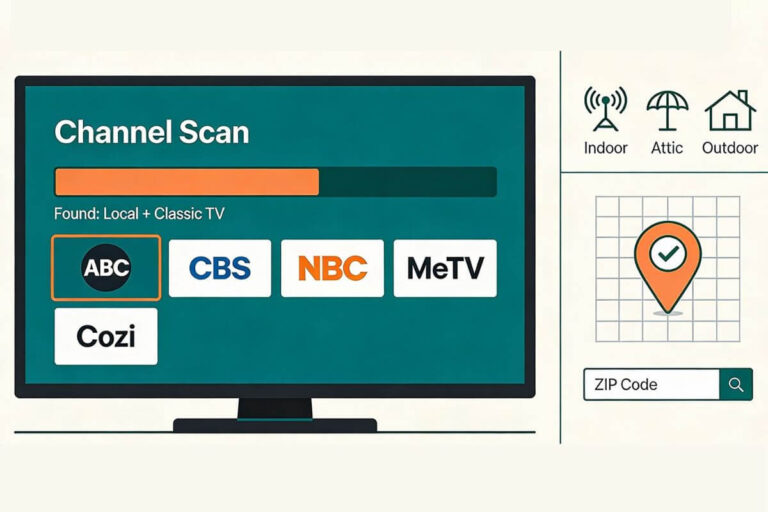
You can still watch ABC, CBS, NBC, FOX, PBS and classic TV channels like MeTV.
But some older televisions need one small device called a digital converter box.
Does My Old TV Need a Converter Box?
Probably yes if it was made before March 2007 and has only an analog NTSC tuner.
If you see ATSC, DTV, Digital Tuner or Digital Channel Scan, try connecting the antenna directly first.
This guide will show you:
• when you need a converter box
• how to connect an antenna to an old TV
• what to do if your TV has coax, RCA, or HDMI ports
Once your antenna works, it becomes one of the easiest ways to watch television without paying for cable. For more tips, check my guide on how to cut the cable cord and still watch TV.
Your antenna notes and quick fixes, all in one place.
Get the Free TV Antenna Troubleshooting Checklist
A 4-page fill-in guide to keep near your TV.
Fill it in once. Use it when a channel disappears, the picture breaks up, or you need to fix your antenna again.
- Write down your must-have channels, tower direction, and antenna setup
- Follow the quick fixes when a channel goes missing or the picture freezes
- Find and record your best antenna spot so you do not have to start over
- Know when to rescan — and when not to rescan
- Keep the questions to ask an antenna pro before paying for new parts

Hi, I’m Kathy — I’ve helped thousands of readers ditch cable and get their local channels working for good.
Can an old TV antenna receive digital signals?
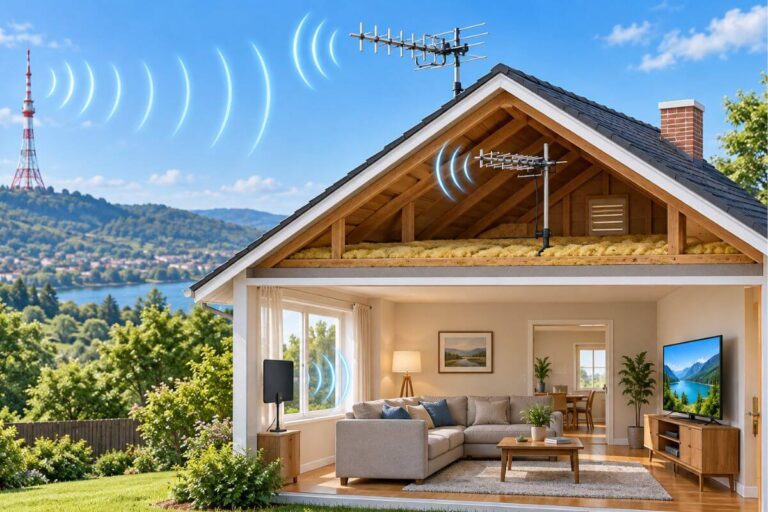
Yes. An older TV antenna can receive digital over-the-air television signals. There really is no separate “digital antenna” technology—the important question is whether the antenna can receive the broadcast frequencies used in your area and whether your television has a digital tuner.
If your TV has an ATSC digital tuner, you can usually connect the antenna directly to the TV. If the television has only an older analog tuner, you will need a digital converter box between the antenna and the TV.
The first step is simple. Look at the ports on the back or sometimes on the sides or front of your television.
Most TVs will have one of these three types of connections:
TVs With a Round Antenna Port (Coax)
Many older televisions have only one round screw connector.
It may be labeled:
- ANT
- ANT IN
- RF
- VHF/UHF
This is called a coax antenna input.
A round coax port does not tell you whether the TV needs a converter box.
Look in the TV menu or manual for ATSC, DTV, Digital Tuner, or Digital Channel Scan.
- If the TV has an ATSC digital tuner, connect the antenna directly to this port.
- If the TV has only an NTSC analog tuner, you need a digital converter box.
Most TVs sold in the U.S. after March 2007 have a digital tuner, but older TVs may not.
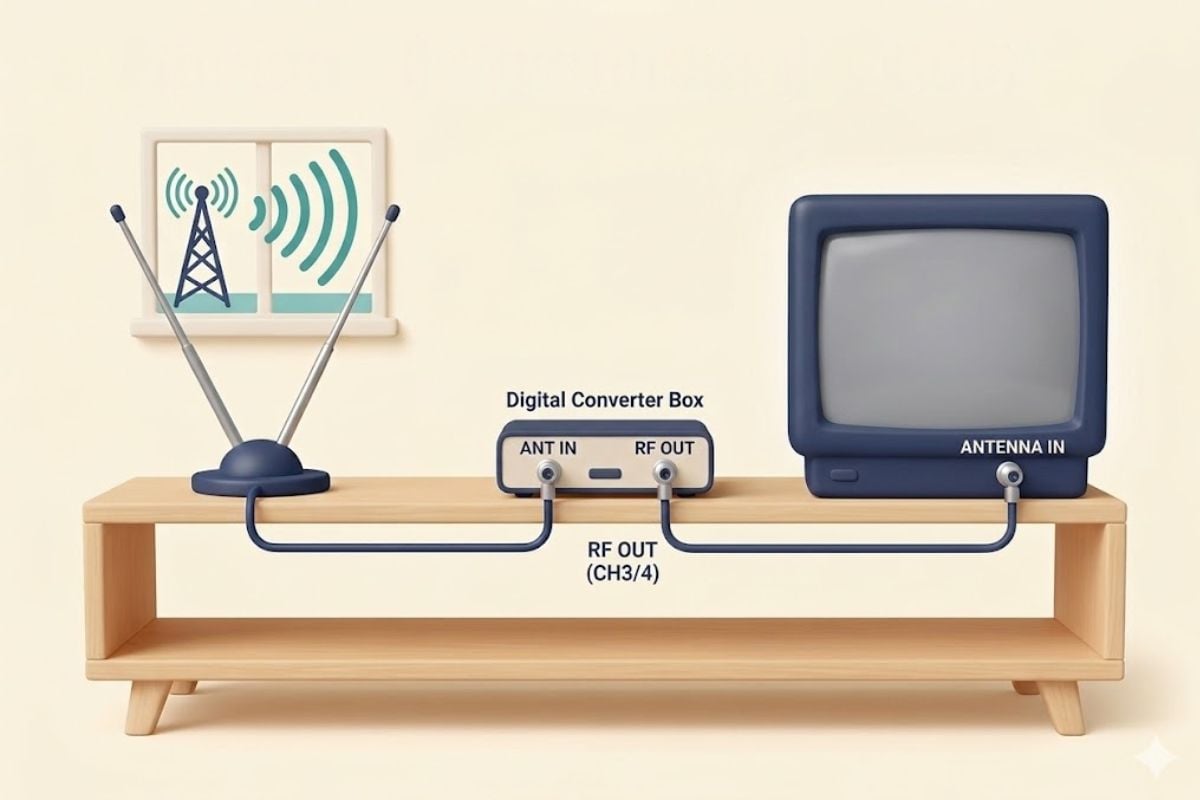
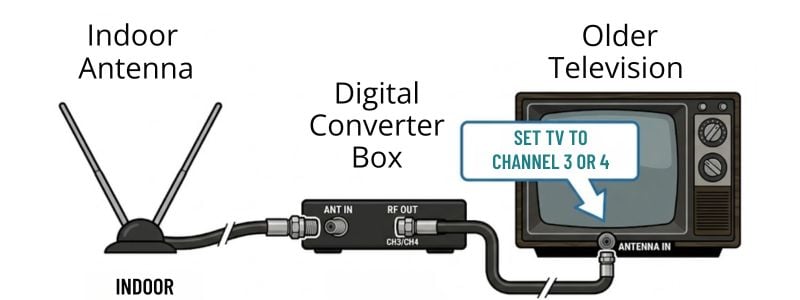
If your TV needs a converter box, connect it this way:
How to Connect It
- Connect the antenna cable to ANT IN on the converter box
- Connect a second coax cable from RF OUT on the converter box → TV ANTENNA IN
- Turn on the TV
- Set the TV to Channel 3 or Channel 4
- Use the converter box remote
- Run Channel Scan
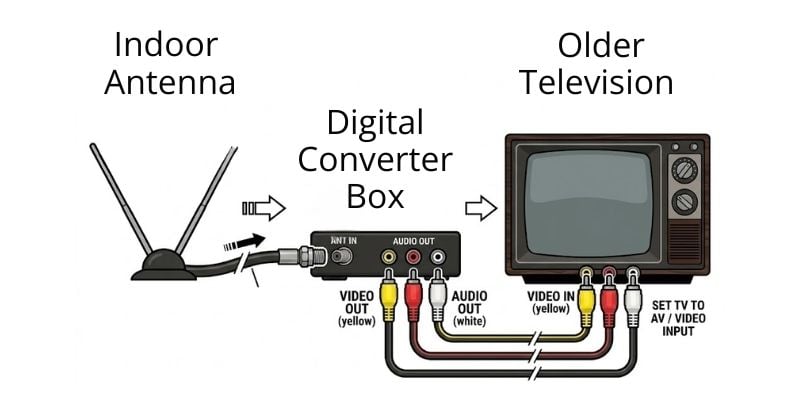
TVs With Red, White, and Yellow Ports (RCA)
Some televisions from the late 1990s and early 2000s have three colored ports.
They look like this:
- yellow (video)
- red (audio)
- white (audio)
These are called RCA inputs.
RCA ports by themselves do not tell you whether the TV has a digital tuner.
First look for a round ANT IN or RF connection. If the TV has an ATSC digital tuner, the antenna can connect there.
If the TV does not have a digital tuner, use a converter box. The antenna connects to the converter box, and the red, white, and yellow cables carry the picture and sound to the TV.
How to Connect It
- Connect antenna → converter box ANT IN
- Connect cables from converter box to TV
yellow → VIDEO IN
red → AUDIO IN
white → AUDIO IN
- Turn on the TV
- Press INPUT or SOURCE
- Select AV / VIDEO
- Run channel scan on the converter box
TVs With HDMI Ports
An HDMI port does not tell you whether the TV can receive antenna channels.
Look for a round port labeled ANT IN, ANTENNA, RF, or CABLE/ANT.
Then check the TV menu for ATSC, DTV, Digital Tuner, or Digital Channel Scan.
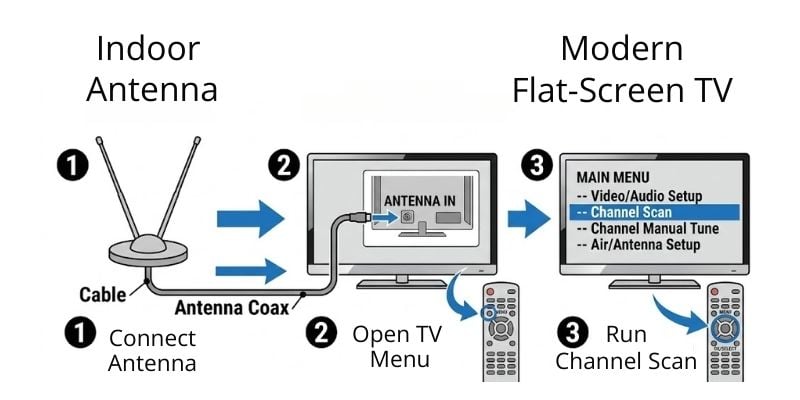
If the TV has an ATSC tuner, connect the antenna directly to the antenna port and run a channel scan. You do not need a converter box.
Setup Steps
- Plug antenna into ANTENNA IN on the TV
- Open the TV Menu
- Select Channel Setup
- Choose Antenna / Air
- Run Channel Scan
The TV will search for all available stations.
Once you know what kind of connection your TV has, the next step is checking whether an antenna is worth setting up at your address. Before you buy a converter box or antenna, check which local channels are likely to come in clearly.
Quick Guide: Which TVs Need a Converter Box
Some people are unsure whether their television needs a converter box.
Here’s how to tell:
Most TVs manufactured for sale in the U.S. from March 2007 onward include a digital tuner. Older sets may or may not have one, so the safest approach is to check the TV’s specifications or menu for terms such as ATSC, DTV, Digital Tuner, or Digital Channel Scan.
If the TV has only an analog NTSC tuner, you need a digital converter box to receive today’s full-power over-the-air broadcasts.
What If My Old TV Only Has Screws Instead of a Round Antenna Port?
Very old TVs may have two small screws labeled VHF, UHF, or ANT instead of a round coax connector.
These TVs usually have an older analog tuner, so you will normally need a digital converter box.
Connect it like this:
- Connect the antenna to the converter box.
- Connect the converter box to the TV.
- If the TV uses two antenna screws, use a small 75-ohm to 300-ohm adapter, also called a balun.
- Set the TV to Channel 3 or 4.
- Run the channel scan on the converter box, not the TV.
The small adapter only changes the type of cable connection. It does not convert a digital TV signal by itself.
That last sentence is excellent for a snippet.
What Channels Can You Get With an Antenna?
Most homes receive several free stations. These usually include:
- ABC
- NBC
- CBS
- FOX
- PBS
- local news
- sports
- weather
You will also see extra channels called subchannels. Many of these show classic television. Examples include:
- MeTV
- Movies!
- Antenna TV
- Laff
- Grit
Be sure to check our guide to what channels you can expect in your area (including classic TV subchannels).
If Your Antenna Gets Few Channels
Most reception problems happen because of antenna placement.
Try these simple fixes.
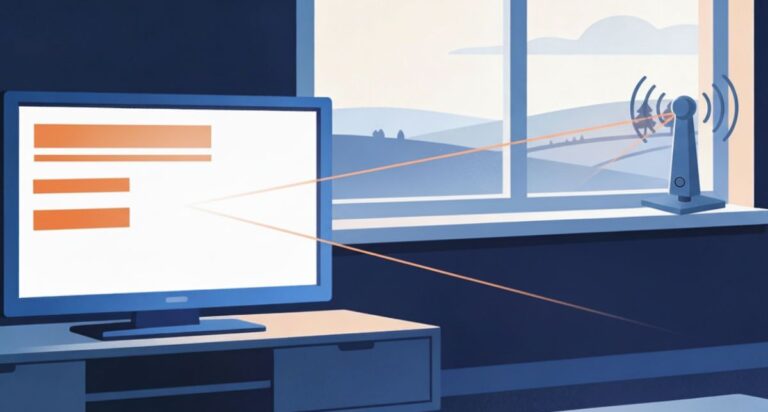
- Move the antenna closer to a window.
- Place the antenna higher on a shelf or wall.
- Rotate the antenna slightly left or right.
Also check out our walkthrough on how to aim your indoor antenna to get the best reception. Even small changes can improve reception.
Choosing the Right Antenna
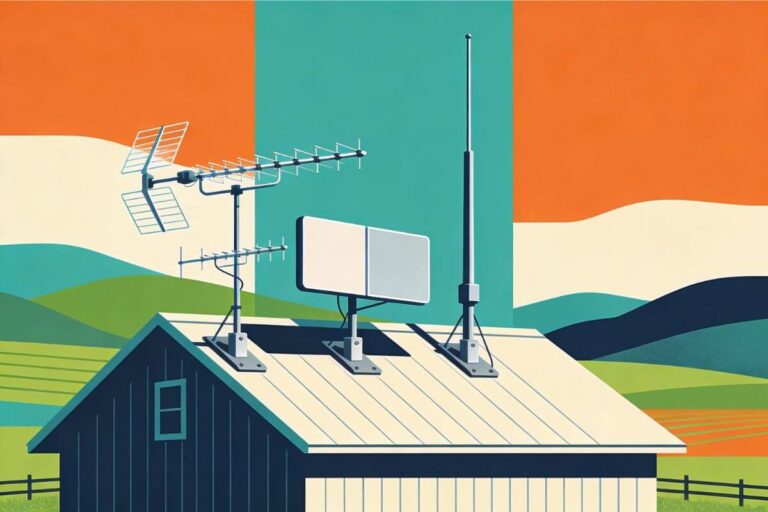
Most homes do well with a basic indoor antenna. However, homes farther from broadcast towers may need a stronger antenna.
This guide explains how to choose the best indoor TV antenna for rural areas.
Using Antenna TV and Streaming Together
Many households now combine:
• free antenna channels
• free streaming apps
You might watch local news with an antenna and stream other shows online.
- If you want to watch online video on an older TV, this guide explains how to watch YouTube on an old TV.
- You can also mirror videos from a phone. This guide explains how to cast from your phone to your TV.
How to Use an Antenna for Old TV (Quick Setup Summary)
The easiest way to know whether you need a converter box is to check the TV tuner, not the type of cable connection.
If your TV has an ATSC digital tuner:
Connect the antenna to the TV’s ANT IN or RF port. Choose Antenna or Air in the TV menu and run a channel scan.
If your TV has only an NTSC analog tuner:
Connect the antenna to a digital converter box. Then connect the converter box to the TV using coax or RCA cables. Run the channel scan on the converter box.
If your TV has two antenna screws:
You will usually need a converter box plus a 75-ohm to 300-ohm adapter to connect it to the old screw terminals.
If you are not sure:
Look in the TV menu, manual, or model specifications for ATSC, DTV, Digital Tuner, or Digital Channel Scan.
Why Your Old TV Might Still Show “No Channels”
If everything is connected but your TV shows no channels, the most common reason is that the channel scan was done in the wrong place.
When a converter box is used, the converter box finds the channels — not the TV.
That means the channel scan must be run in the converter box menu, not the television menu. The TV is only displaying the signal from the box.
If you connected the antenna directly to a newer TV with a built-in digital tuner, then the channel scan should be run in the TV menu instead.
Running the scan in the correct device usually fixes the problem right away.
Frequently Asked Questions
Are converter boxes hard to find?
Converter boxes are still made and still work. Even though the digital TV transition happened years ago, many people continue using older televisions made before 2009. Converter boxes are designed specifically to bring today’s broadcast signals to an older television.
Will a converter box work with any antenna?
Yes. A converter box works with indoor antennas, outdoor antennas, and rabbit ears. The type of antenna does not matter — the converter box’s job is to translate the signal after the antenna receives it.
Does a converter box affect picture quality?
No. If the antenna receives a clear signal, the picture will be clear. If reception is weak, the picture may freeze or pixelate — but that is due to signal strength, not the converter box itself.
Can I still watch classic TV channels with a converter box?
Yes. A converter box does not change what channels are available. It simply allows your TV to display them. If a local station broadcasts classic shows, you can still receive those channels for free.
Why does my converter box have its own remote?
Many converter boxes include a separate remote because channel tuning happens through the box, not the TV. This is normal and does not mean your TV is malfunctioning. Once set up, most people leave the TV on one channel and use the converter remote to change stations.
Can I use one converter box for more than one TV?
No. Each TV needs its own converter box because the signal must be translated separately for each television. However, one antenna can sometimes feed multiple converter boxes if the signal is strong enough.
Will a converter box stop working in the future?
Converter boxes will continue to work as long as over-the-air television exists. They do not rely on internet service or subscription systems, so there is nothing to expire or shut off.
Do I need a converter box if I use streaming services?
You’ll need the converter box if you have an older (analog signal) TV if you want to watch free over-the-air channels.
Streaming apps like Netflix and Pluto TV use the internet and do not involve antennas or converter boxes at all. Many people use both — streaming for some shows and an antenna for local channels.
Wrap Up
Your older TV can absolutely get free local channels with a simple antenna hookup.
If your TV has a built-in ATSC digital tuner, you can connect an antenna directly. If it has only an older analog tuner, you will need a digital converter box.
Match the cables (coax to coax, or RCA with adapter), and you’ll see ABC, CBS, NBC, FOX, PBS, plus bonus subchannels like MeTV with Andy Griffith reruns.
To get the best possible reception, aim your indoor antenna by moving it close to a window, or placing it on a high shelf.
Then make some popcorn and make a date for an evening with Columbo.