Why Did I Lose Channels on My TV Antenna? (Updated for 2026)
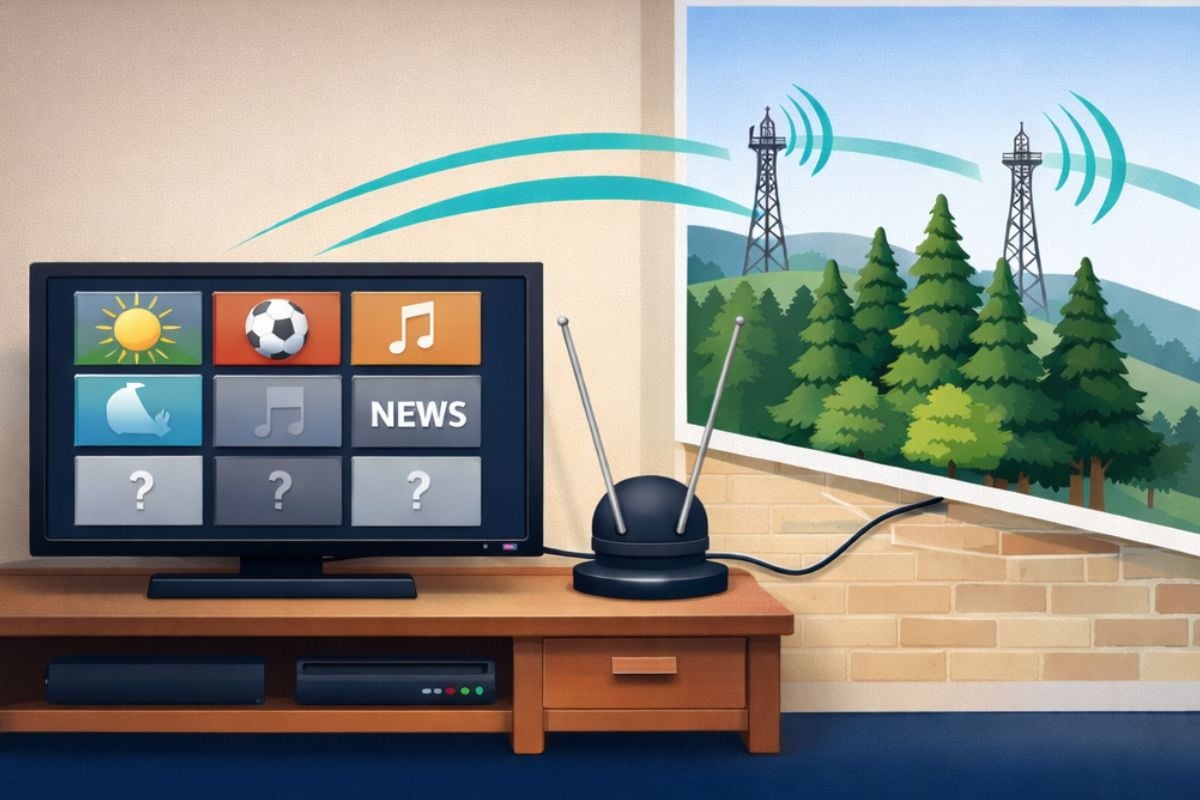
Lost channels on your TV antenna usually do not mean the antenna is broken.
Most channels disappear because of a small signal change, bad weather, trees, a loose cable, a shifted antenna, or a TV that needs a fresh channel scan.
Before replacing anything, start with the simple checks below.
Quick Answer: Why Did I Lose Channels on My TV Antenna?
You may have lost channels because the signal weakened, the antenna moved, a cable loosened, weather or trees blocked the signal, a local station changed frequency, or your TV needs a new channel scan.
The fastest fix is to check the antenna cable, make sure the TV is set to Antenna or Air mode, and run a full channel rescan.
These issues are normal :
- Signal drops during heavy rain or storms
- Occasional pixelation on windy days
- Fewer channels in summer when trees are full of leaves
- A channel disappears and comes back later
These are worth checking:
- Channels that worked for months suddenly vanished
- The signal is bad every day
- Your TV says “No Signal”
- A channel disappears after moving the antenna or changing cables
- Picture breaks up even on clear days
If the problem keeps happening, something in the signal path may have changed. s
Is the channel till there but it keeps breaking up? Try these easy fixes for TV pixelation.
The sections that follow explain the most common causes and what to try first.
Try These 7 Fixes Before You Replace Anything
Most lost channels come back without buying a single new part. Work through these in order — most people find the problem in the first three or four.
1. Plug just one TV straight into the antenna.
If you’re sharing one antenna with more than one TV using a splitter, unplug the splitter and connect a single TV directly to the antenna cable. If your channels come back, the splitter is weakening your signal too much — a signal booster can often fix that.
2. Check that your amplifier still has power.
If your antenna has a booster or amplifier, it needs its own power adapter plugged into the wall. A powered antenna with no power acts like a weak antenna with no boost at all. Look for an unplugged adapter, a switched-off power strip, or a loose connection.
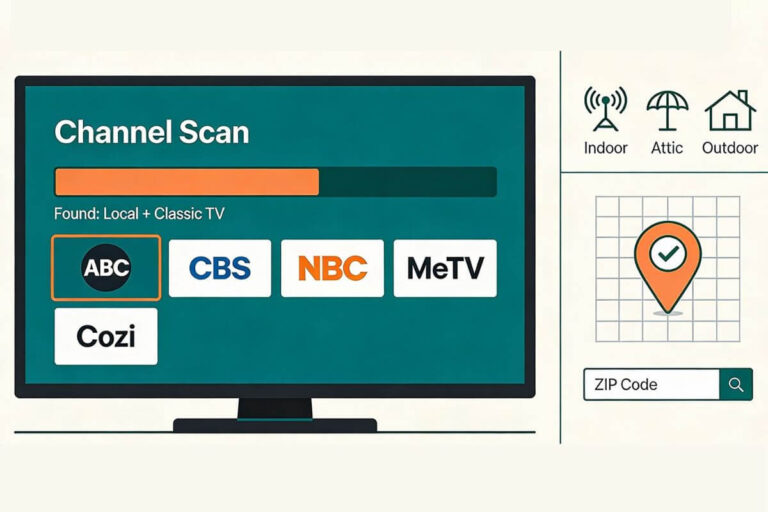
3. Run a full channel scan.
Your TV needs to “rescan” any time something changes — after a storm, after you move a cable, or after you unplug anything. This tells your TV to search again for every channel it can find. It’s the single most common fix.
4. Look over your outdoor cable connections.
If any part of your cable runs outside, check every connection point for looseness, cracks, or water damage. Weather is hard on outdoor connectors, and a loose or corroded connection outside is one of the most common causes of channels disappearing suddenly.
5. Make sure your TV is set to “Antenna” or “Air” mode.
This sounds obvious, but it’s an easy one to miss. Your TV needs to be set to Antenna or Air — not Cable — or it won’t show your channels no matter how good your signal is.
6. Try a different cable between the wall and the TV.
The short cable running from your wall or antenna to the back of your TV can go bad without any obvious sign of damage. If you have a spare, swap it in and see if that solves it.
7. Rescan again at a different time of day.
If your channels come and go rather than staying gone for good, run another scan later in the day. That’s usually a sign of a signal that’s right on the edge, which the next section explains in more depth.
If you’ve worked through all seven and channels are still missing, the deeper causes below will help you figure out what’s really going on.
Why Did My Antenna Suddenly Lose Channels?
TV antenna channels can disappear suddenly even when nothing in your home seems to have changed. In most cases the antenna itself isn’t broken. Small changes in signal strength, interference, or a TV that simply needs a new channel scan can cause channels to drop out.
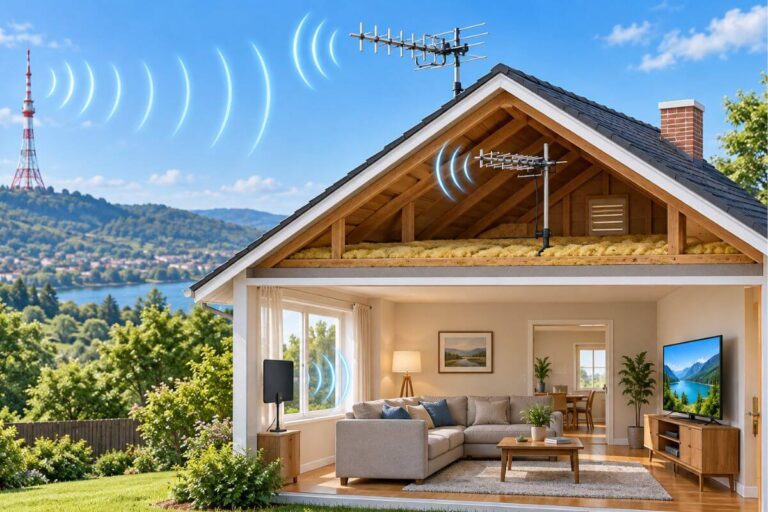
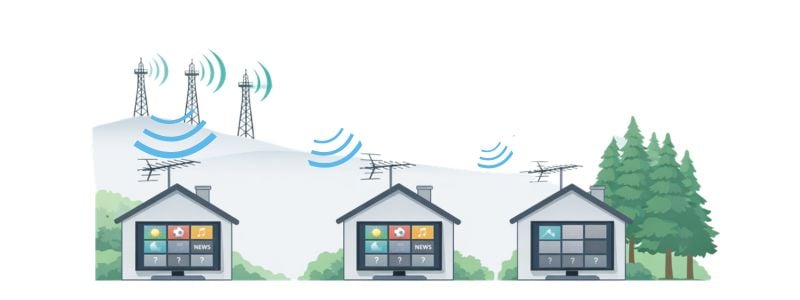
TV antennas receive signals from broadcast towers that may be 10 to 70 miles away. These signals travel through the air and can weaken before they reach your home.
When the signal becomes too weak, the TV can no longer lock onto the channel. This is when channels suddenly disappear even though nothing seems to have changed.
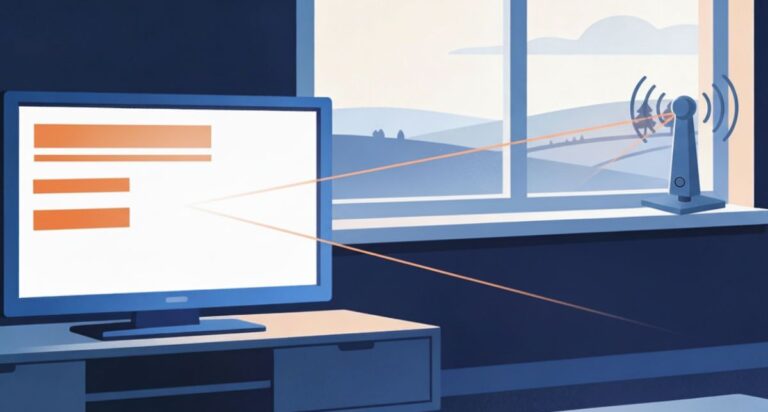
Indoor antennas are especially sensitive to placement. Walls, furniture, trees outside, and nearby buildings can all interfere with the signal path between the broadcast tower and your antenna.
Moving an antenna just a few feet can sometimes restore missing channels. A higher position or placement near a window often improves reception because there are fewer obstacles blocking the signal.
If your antenna is not picking up local channels anymore, start with the basic checks before replacing it.
Your antenna notes and quick fixes, all in one place.
Get the Free TV Antenna Troubleshooting Checklist
A 4-page fill-in guide to keep near your TV.
Fill it in once. Use it when a channel disappears, the picture breaks up, or you need to fix your antenna again.
- Write down your must-have channels, tower direction, and antenna setup
- Follow the quick fixes when a channel goes missing or the picture freezes
- Find and record your best antenna spot so you do not have to start over
- Know when to rescan — and when not to rescan
- Keep the questions to ask an antenna pro before paying for new parts

Hi, I’m Kathy — I’ve helped thousands of readers ditch cable and get their local channels working for good.
How Does Distance Affect Reception?
Distance also matters. Homes located farther from broadcast towers usually experience more reception changes. Signals become weaker the farther they travel.
Outdoor antennas are generally more stable because they sit above many of the obstacles that affect indoor antennas. However, even roof antennas can lose reception under certain conditions. If you’re using an outdoor antenna, you may want to read my guide explaining why outdoor TV antennas lose signal, which covers the most common causes.
What Affects TV Antenna Signal Strength?
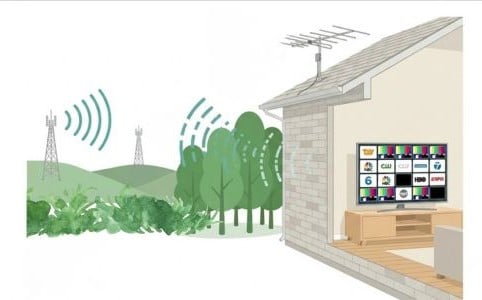
Several factors determine how strong a TV antenna signal is when it reaches your home.
Distance from broadcast towers is the biggest factor. Homes closer to towers usually receive stronger signals. This guide explains how far an indoor TV antenna can realistically reach.
Signal strength can also change because of:
• Hills or tall buildings blocking the signal
• Dense trees around the house
• Metal siding or roofing materials
• Electronic interference inside the home
• The height of the antenna
This is why antenna reception can vary dramatically from one house to another, even in the same neighborhood.
Homes located farther from broadcast towers often benefit from placing antennas higher in the house or switching to an outdoor antenna.
If you want to understand how distance affects reception, my guide on how far an indoor TV antenna can reach explains the typical signal range most antennas cover.
TV Antenna Channels Not Working
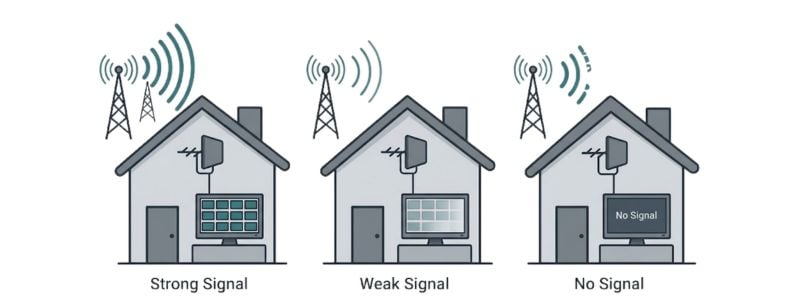
If your TV antenna channels are not working, the most common reason is that the TV is no longer receiving a strong enough signal from the broadcast tower.
Unlike cable or streaming services, antenna television depends entirely on signal strength. If the signal drops below a certain level, the TV cannot display the channel at all.
Several things can cause this to happen.
The antenna may have shifted slightly out of position. Indoor antennas are especially sensitive to direction, and even a small change can affect reception.
Signal interference can also reduce reception. Nearby electronics, metal objects, or thick walls inside the home may weaken the signal before it reaches the TV.
Another common cause is outdated channel information. Local TV stations sometimes change broadcast frequencies, and your TV may still be tuned to the old signal location. When this happens, channels appear to disappear even though the station is still broadcasting.
This is why rescanning channels occasionally is important for antenna users. A channel scan tells the TV to search again for available stations and update its channel list.
If you’re looking for step-by-step fixes, how to get missing TV channels back with an antenna walks through the most common solutions.
Why Antenna Reception Changes During the Day
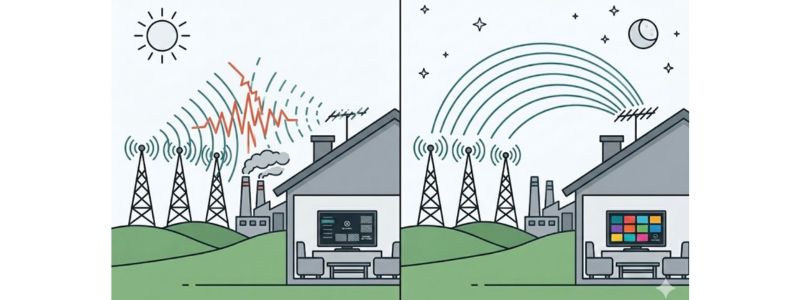
Some people notice their antenna works perfectly in the morning but loses channels later in the day. This happens because antenna reception can change throughout the day as the atmosphere and signal conditions change.
TV signals travel through the air as radio waves. As temperatures and air pressure change during the day, those waves can bend, scatter, or weaken before they reach your antenna.
Electrical interference can also increase during daytime hours. Homes, businesses, and factories run more electronics during the day, and those devices can create small amounts of interference that affect weak TV signals.
Distance from broadcast towers makes these changes more noticeable. Homes farther from the towers are already receiving weaker signals, so even small changes in atmospheric conditions can cause channels to disappear temporarily.
Some viewers also notice their antenna works better later in the evening and through the night. When temperatures stabilize and electrical interference decreases at night, broadcast signals may travel slightly farther. That’s why a missing channel sometimes returns after sunset.
If your antenna reception changes during the day, it does not necessarily mean the antenna is failing. It usually means the signal reaching your home is right at the edge of what the antenna can receive.
Does Weather Affect Antenna Reception?
Yes — weather can affect antenna reception, especially when signals are already weak.
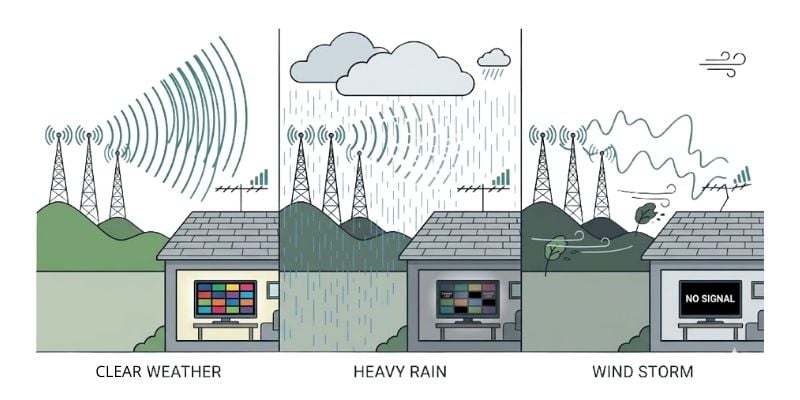
TV signals travel through the air from broadcast towers to your antenna. When storms move through an area, rain, wind, or heavy cloud cover can weaken those signals before they reach your home.
This doesn’t usually damage the antenna itself. Instead, the weather temporarily disrupts how the signal travels.
Heavy rain can scatter broadcast signals over long distances. Strong winds may also shift outdoor antennas slightly, which can change the direction they are facing. Even a small change in direction can affect reception if your antenna is pointed toward distant towers.
Snow or ice buildup on outdoor antennas can also reduce signal strength until the weather clears.
Indoor antennas are usually less affected by wind, but severe storms can still weaken the signal reaching your home. When the signal drops below a certain level, the TV may lose channels or display a “No Signal” message.
In most cases, channels return once the storm passes and signal conditions improve.
When to Rescan TV Channels With an Antenna
One simple reason channels disappear is that your TV is still tuned to old broadcast frequencies. When this happens, you may suddenly notice missing channels even though the stations are still broadcasting.
Local TV stations occasionally change frequencies as part of FCC spectrum updates or technical adjustments. When that happens, your TV may still be looking in the old location until you run a new channel scan.
If channels disappeared suddenly, run a full antenna channel rescan before moving or replacing your antenna. Rescanning tells the TV to search again for available over-the-air signals and rebuild the channel list.
You should rescan your TV channels if:
• Channels suddenly disappear
• You move the antenna to a new location
• You install a new antenna
• A local station announces a frequency change
• Your TV has not been rescanned in a long time
Running a channel scan does not damage anything or erase channels permanently. It simply refreshes the list of signals your TV can receive.
If you’re unsure which stations should be available in your area, my guide explaining what channels you can get with a TV antenna shows the local networks most antennas receive, including ABC, CBS, NBC, FOX, and PBS.
If Your Antenna Still Struggles to Receive Channels
If you continue to lose channels even after adjusting placement or rescanning, the issue may be the antenna itself.
Indoor antennas work well for homes closer to broadcast towers, but homes farther away or surrounded by trees and buildings often need a stronger antenna.
If you have checked the cable and tried better indoor spots but reception is still weak, see my outdoor antenna guide. It explains which models suit different tower locations and channel needs.
Frequently Asked Questions
Why did my antenna lose channels suddenly?
TV antenna channels can disappear suddenly when the signal becomes too weak for the TV to receive. This can happen if weather conditions change, the antenna moves slightly, nearby obstacles block the signal, or a TV station changes broadcast frequency.
Running a channel rescan can sometimes restore missing channels if the station moved to a new frequency.
Can weather cause antenna channels to disappear?
Yes. Heavy rain, storms, and strong winds can weaken broadcast signals temporarily. In most cases, channels return once the weather improves.
Why is my antenna not picking up local channels anymore?
If your antenna is not picking up local channels, the signal reaching the antenna may have weakened. Distance from broadcast towers, buildings, trees, and indoor antenna placement can all affect reception.
Moving the antenna higher or closer to a window often improves signal strength.
Do TV antenna channels change over time?
Yes. TV stations occasionally change broadcast frequencies. When that happens, your TV may need a new channel scan to find the station again.
This is one reason channels sometimes disappear even though the station is still broadcasting.
Wrap Up
If your TV antenna suddenly loses channels, the antenna itself is rarely broken. Most reception problems happen because the signal reaching your home has changed.
Signal strength can vary due to antenna placement, obstacles between your home and broadcast towers, weather conditions, or changes in how stations broadcast their signals.
Understanding these causes helps explain why channels sometimes disappear even when nothing inside your home has changed.
If you’re exploring antennas as part of replacing cable, my guide on how to cut TV cable and still watch your favorite channels explains how antennas and free streaming services work together to provide local networks and classic TV without a monthly bill.
For many households, combining a TV antenna with free streaming apps is the easiest way to watch TV without cable.
For more help, see my TV Antennas & Free Channels guide.