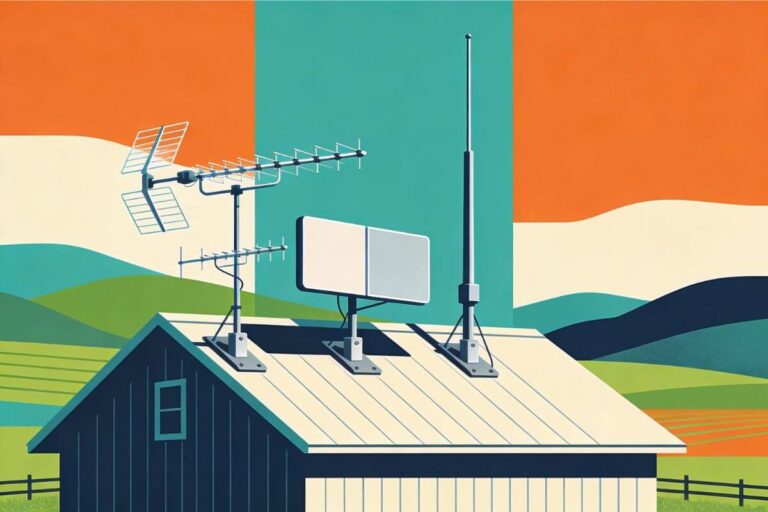
4 Best Indoor TV Antennas for Rural Areas (2026 Guide)
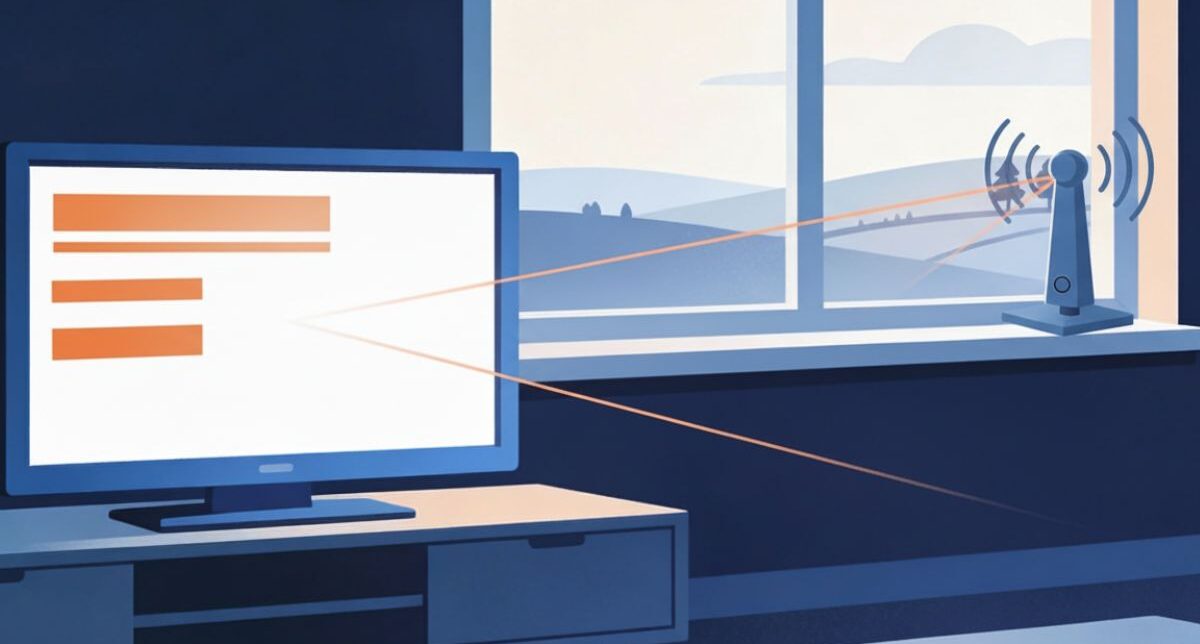
The best indoor TV antenna for rural areas depends on your local signal and where you can place it.
For rural homes with nearby TV towers, the Channel Master FLATenna 35 is a simple budget option. If you want help finding a good spot, the Mohu Leaf Supreme Pro has signal indicator lights.
Below, compare four models by setup, features, and drawbacks to decide which is worth trying at your home.
Receive available local TV channels without internet or a monthly TV fee.
Quick Picks
Choose the indoor antenna that best matches your tower distance, channel frequencies, signal strength, and available placement space.
| Best For | Our Pick | Works Best When | Check It |
|---|---|---|---|
| Low-cost starter | Channel Master FLATenna 35 | Towers are fairly close and you want a simple antenna without a booster | View on Amazon |
| Placement indicator | Mohu Leaf Supreme Pro | You have wall or window space and want a built-in signal indicator to help test placement | View on Amazon |
| Moving to an attic or outdoor setup later | ClearStream 4V | You have room for a large antenna that can later move into the attic or outdoors | View on Amazon |
| Nearby VHF stations | Philips Rabbit Ears | Towers are close and you want adjustable rods for VHF reception | View on Amazon |
As an Amazon Associate I earn from qualifying purchases.
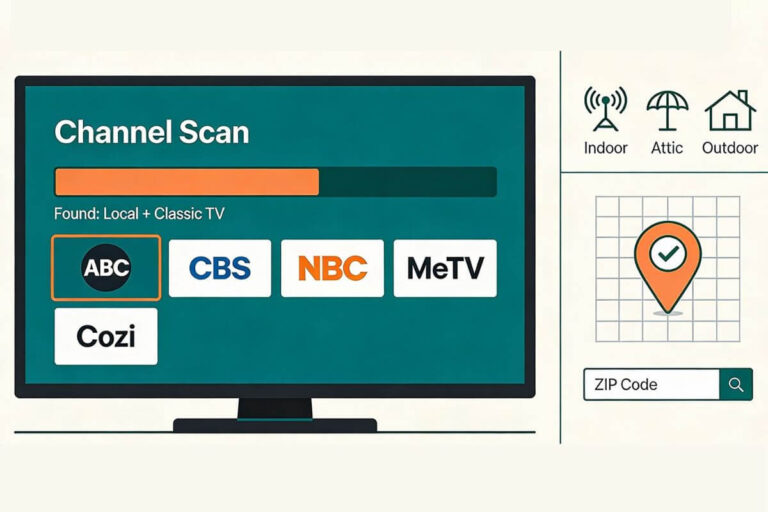
Will an indoor antenna work at your home? Distance alone cannot tell you. Hills, walls, and local signal strength matter too. Check your location before you buy.
What are the Best Indoor TV Antennas for Rural Areas?
1. Channel Master FLATenna 35 — Best Budget Starter Antenna
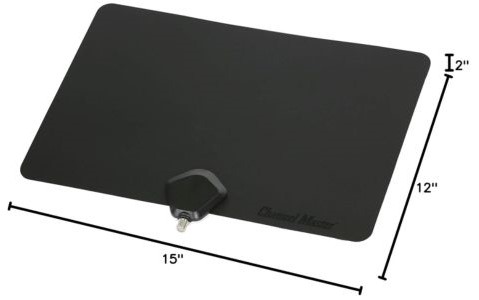
The Channel Master FLATenna 35 is a basic flat antenna without a signal booster. It suits homes with nearby TV towers and a good spot for a wall or window antenna.
Reality check: Living in a rural area does not always mean your towers are far away. But if hills block your signal, this antenna may not be enough.
Features:
- Reversible design
- Detachable RG6 antenna cable
- Wall or window placement
- No amplifier or power adapter needed
Benefits to You:
- Simple connections: Connect the cable to your TV’s antenna input, place the antenna, and run a channel scan.
- No extra power cord: You do not need an outlet or USB port for the antenna.
- Replaceable cable: If the cable gets damaged, you can replace it without buying another antenna.
Pros:
- Basic setup with no booster settings to adjust
- Flat shape takes up little space
- Detachable cable gives you more setup options
Cons:
- No booster included
- Stiff cable can make placement awkward
- A poor choice when very weak or blocked signals are the main problem
Bottom Line:
Choose the FLATenna 35 if nearby towers make a basic indoor antenna worth trying. You are paying for a simple setup without extra powered parts.
Skip it if you already tried a similar antenna in several good spots and still cannot hold your channels. A similar antenna may not solve the same reception problem.
2. Mohu Leaf Supreme Pro — Best for a Built-In Signal Indicator
The Mohu Leaf Supreme Pro is a large, flat indoor antenna with a built-in amplifier and signal indicator lights. The lights help you compare spots as you move the antenna.
Reality check: A larger antenna does not always mean better reception. You still need a usable signal and enough wall or window space.
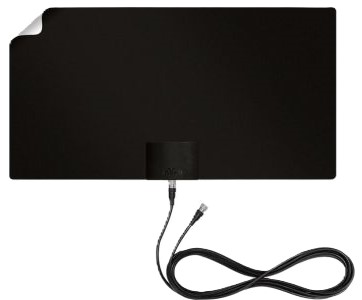
Features:
- Large, flat design for a wall or window
- Built-in FirstStage signal amplifier
- Signal indicator lights to help with placement
Benefits to You
- Get help choosing a spot: Compare the indicator lights in different locations, then check the picture on your must-have channels.
- Keep the antenna against a wall: A flat design may suit your room better than exposed rods or loops.
- Amplifier included: You do not need to choose a separate booster to use its amplified setup.
Pros:
- Built-in placement aid
- Flat shape despite its large size
- Antenna and amplifier in one setup
Cons:
- Needs more wall or window space than smaller flat antennas
- The amplifier requires power
- Indicator lights do not guarantee that every channel will play clearly
- Amplification cannot fix every weak-signal problem
Bottom Line:
Choose the Leaf Supreme Pro if you have room for a large flat antenna and want a signal indicator to help with setup. That placement aid is its clearest reason to be on your shortlist.
Skip it if you need a small, discreet antenna or cannot place it where reception is best. Do not buy it just because it is bigger—check your local signal first.
3. Antennas Direct ClearStream 4V — Best Indoor-to-Attic Upgrade
The Antennas Direct ClearStream 4V is a large antenna that can be used indoors, in an attic, or outdoors. It suits readers who have room for a bigger setup and may want to move it outside later.
Reality check: This is not a thin window antenna. Plan where you will place and secure it before buying.
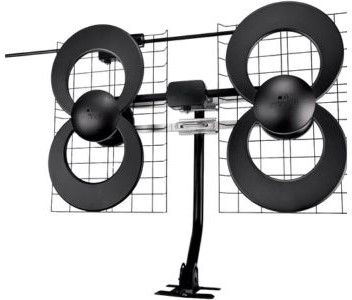
Features:
- Four-loop design for UHF reception
- Separate elements for Hi-VHF reception
- Indoor, attic, or outdoor use
- Requires assembly
- Coaxial cable sold separately
Benefits to You:
- Keep your options open: You can move the same antenna to an attic or outdoor location if indoor placement falls short.
- Receive both broadcast bands: It covers UHF and Hi-VHF, which your local stations may use.
- Choose your cable length: Buy a cable long enough to reach from your planned antenna spot to the TV.
Pros:
- Can serve more than one installation location
- Dedicated UHF and Hi-VHF elements
- Does not require amplifier power for the antenna itself
Cons:
- Large and hard to hide in a living room
- More assembly and mounting work than a flat antenna
- Cable adds to the total cost
- Moving it outdoors means additional installation work
- Hills and other obstructions can still limit reception
Bottom Line:
Choose the 4V if you have space for it and a realistic plan to move it into an attic or outdoors if needed. Its main advantage here is that flexibility.
Skip it if you want a small antenna you can stick to a window. Before ordering, add up the antenna, cable, and any mounting or installation costs.
4. Philips Rabbit Ears — Best for Nearby VHF Stations
The Philips Rabbit Ears Indoor Antenna is a basic tabletop antenna with adjustable rods for VHF reception and a loop for UHF. It is an option for homes with nearby towers, especially when a must-have station broadcasts on VHF.
Reality check: Nearby towers help, but walls and hills can still affect reception. You may need to move the antenna and adjust its rods.

Features:
- Adjustable VHF rods and a UHF loop
- Tabletop base
- Attached antenna cable
- No powered amplifier
Benefits to You:
- Adjust the rods: Change their length and angle while checking your picture.
- No wall mounting: Set it on a shelf, table, or TV stand.
- No extra power cord: Connect it to your TV’s antenna input and run a channel scan.
Pros:
- Simple setup with no booster settings
- Receives both VHF and UHF broadcasts
- Rods give you another way to adjust reception
Cons:
- Extended rods need space
- Short cable limits placement unless you add an extension
- Not a good first choice for very weak or heavily blocked signals
Bottom Line:
Choose Philips Rabbit Ears if your towers are nearby and you want an antenna you can adjust without mounting it on a wall. The rods make it worth considering when VHF channels matter.
Skip it if your best reception spot is far from the TV and you do not want to extend the cable. Check where you can place it before buying.
Your antenna notes and quick fixes, all in one place.
Get the Free TV Antenna Troubleshooting Checklist
A 4-page fill-in guide to keep near your TV.
Fill it in once. Use it when a channel disappears, the picture breaks up, or you need to fix your antenna again.
- Write down your must-have channels, tower direction, and antenna setup
- Follow the quick fixes when a channel goes missing or the picture freezes
- Find and record your best antenna spot so you do not have to start over
- Know when to rescan — and when not to rescan
- Keep the questions to ask an antenna pro before paying for new parts

Hi, I’m Kathy — I’ve helped thousands of readers ditch cable and get their local channels working for good.
How I Chose These Indoor TV Antennas
I used product research, rather than hands-on testing of all four models, to compare four things that matter before you buy:
- Channel support: Which broadcast bands each antenna can receive.
- Placement: Where it fits and how much space it needs.
- Setup: What comes in the box and what you must buy separately.
- Useful features: Adjustable rods, signal indicator lights, or the option to move outdoors later.
Each pick serves a different need, from a simple tabletop setup to a larger antenna you can move into an attic. The reviews explain when each is worth considering and when to skip it.
Your local signal and placement matter more than the mileage printed on the box.
Already Have an Antenna? Try This Before Buying a New One
Test your current antenna in a few spots before paying for another:
- Try a higher spot near a window facing your TV towers.
- Scan for channels through your TV’s antenna setup menu.
- Watch your must-have channels and check for freezing or picture breaks.
- Move the antenna a few feet or try another window. Compare those same channels.
A scan finds channels; It does not make the signal stronger. Scan again if channels are missing after you move the antenna.
If several spots give poor results, check your connections and follow these indoor antenna troubleshooting steps before buying a replacement.
Tip: Run the scan on your TV, not in your Roku or Fire TV streaming menus. If you use a converter box, scan through that box instead.
Why Indoor TV Reception Can Be Harder in Rural Areas
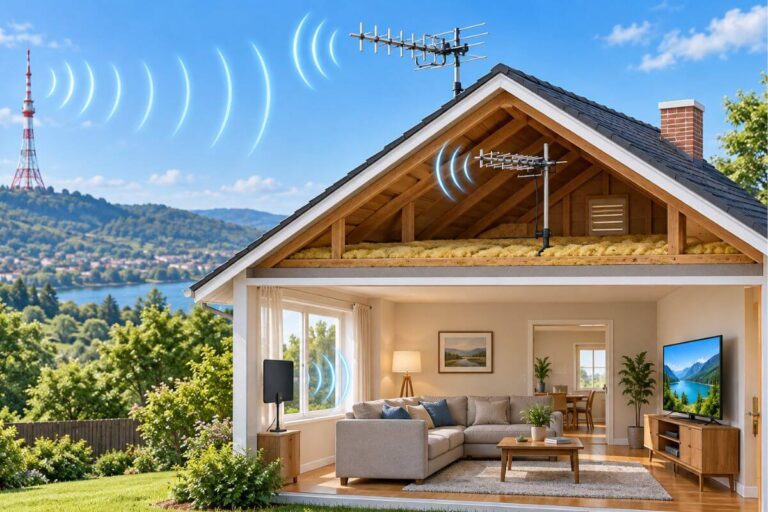
An indoor antenna may work well in one rural home and poorly in another. Three things can affect your signal:
- Tower distance: Signals generally get weaker as they travel farther.
- Trees: Thick woods can weaken or scatter the signal.
- Hills: A ridge between your home and the towers can block reception.
A more expensive antenna will not always solve these problems. Before buying, check how to aim your indoor antenna and try a better spot.
When to Consider an Attic or Outdoor Antenna
If your channels still freeze or disappear after checking your cables and trying several indoor spots, pause before buying another indoor antenna.
An attic or outdoor location may offer a better signal. An outdoor antenna also avoids the walls and roof that can weaken reception indoors. Neither guarantees success if hills block the towers.
Compare indoor, attic, and outdoor options for rural homes before choosing your next setup.
Do You Need an Amplifier for an Indoor Antenna?
Not always. An amplifier boosts the signal your antenna receives, but it does not guarantee more channels or a clearer picture.
If your antenna lets you switch the amplifier off or bypass it:
- Keep the antenna in the same spot.
- Compare the same channels with the amplifier on and off.
- Keep the setting that gives you the steadiest picture. Scan again if channels are missing.
Do not simply unplug a built-in amplifier to test it. Some antennas need power to work properly. Follow the model’s instructions.
If reception gets worse with amplification, signal overload is one possible cause—not the only one.
See when a TV antenna booster can help before buying one.
What You Can Watch With an Indoor Antenna
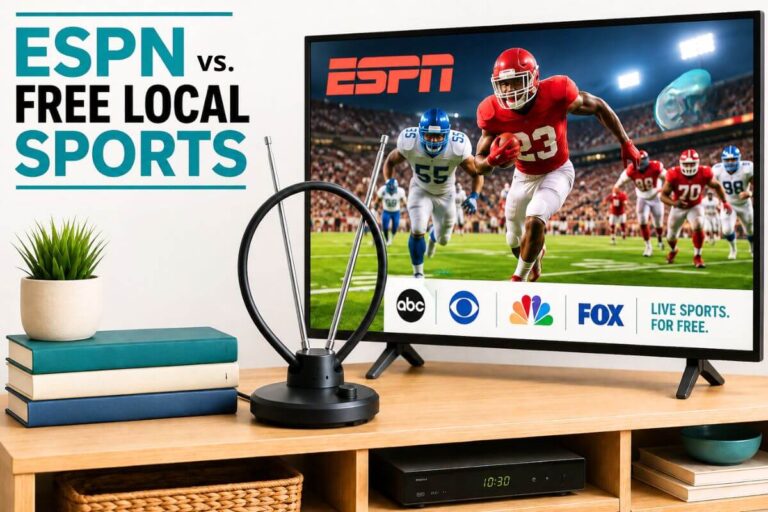
An indoor antenna pulls free local channels over the air — no subscription and no internet required. If your goal is replacing cable, this guide explains how to cut TV cable while keeping free local channels.
Depending on your location, you may get:
- ABC, CBS, NBC, FOX, PBS
- Local news and weather
- Live sports on major networks
- Extra subchannels (where many classic TV channels live)
Enjoy classic crime shows like Cannon and Barnaby Jones? Our 70s detective shows guide lists antenna channels where available, plus free streaming and DVD options.
Antenna Claims to Ignore
- Huge mileage claims: Do not choose an indoor antenna because the box promises hundreds or thousands of miles. Learn what affects indoor antenna range.
- “4K” or “8K antenna”: These labels do not mean better reception. Picture quality depends on the broadcast and your TV equipment.
- “Wireless antenna”: Check what that means. A setup that sends live TV over Wi-Fi still needs an antenna connected to a compatible tuner.
Look for clear model details, setup instructions, and support—not the biggest promises.
Before You Order: Check Returns and Included Parts
Indoor reception varies from home to home. Buy from a seller whose return policy gives you time to test the antenna.
Before paying, check:
- Exact model: Make sure it matches the antenna you want.
- Included parts: Check for the cable, power adapter, stand, or mounting hardware you need.
- Delivery date: Check the date for your address.
- Return terms: Check the deadline, whether opened items qualify, and who pays return shipping.
Tip: Keep the box and all parts until you have checked reception on the channels you watch.
Frequently Asked Questions
Can I Use an Indoor Antenna With an Older TV?
Yes. Check your TV’s manual or model specifications for a built-in ATSC digital tuner. If it has one, connect the antenna and scan for channels.
If it only has an analog tuner, you need a digital converter box with connections that match your TV.
See how to connect an antenna to an older TV for setup help.
Does an indoor TV antenna work for rural areas?
Yes—if enough signal reaches your home. Tower distance, hills, trees, and your home’s walls all affect reception. Distance alone cannot tell you whether an indoor antenna will work.
Try a high spot near a window facing the towers. If reception stays poor after checking connections and testing several spots, an attic or outdoor antenna may be a better option.
How can I improve an indoor TV antenna signal?
Try a higher spot or a window facing your TV towers. Check that the antenna cable is firmly connected, then compare the picture on the same channels as you move the antenna.
Run another channel scan if channels are missing. A scan finds channels; it does not make the signal stronger.
See how to aim an indoor TV antenna for step-by-step help.
Do indoor TV antennas pick up digital TV channels?
Yes. An indoor antenna can receive local digital TV broadcasts if it supports the stations’ broadcast frequencies and the signal is strong enough. Your TV’s digital tuner—or a converter box—turns that signal into picture and sound.
You do not need a special “digital” antenna. Older rabbit ears can still work. The channels you receive and their picture quality depend on local broadcasts and reception at your home.
Is a 4K indoor TV antenna better than a regular one?
No. A “4K” label does not mean an antenna gets better reception or a sharper picture. To watch a 4K broadcast, you need a compatible tuner and a 4K screen.
Choose an antenna that supports your local stations’ broadcast frequencies and fits a good reception spot. Do not pay extra just for “4K” or “8K” on the box.
Can I Use an Indoor TV Antenna Wirelessly?
Yes, with extra equipment. The antenna connects by cable to a network tuner. That tuner connects to your home network, letting you watch through a compatible app on your TV or streaming device.
This can help when your best antenna spot is far from the TV or you want to share one antenna across several TVs. Check that the tuner supports your devices and the number of TVs you want to watch at once.
For a simple one-TV setup, connecting the antenna directly by cable is usually easier and costs less.
Wrap Up
You do not need the biggest antenna or the most features. Choose the model that fits your local signals, your space, and the setup you can manage.
Start with a basic model when nearby towers make indoor reception worth trying. Pay more only for a feature you will use, such as a placement indicator or the option to move the antenna outdoors later.
The right result is a steady picture on the channels you want—not the longest channel list.
In the mood for a classic crime show? Explore these guides to classic 60s detective shows and 70s detective shows for the best ways to watch.