How to Cut Cable Without Losing Local Channels
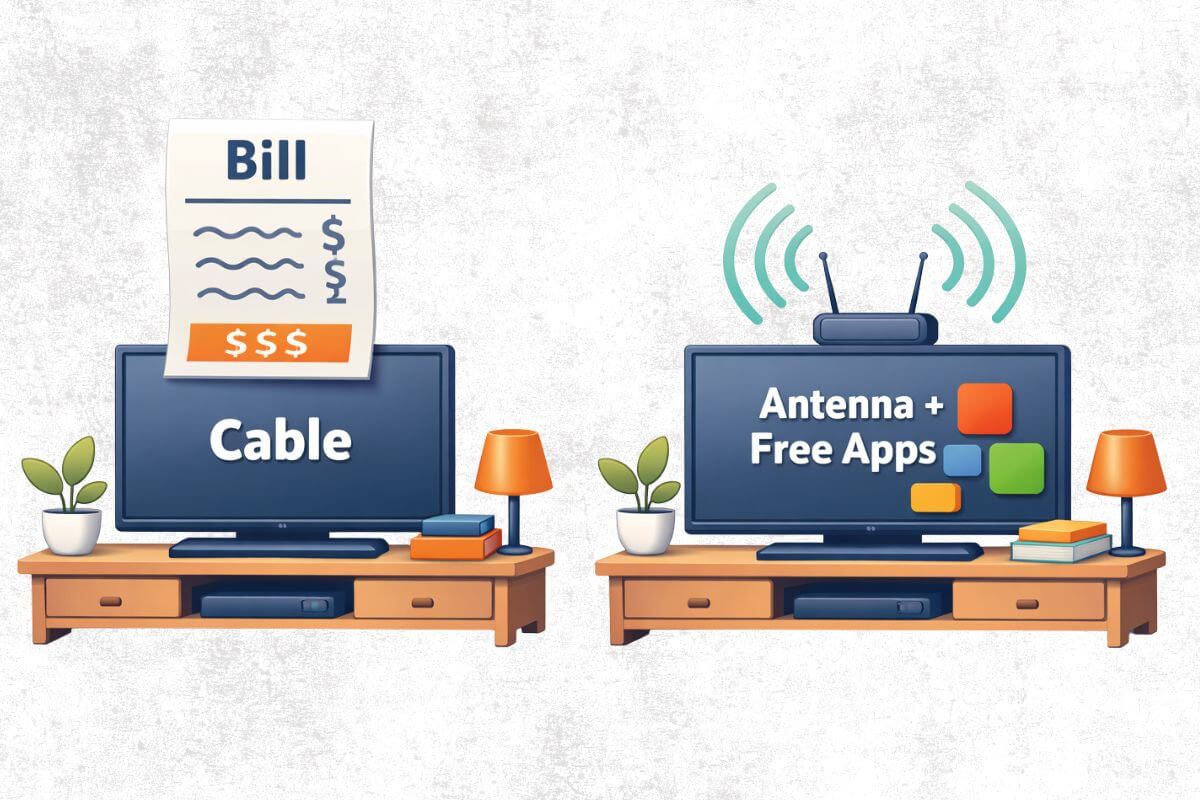
Cutting cable is simpler than most people think: replace the cable box with an antenna for free local channels, a streaming device like Roku or Fire TV, and a few free apps such as Tubi, Pluto TV, YouTube, and the Internet Archive.
You do not have to cancel cable all at once. Start with free channels and one easy streaming device, then cancel cable only when you know you can still watch the shows, news, and weather you care about.
Before you cancel, start with the 7-day cable-cutting test below so you can check your local channels, test your antenna, and decide whether cable is safe to cancel.
Fast Fix: The Simple Cable-Cutting Setup
To cut cable without losing local channels, use this setup:
- Antenna: Gets free local channels like ABC, CBS, NBC, FOX, PBS, MeTV, and Antenna TV.
- Streaming device: Roku or Fire TV makes free apps easier to use on almost any TV.
- Free apps: Tubi, Pluto TV, YouTube, The Roku Channel, and the Internet Archive add shows, movies, and classic TV without a monthly bill.
Best first step: Set up the antenna first and scan for channels before canceling cable.
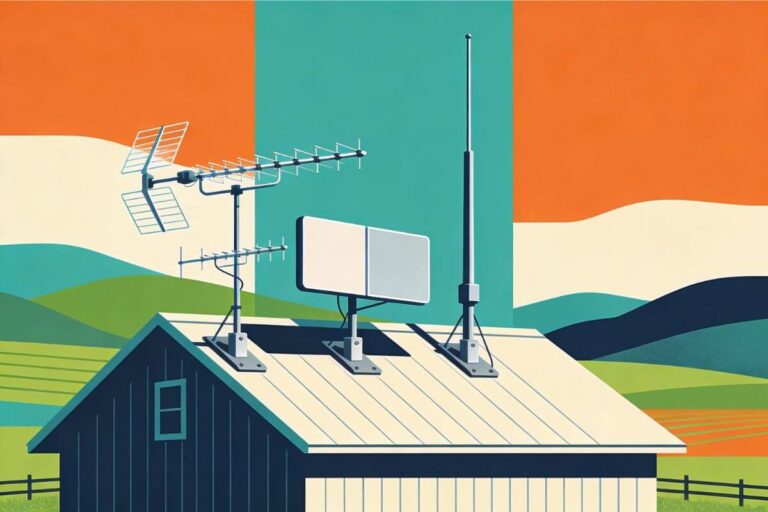
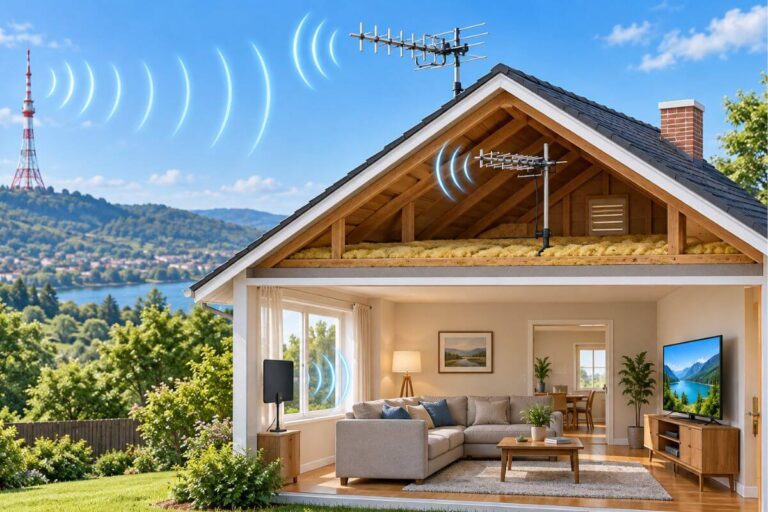
The antenna type you need depends mostly on distance, trees, hills, and whether you can mount equipment outside. When each type of antenna makes sense:
- Indoor → close to towers, fewer trees, renters, easiest start.
- Attic → indoor was spotty but you don’t want roof equipment.
- Outdoor → rural, wooded, hilly, or far from towers (most reliable).
The antenna brings in your local stations at no cost, and the free apps give you extra shows when you want them.
If you mainly want free old shows and familiar channels, this guide also pairs well with my step-by-step guide to watching classic TV free without cable.
Quick Preview: Test Before You Cancel Cable
Before canceling cable, test your setup for one week. Make sure your antenna gets the local channels you need, your free apps cover enough shows, and you know which cable-only channels you may still miss.
- Day 1: Check local channels with FCC or AntennaWeb.
- Day 2: Test an antenna on one TV.
- Day 3: Scan channels morning and evening.
- Day 4: Add one free app.
- Day 5: Test local news and weather.
- Day 6: List cable-only channels you still need.
- Day 7: Decide whether to cancel, downgrade, or wait.
Before You Cancel Cable: Do This 7-Day Test
Before you cancel cable, test your setup for one full week. This helps you find out whether an antenna and free apps can cover the TV you actually watch.
Day 1: Check Your Local Channels
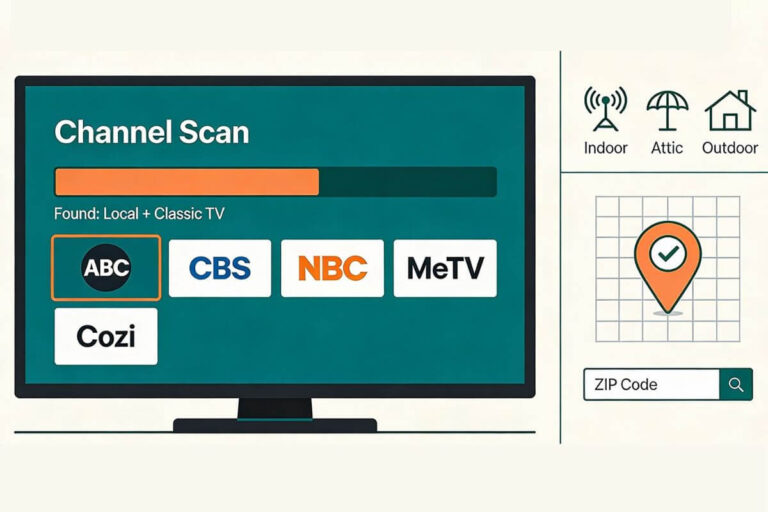
Use the FCC Reception Map or AntennaWeb to see which local channels may be available at your address.
Look for ABC, CBS, NBC, FOX, PBS, MeTV, Antenna TV, and any local news or weather channels you care about.
Day 2: Test an Indoor Antenna on One TV
Start with one TV before changing your whole setup.
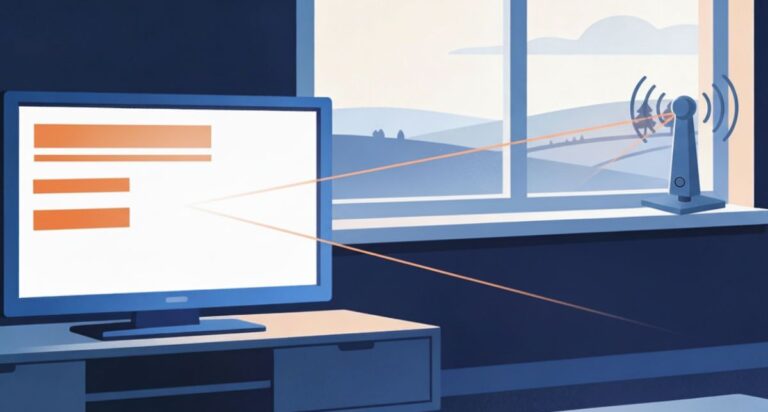
Place the antenna near a window, raise it as high as practical, and aim it toward the broadcast towers if you know the direction.
Day 3: Scan Channels Morning and Evening
Run a channel scan during the day and again in the evening.
Write down which channels come in clearly, which are weak, and which are missing.
Day 4: Install One Free TV App
Add one free app such as Tubi, Pluto TV, or The Roku Channel.
Do not install everything at once. Start with one app and see if it gives you shows you would actually watch.
Day 5: Test Local News and Weather
Make sure you can still get the local news and weather sources you rely on.
This matters most during storms, power outages, hurricanes, snow, or other local emergencies.
Day 6: List Any Cable-Only Channels You Still Need
Write down the channels you would truly miss.
If you only need one or two cable-only channels, you may be able to replace them with a smaller paid streaming app instead of a full cable package.
Day 7: Decide Whether to Cancel, Downgrade, or Wait
After one week, decide what makes sense.
Cancel cable if your must-have channels work.
Downgrade if you still need a few paid channels.
Wait if your antenna setup is not reliable yet.
Your antenna notes and quick fixes, all in one place.
Get the Free TV Antenna Troubleshooting Checklist
A 4-page fill-in guide to keep near your TV.
Fill it in once. Use it when a channel disappears, the picture breaks up, or you need to fix your antenna again.
- Write down your must-have channels, tower direction, and antenna setup
- Follow the quick fixes when a channel goes missing or the picture freezes
- Find and record your best antenna spot so you do not have to start over
- Know when to rescan — and when not to rescan
- Keep the questions to ask an antenna pro before paying for new parts

Hi, I’m Kathy — I’ve helped thousands of readers ditch cable and get their local channels working for good.
The Simple Cable-Cutting Plan
The easiest way to cut cable is not to replace every cable channel. It is to replace the parts you actually use.
For most homes, that means:
Local channels: antenna
Classic shows and reruns: free apps
Older TV: converter box or streaming device
Newer TV: antenna input plus apps
Cable-only sports/news: optional paid app only if needed
Do not cancel cable until you test your antenna and free apps for a few days.
Step 1 — Get Local Channels With an Antenna
Cutting cable starts with one basic swap: use a TV antenna for your local channels instead of a cable box. You buy the antenna once, then channels like ABC, CBS, NBC, FOX, PBS, MeTV, and Antenna TV may come in free, depending on your location.
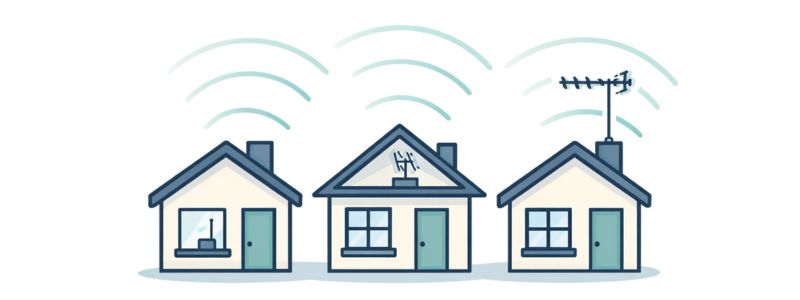
An antenna works without Wi-Fi, without a subscription, and often gives a clear picture for local stations. The key is choosing the right antenna type for your home.
Indoor Antenna
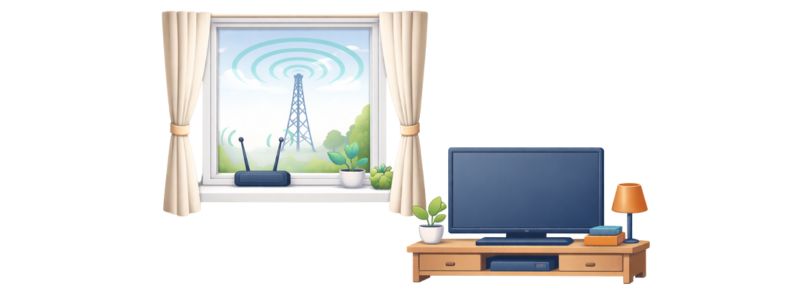
An indoor antenna is the easiest place to start. It works best if you live fairly close to broadcast towers and do not have heavy trees, hills, buildings, or metal blocking the signal.
If you want step-by-step help placing and scanning your indoor antenna, this plain-language setup guide walks you through it slowly.
If you’re unsure how far an indoor antenna can realistically reach (and what the box claims really mean), this explains it clearly.
Have you tried an indoor antenna before and it failed? These are the most common reasons rural homes struggle — and how to fix them.
Choose indoor if you want the cheapest, simplest, renter-friendly option.
Attic Antenna
An attic antenna is a step up from indoor. It sits higher, stays hidden, and often gives a stronger signal than an antenna sitting near the TV.
Choose attic if an indoor antenna is spotty but you do not want equipment on the roof.
Outdoor Antenna
An outdoor antenna is usually the strongest option. It works best for rural homes, wooded areas, hilly locations, or houses farther from broadcast towers.
Choose outdoor if you are missing important channels or want the most reliable reception.
If you want to see what reliable outdoor options look like (and what they cost), here are tested picks for rural areas.
This comparison explains exactly when indoor works — and when outdoor is the smarter move.
If you decide on an outdoor antenna and you need some troubleshooting help, this guide explains the most common reasons outdoor TV antennas lose signal, and how to identify the cause and correct the issue.
Quick Rule
Start with indoor if your signal looks strong.
Move to attic if indoor reception is inconsistent.
Use outdoor if you are rural, far from towers, or blocked by trees or hills.
If you’re new to this, you don’t need fancy gear. Many people begin with a simple indoor antenna and upgrade later if they need more reach.
What Channels You May Get
Most people care about ABC, CBS, NBC, FOX, PBS, and classic channels like MeTV or Antenna TV. Your results depend on location, not your TV brand.
If you want more free classic TV after canceling cable, see what channel getTV is on an antenna.
To see what kinds of channels antennas usually receive and why they vary by address, read this simple explainer.
What to Do If Channels Are Missing
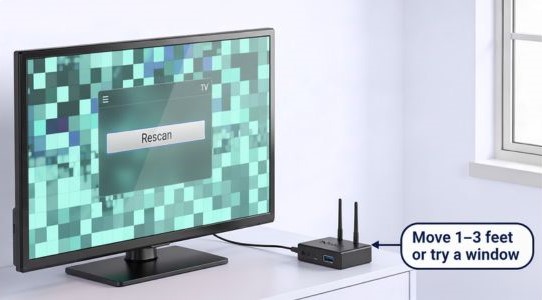
- Move the antenna 1–3 feet and rescan.
- Try a window or the wall facing your towers.
- If you split to multiple TVs, placement matters more than boosters.
For simple aiming tricks that often unlock missing channels, follow this step-by-step method.
If you’re thinking about buying a booster, read this first — boosters help only in very specific situations.
Step 2 — Add Free Apps for Shows and Movies
An antenna gives you your local channels without cable, but most people also like a few free apps so they can watch shows when they want. You still keep things simple — no bundles, no contracts, no monthly bill.
Here are three easy apps that work well with an antenna:
Live TV that feels like cable
Free apps such as Pluto or the Roku Channel give you a scrolling guide that looks like traditional TV. You flip through channels instead of hunting for shows.
If you want a plain walk-through for getting these apps onto your TV (Roku, smart TV, or phone), this setup guide shows each step.
Free On-Demand Apps
Apps like Tubi let you pick an episode and press play — no schedule, no login, no payment. Need help setting it up? See how to get Tubi on Roku, Fire TV, or a smart TV.
Step 3 — Make Your TV Work Without Cable
Your antenna can work with both newer TVs and older TVs. The difference is how the antenna connects and whether your TV already has a built-in tuner.
Newer Smart TVs
Most newer TVs already have a built-in tuner, so setup is simple.
What to do:
- Plug the antenna into the TV’s antenna/cable port.
- Open the TV menu.
- Choose Antenna, Air, or Broadcast as the TV source.
- Run a Channel Scan or Auto Program.
- Wait for the scan to finish.
After the scan, your free local channels should appear in the TV’s channel list.
If you want a slower setup walkthrough, use my step-by-step guide to setting up an indoor TV antenna.
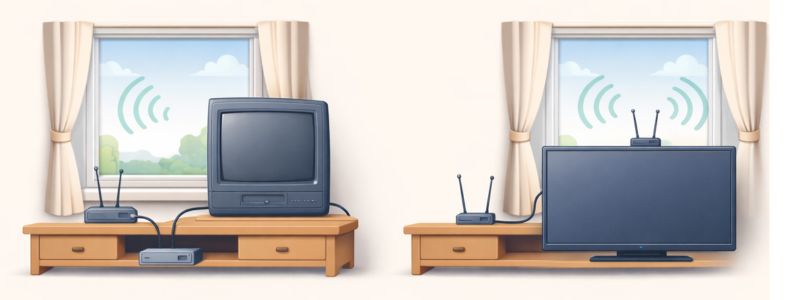
Older TVs
Older TVs may need a small digital converter box between the antenna and the TV. The converter box receives the broadcast signal and sends it to your older television.
You’ll need:
- Your antenna
- A basic digital converter box
- One short cable
Once the converter box is connected, you still run a channel scan, just like you would on a newer TV.
If your TV is older and you are not sure what equipment you need, read my guide on using an antenna with an old TV.
Roku or Fire TV Devices
A Roku or Fire TV device does not replace your antenna. It helps you use free streaming apps.
Use the antenna for:
- ABC
- CBS
- NBC
- FOX
- PBS
- MeTV
- Antenna TV
- Local news and weather
Use Roku or Fire TV for free apps like:
- Tubi
- Pluto TV
- The Roku Channel
- YouTube
- Internet Archive
This gives you the simplest cable-free setup: antenna for local channels, streaming device for extra shows and movies.
Quick Troubleshooting
If channels are missing or the picture breaks up:
- Move the antenna 1–3 feet and scan again.
- Try a window or the wall facing your broadcast towers.
- Make sure the TV source is set to Antenna, Air, or Broadcast.
- Avoid boosters unless you truly need one.
What You May Still Need After Canceling Cable
An antenna can replace your local channels, but it does not replace every part of cable. Before you cancel, make sure you know what you may still need.
Home Internet
You do not need internet for antenna channels. But you do need internet for free apps like Tubi, Pluto TV, YouTube, The Roku Channel, and the Internet Archive.
Sports Channels
An antenna may give you some local sports on ABC, CBS, NBC, or FOX. But many cable-only sports networks still require a paid streaming service. If ESPN is one of the channels you do not want to lose, see whether you can get ESPN with an antenna and the cheapest ways to watch it without cable.
Cable News Channels
Local news is usually available with an antenna. Cable news channels are different. If you watch those every day, you may need a paid app or streaming bundle.
DVR or Recording
Cable boxes often include DVR. Antennas do not. If recording shows matters to you, you may need a separate antenna DVR later.
One Paid App If Needed
You do not have to replace cable with another expensive bundle. Start free first. Then add one paid app only if you truly miss a specific channel or show.
How Much Can You Save by Cutting Cable?
Cutting cable can save money because you stop paying a monthly TV bill and replace it with a one-time antenna setup.
Here is the simple way to think about it:
- If cable TV costs $80 per month, that is $960 per year.
- If cable TV costs $120 per month, that is $1,440 per year.
- If cable TV costs $150 per month, that is $1,800 per year.
Even if you spend money on an antenna, converter box, or streaming device, many homes can break even within the first few months.
Example Savings
If you buy:
- Indoor antenna: $30
- Roku or Fire TV device: $30–$50
- Optional converter box for an older TV: $25–$40
Your starting cost may be around $60–$120 for a simple setup.
If you were paying $100 per month for cable TV, you could recover that cost in about one month.
The Big Savings Come From Staying Simple
The mistake is canceling cable and then replacing it with too many paid streaming services.
To save the most money:
- Start with an antenna.
- Add free apps first.
- Use one paid app only if you truly need it.
- Avoid rebuilding the same expensive bundle you just canceled.
What Cutting Cable Really Costs
Cutting cable usually saves money because you pay once for equipment instead of every month for TV.
Typical One-Time Costs
Indoor antenna: about $20–$40
Best if you are closer to broadcast towers or live in a town or suburb.
Attic antenna: about $60–$120
Good if indoor reception is spotty but you do not want roof equipment.
Outdoor antenna: about $120–$250
Best for rural homes, trees, hills, or longer distances from towers.
Older TV converter box: about $25–$40
Only needed if your TV does not have a built-in digital tuner.
Monthly Costs
Antenna: $0 per month
Free apps: $0 per month
Optional paid app: only if you choose one later
For many homes, the antenna pays for itself in the first few months.
Who Should Cut Cable — and Who Should Wait
Cutting cable works best when you want local channels, lower bills, and a simple setup.
Cutting cable is a good fit if you:
- Watch mostly local news, weather, ABC, CBS, NBC, FOX, or PBS.
- Want free classic TV channels like MeTV or Antenna TV.
- Are willing to use an antenna plus a few free apps.
- Want to reduce monthly TV bills.
- Do not need every cable-only channel.
You may want to wait if you:
- Watch a lot of cable-only sports.
- Need cable news all day.
- Want every channel in one guide.
- Live in a very weak signal area and have not tested an antenna yet.
Bottom line: If your priority is local channels and lower bills, an antenna-first setup usually makes sense. If your priority is cable-only networks in one place, cable or a paid streaming bundle may still feel easier.
How to Simulate a Cable Package Without Cable
You do not replace cable with one thing. You replace it with two simple tools:
Antenna = local channels
Free apps = extra shows, movies, and live-style channels
What Your Antenna Covers
With an antenna, you may get:
- ABC
- CBS
- NBC
- FOX
- PBS
- Local news
- Local weather
- MeTV
- Antenna TV
This becomes your basic TV setup.
What Free Apps Add
Free apps help fill in the gaps:
- Pluto TV: live-style channels that feel like cable
- Tubi: free on-demand shows and movies
- The Roku Channel: free live channels and shows
- YouTube: clips, older shows, tutorials, and channels
- Internet Archive: older public-domain shows and classic material
You do not need all of them. Start with one or two.
What If Free Apps Are Not Enough?
If you still want Hallmark, A&E, History, Lifetime, INSP, GREAT or other classic-TV channels, Frndly TV is a lower-cost paid option.
It does not include ESPN, CNN or TNT. Use it with an antenna if you also want local channels.
New subscribers can try Frndly TV free for seven days.
This page contains affiliate links. If you buy through them, we may earn a small commission at no extra cost to you. This helps support our research.
The subscription continues at the selected plan price unless canceled during the trial.
Why This Works
Most people pay cable for hundreds of channels but only watch a small number regularly.
With an antenna and a few free apps—or one low-cost service if needed—you keep the channels you actually use without paying a large cable bill.
Before you cancel cable, use this free local channels test kit to check what you can actually receive first.
Frequently Asked Questions
Can I really get TV for free with an antenna?
Yes. Local stations broadcast over the air for free. You pay once for the antenna and watch as long as you want — no monthly bill.
Will I lose my favorite channels?
You’ll keep your local stations (ABC, CBS, NBC, FOX, PBS, and often MeTV/Antenna TV). You may lose some cable-only networks unless you add a streaming app.
Do I need internet to use an antenna?
No. The antenna works without internet or Wi-Fi.
Will an indoor antenna work in rural areas?
Sometimes — but many rural homes need an attic or outdoor antenna for reliable reception.
Do I need a booster?
Only in specific cases (very long cable runs or multiple TVs). Many people don’t need one.
What if I have an older TV?
You just add a small digital converter box between the antenna and the TV.
Can I still watch shows on my schedule?
Yes — add a few free apps (like Pluto or Tubi) for on-demand viewing.
Wrap Up
Cutting cable doesn’t mean giving up TV. For most people, the simplest path is:
- Start with an antenna for free local channels.
- Add 2–3 free apps for extra shows.
- Upgrade to attic or outdoor only if you need better reception.
You save money, keep the channels you actually watch, and avoid confusing bundles.
If you’re ready to begin, your best next step is choosing the right antenna for your home — then setting it up and scanning for channels to see what you get.
Start with the antenna first, scan for channels, then add one free app at a time. If you need help with the antenna part, here’s my step-by-step guide to setting up an indoor TV antenna. That is the least confusing way to cut cable without accidentally losing the TV you actually watch.
For more help, see my TV Antennas & Free Channels guide.