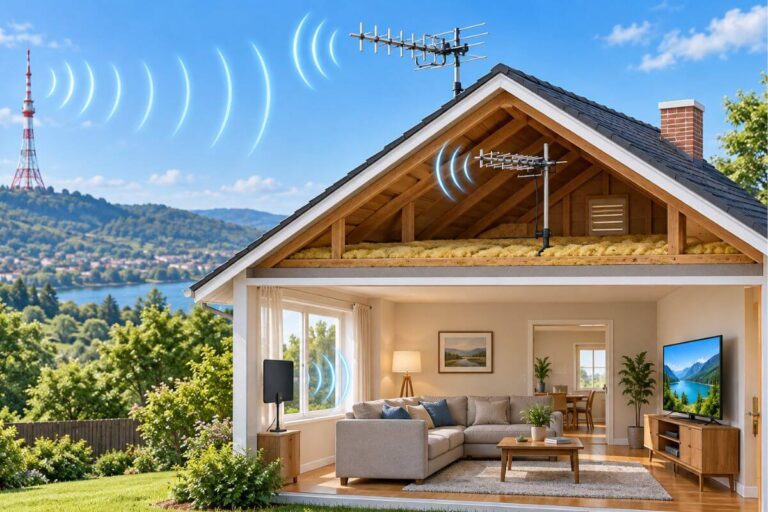
Why Does My Outdoor TV Antenna Keep Losing Signal? 6 Causes & Fixes
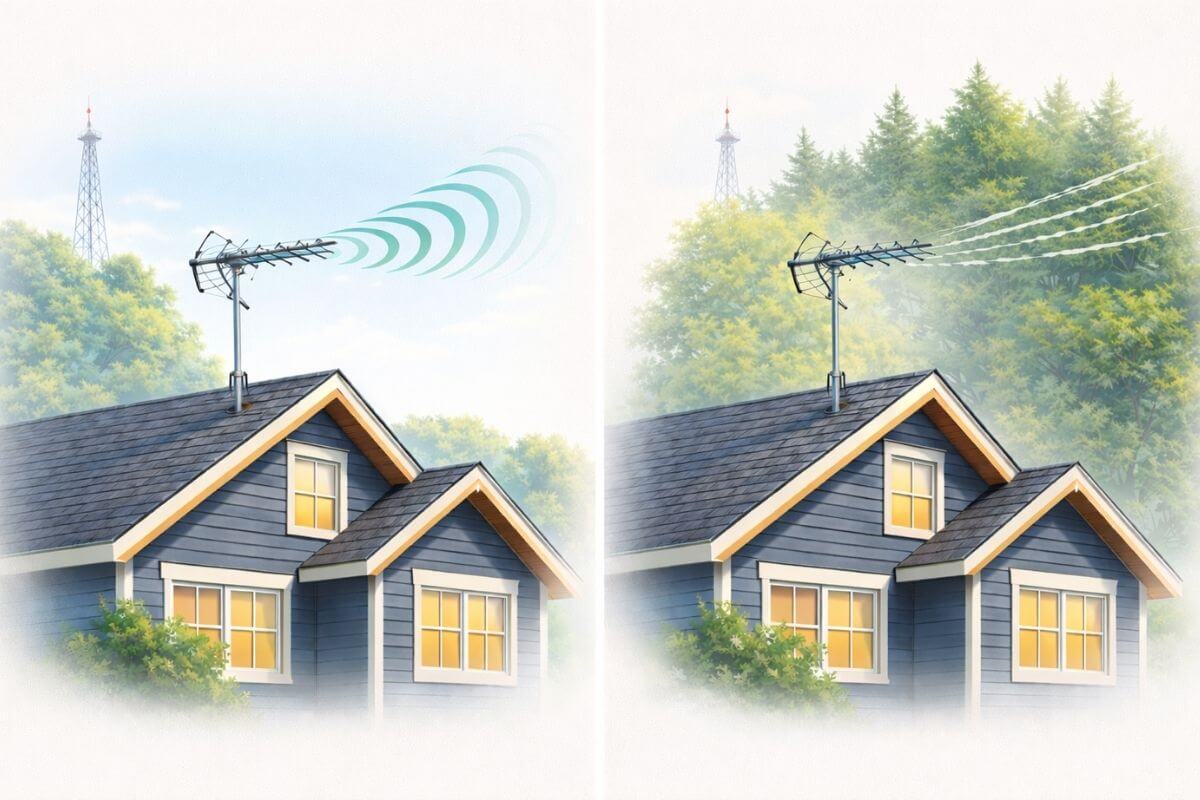
Why does my TV antenna keep losing signal? The most common reasons are wind moving the antenna, water getting into a cable connection, trees blocking the signal, interference, or a signal that is simply too weak.
If your antenna keeps cutting out and then coming back, the timing can help you find the cause. Notice whether it happens during wind, after rain, in summer, or at the same time each day.
A signal that becomes weak or unstable may cause TV pixelation before the channel disappears completely.
Start by checking the coax cable and outdoor connections. Then check antenna direction, splitters, and any amplifier. Do not rescan right away unless a channel has disappeared from your TV’s saved channel list.
This guide helps you match the pattern to the likely cause. If your antenna has stopped working completely, use our Outdoor TV Antenna Not Working troubleshooting guide instead.
Why Your TV Antenna Keeps Losing Signal: Quick Pattern Chart
Click or tap any red issue below to jump to the matching explanation.
What’s Normal vs. What Needs Attention
Some antenna signal changes are temporary. Others mean something needs to be checked.
Usually normal:
- Signal drops during heavy rain or storms
- Picture pixelates once in a while on windy days
- You get fewer channels when trees are full of leaves
Needs attention:
- Signal is poor every day
- Channels that worked before suddenly disappear
- The picture keeps breaking up even in clear weather
Temporary signal loss often clears when the weather or other conditions change. But if the same problem keeps happening, something may have changed with your antenna, cable, connections, or signal strength.
If your antenna has stopped working completely, use our TV Antenna Stopped Working Suddenly guide to work through the likely causes.
Why This Happens Even When Nothing Changed
Your TV antenna can keep losing signal even when you have not moved or changed anything.
Digital TV signals do not slowly get fuzzy like old analog TV signals did. A digital signal can look perfect one minute and then freeze, pixelate, or disappear when the signal gets just a little too weak.
Small changes can cause that:
- Wind can move the antenna slightly.
- Moisture can get into a cable or connector.
- Trees and leaves can block part of the signal.
- A new building, fence, or other object can get in the way.
- Heat and other air conditions can change how signals travel.
If your reception is already weak, even a small change can cause channels to cut out.
That is why the pattern matters. If your signal drops during wind, after rain, in summer, or at the same time each day, that often points to the cause.
If your signal seems weak all the time, see our guide to strengthening your TV antenna signal.
Your antenna notes and quick fixes, all in one place.
Get the Free TV Antenna Troubleshooting Checklist
A 4-page fill-in guide to keep near your TV.
Fill it in once. Use it when a channel disappears, the picture breaks up, or you need to fix your antenna again.
- Write down your must-have channels, tower direction, and antenna setup
- Follow the quick fixes when a channel goes missing or the picture freezes
- Find and record your best antenna spot so you do not have to start over
- Know when to rescan — and when not to rescan
- Keep the questions to ask an antenna pro before paying for new parts

Hi, I’m Kathy — I’ve helped thousands of readers ditch cable and get their local channels working for good.
6 Reasons Your TV Antenna Keeps Losing Signal
A TV antenna can keep losing signal when weather, trees, interference, antenna movement, or weak reception disrupts the broadcast signal reaching your home.
The timing is often the best clue. If your signal cuts out during wind, after rain, in summer, or at certain times of day, you can usually narrow down the cause.
1. Wind can move your antenna out of position
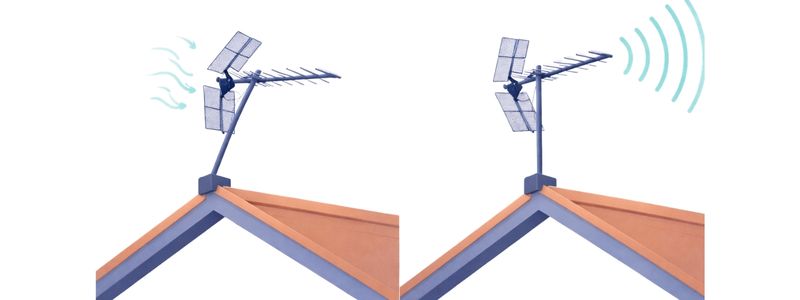
Wind can make your TV antenna keep losing signal if it moves the antenna even a little. This is more common with directional outdoor antennas that must point toward broadcast towers.
Signs wind may be the problem:
- Channels cut out when the wind picks up
- The picture freezes or pixelates during gusts
- Reception improves when the wind stops
- The antenna or mast looks loose or has shifted
Wind usually does not interfere with the TV signal itself. The problem is that it can move the antenna away from the best direction.
What to check: Make sure the antenna and mast are tight and secure. Then check that the antenna still points toward your broadcast towers.
If you are not sure where your antenna should point, see our guide to finding the best antenna for your area.
2. Rain Can Expose Cable and Connection Problems
Rain usually does not block a strong TV signal by itself. But if reception gets worse during or after rain, moisture may be getting into a connector or coax cable.
Signs rain may be the problem:
- Channels disappear during or after rain
- Reception stays poor after the weather clears
- Moving or tightening a cable helps
- The same channels keep cutting out in wet weather
Wet leaves can also weaken a borderline signal, and wind during a storm can move the antenna slightly.
What to check: Inspect the coax cable and outdoor connectors for looseness, corrosion, cracks, or signs of water.
If reception stays bad after the rain stops, the cable or connector is more likely the problem than the weather itself.
When the antenna still receives a usable signal but long cable runs make it weaker, a TV antenna amplifier may help reduce that loss.
3. Trees and Summer Foliage Can Block TV Signals
TV antenna reception often gets worse in summer because trees and leaves can weaken or scatter broadcast signals before they reach your antenna.
This is especially common when channels work well in winter but start dropping out in spring or summer.
Signs trees may be the problem:
- Channels worked better in winter
- Reception gets worse as leaves fill in
- Wet leaves make reception worse after rain
- Weaker channels disappear while stronger stations still work
Seasonal signal loss usually happens gradually. As foliage gets thicker, a borderline signal can fall below the level your TV needs.
Homes surrounded by trees are more likely to have this problem. Outdoor antennas usually perform better than indoor antennas in rural or tree-filled areas.
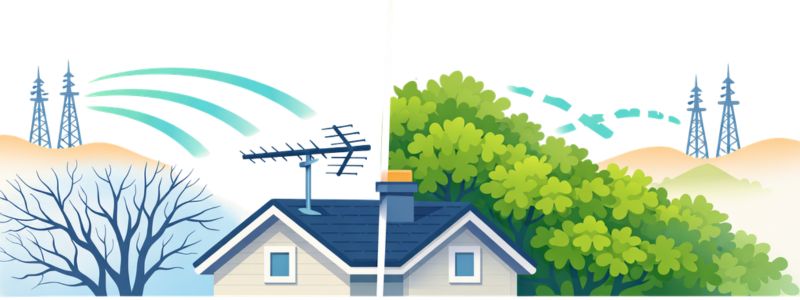
What to check: Look for trees or heavy foliage between your antenna and the broadcast towers.
Increasing antenna height can sometimes help create a clearer signal path.
If reception gets worse every summer but improves again in winter, the antenna is probably still working. The problem is more likely the changing signal path.
If distance is already pushing your reception close to its limit, foliage can make the problem worse. See how antenna range and distance affect reception.
4. Signal Strength Can Change During the Day
If channels disappear during the day but return at night, your antenna is probably receiving a borderline signal.
Small changes in the air and local interference can affect how well weak TV signals reach your antenna. That is why the same channels may work better after sunset.
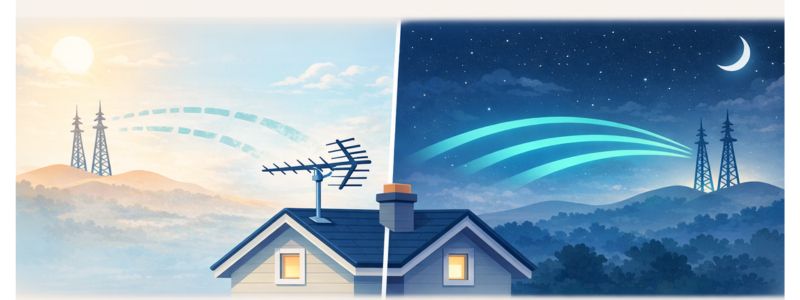
Signs time of day may be the problem:
- Channels are better in the evening or overnight
- Pixelation happens more often in the afternoon
- The same channels fail at about the same time each day
- Reception improves again later without changing anything
This usually means the antenna is not broken. The signal is simply close to the minimum strength your TV needs.
Learn more about why TV antennas work better at night.
Homes farther from broadcast towers are more likely to notice this pattern. Realistic reception distance helps explain why small daily changes can matter more when the signal is already weak.
In some cases, the issue may also be using the wrong type of antenna for your location.
What to check: Track which channels fail and what time it happens for several days. A repeated pattern points to marginal reception or interference rather than sudden equipment failure.
5. Reflected Signals Can Make Some Channels Pixelate
Some channels pixelate or disappear because their signals are weaker or reach your antenna from several directions at once.
Pixelation is when the picture breaks into squares, freezes, or cuts in and out.
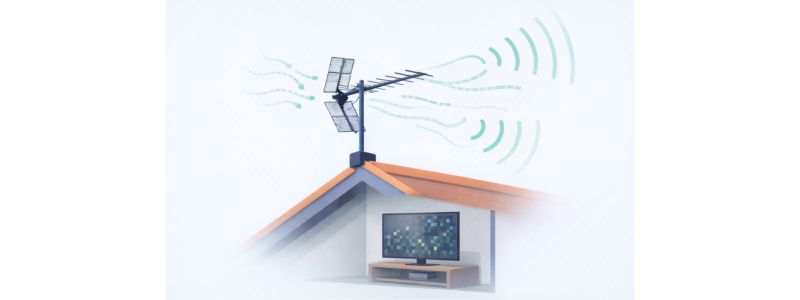
Signs reflected signals may be the problem:
- Strong channels look normal
- Only a few channels freeze or pixelate
- The same channels have problems repeatedly
- Signal strength appears normal, but the picture is unstable
TV signals can bounce off buildings, hills, and other structures before reaching your antenna. When several versions of the same signal arrive at slightly different times, your TV may have trouble decoding the picture.
A small change in antenna direction can sometimes improve one troublesome channel.
Outdoor antennas often provide more stable reception than indoor antennas because they usually have a clearer signal path.
What to check: Slightly adjust the antenna direction and test the problem channel before rescanning.
If only a few channels pixelate, the antenna is usually still working. The problem is more likely the signal path than the antenna itself.
6. Weak Reception Can Cause Signal to Come and Go
TV antenna signal strength can rise and fall when your home is near the edge of reliable reception.
Small changes in weather, interference, or obstacles can push a borderline signal above or below the level your TV needs.
Signs weak reception may be the problem:
- Signal strength moves up and down
- Channels disappear and then return
- Reception changes even when you do not move the antenna
- Weather or time of day affects the same channels
This usually means the antenna is still working, but the signal is not strong enough to stay stable.
If channels keep coming and going, try these ways to strengthen your TV antenna signal.
Homes farther from broadcast towers usually receive weaker signals, so even small outside changes can cause dropouts.
Antenna height can also improve signal stability by helping clear nearby obstacles.
What to check: Check signal strength, antenna direction, cable connections, splitters, and amplifier use.
Only rescan if the missing station is no longer saved on your TV. If needed, use this step-by-step guide to rescan TV antenna channels.
If All Channels Drop at Once, Check Your Connections
If every channel weakens or disappears at the same time, the problem may be in the cable or equipment carrying the signal from the antenna to your TV.
Check:
- Coax cable connections
- Outdoor connectors
- Splitters
- Grounding block
- Preamplifier and power injector
Look for loose fittings, corrosion, damaged cable, or signs of water.
If you use a preamplifier, make sure the power injector is plugged in and working. A failed or overloaded amplifier can make reception worse.
What to check: Tighten each connection. If possible, temporarily bypass splitters or the amplifier and see whether reception improves.
When You May Need a Different Antenna
You may need a different antenna if your signal still drops after you have checked placement, direction, cables, and connections.
Consider a different antenna if:
- You live far from broadcast towers
- Trees, hills, or buildings block the signal path
- Channels keep dropping after you reposition the antenna
- Reception works at night but regularly fails during the day
- Signal strength keeps fluctuating
Before buying anything, make sure the problem is really the antenna and not the cable, connections, placement, or amplifier.
Frequently Asked Questions
Why does my TV antenna keep losing signal?
A TV antenna can keep losing signal because of wind, wet connections, trees, interference, or weak reception. If the signal comes and goes, watch for a pattern in when it happens.
Why does my TV antenna keep cutting out?
Cutting out usually means the signal is close to the minimum strength your TV needs. Check antenna direction, cables, splitters, and anything blocking the signal.
Why does my TV lose signal at the same time every day?
A signal that drops at about the same time each day may be affected by daytime conditions or nearby electrical interference. Track the affected channels and times for several days.
Does rain affect TV antenna reception?
Heavy rain can sometimes weaken a borderline signal, but rain often exposes another problem such as wet connectors, damaged coax cable, or wind moving the antenna.
Why does my antenna work better at night?
A weak signal may become more reliable at night as atmospheric conditions change. Learn more about why TV antennas work better at night.
Why do only some TV channels pixelate or freeze?
Some channels may have weaker or reflected signals. Buildings, hills, trees, and antenna direction can affect one station while others remain clear.
Wrap Up
If your TV antenna keeps losing signal, look for a pattern first. Wind, rain, trees, interference, time of day, and weak reception can all cause channels to cut out or come back later.
In many cases, the antenna itself is still working. The problem is a weak or changing signal path.
Start with the simplest checks: antenna direction, coax connections, splitters, amplifier power, and anything blocking the signal.
Once your reception is stable again, here’s how to watch classic TV without cable.