What Channels Can I Get With an Antenna? (Free Local + Classic TV)
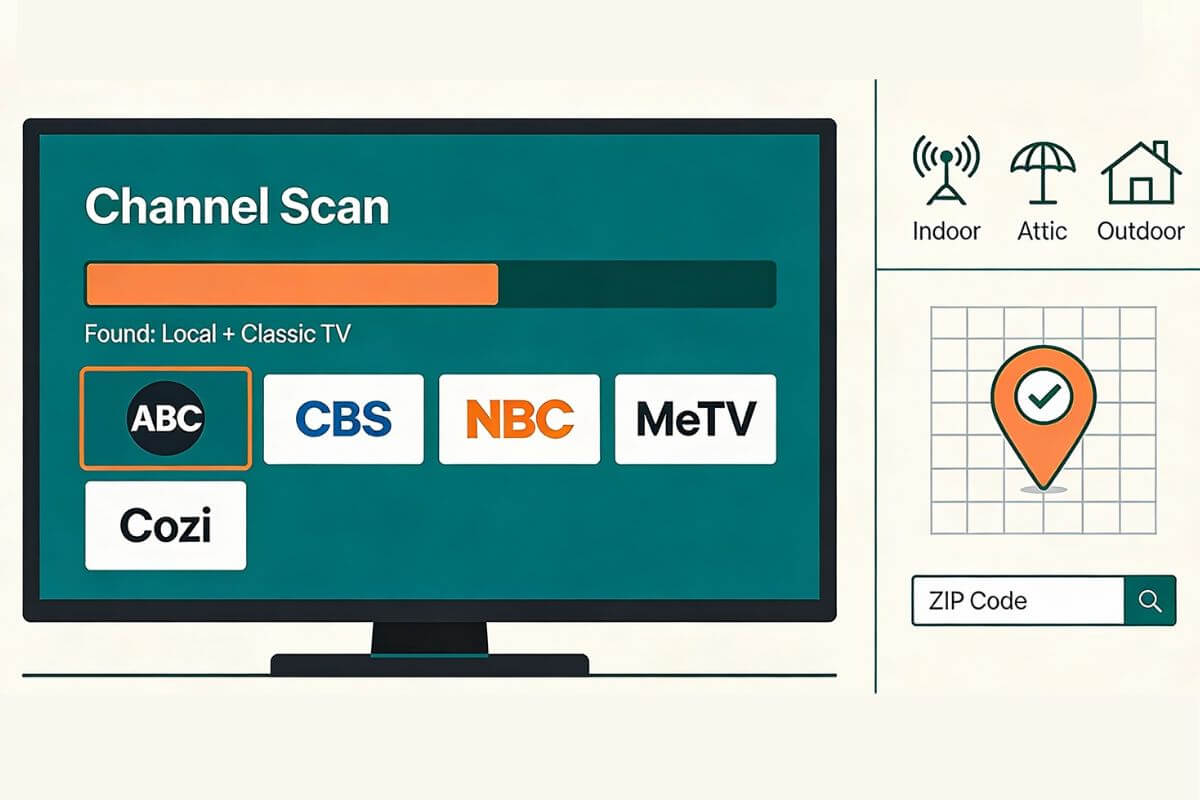
If you’re tired of cable bills and want free TV again, a TV antenna can help. A good antenna can give you free local channels with an antenna (like ABC, CBS, NBC, FOX, and PBS). In many areas, it can also give you classic TV on free subchannels (like MeTV and Antenna TV).
Quick Tip: If you’re trying to replace cable, our guide on how to cut TV cable explains how these free local channels become the core of a no-bill TV setup.
This guide applies to any TV antenna:
- Indoor antennas (by a window or wall)
- Attic antennas (higher up, but still indoors)
- Outdoor antennas (best range for weak signals)
And if you are asking what channels can I get with an antenna in my area, the answer is: It depends on where you live. Two homes in the same town can get different channels, so the steps below will help you check your exact lineup.
If you haven’t scanned for channels yet (or you’re not sure your TV is set to “Antenna/Air”), this quick setup walkthrough will make sure you’re doing the scan the right way.
If you’re not sure whether an indoor antenna will be enough where you live, these two guides help you pick the right level of antenna without wasting money on trial-and-error returns:
If you already have an antenna and just want channels, start here first:
How to Set Up an Indoor TV Antenna in 5 Easy Steps
Fast Fix: Missing channels
- Run a fresh scan (not “add channels”).
- Set TV input to Antenna/Air, not Cable.
- Try a second scan after moving the antenna 2–3 feet (small moves matter).
What channels can I get with an antenna in my Area? (Check by ZIP code)
Before you check your ZIP code, it helps to know one simple thing: the channels you get depend on both your location and where you place the antenna.
This guide covers all TV antennas, not just indoor ones. Most people start with an indoor antenna, but if signals are weak, an attic or outdoor antenna can pull in more channels.
Use this quick guide to pick the right starting point:
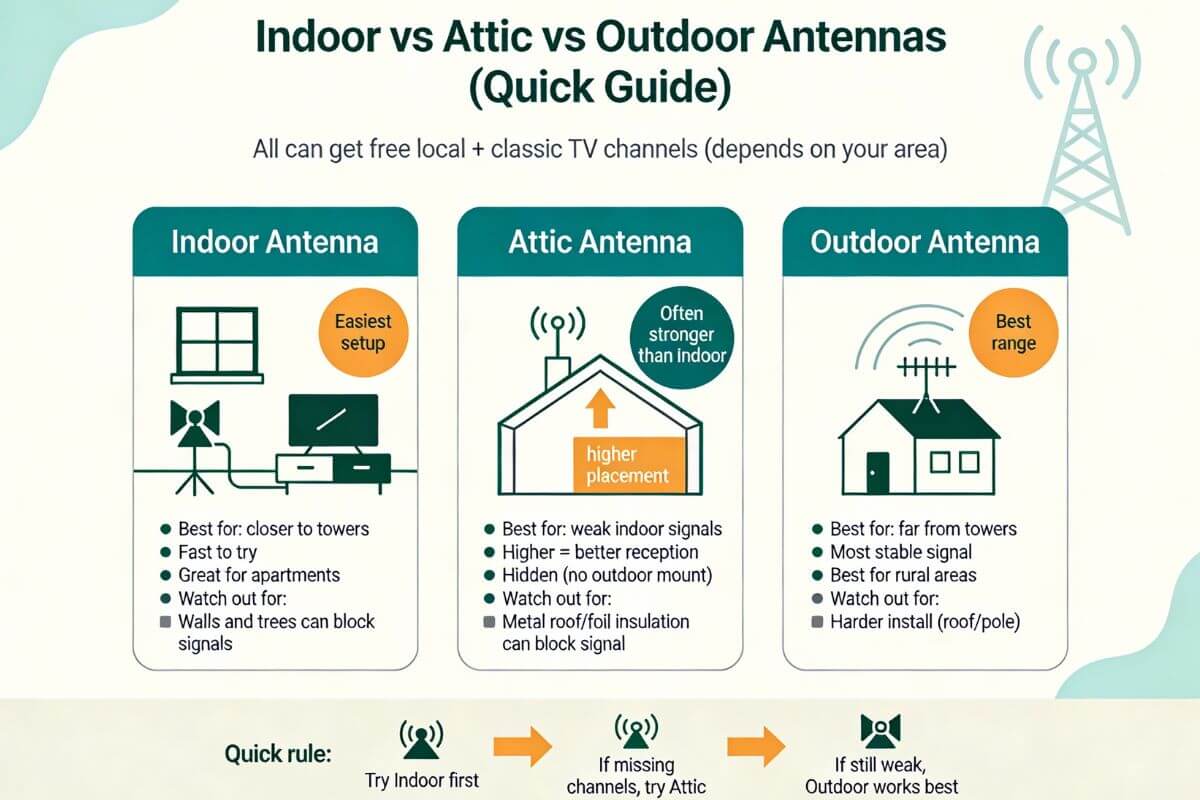
If you’re not sure which one you need, don’t overthink it. Start with the easiest option you can try today (usually indoor), run a channel scan, and then move up only if you’re missing channels.
Now let’s find out what channels you can get in your area.
Step 1: Check your ZIP code online
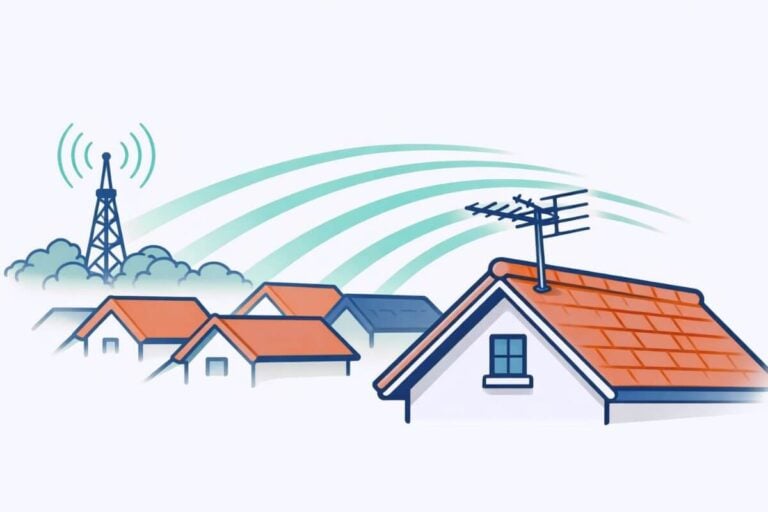
Before moving your antenna or buying a stronger one, check which broadcast towers actually reach your home. This shows what channels you should be able to receive.
Use one of these free tools:
- AntennaWeb (simplest for beginners)
- FCC DTV Reception Maps (official signal data)
- RabbitEars Signal Search Map (most detailed results)
These tools use your ZIP code to estimate reception based on real tower locations and terrain.
What to look for (keep it simple)
You only need three pieces of information:
Distance from towers
- Under 20 miles → indoor antennas usually work
- 20–50 miles → attic or stronger indoor antenna helps
- 50+ miles → outdoor antenna often needed
Direction of towers
Most channels broadcast from the same direction.
This tells you where to aim a directional antenna.
Signal strength
- Strong → easy reception
- Moderate → placement matters
- Weak → height or outdoor mounting helps
Why this matters
After you run a channel scan, compare your results with what the tool predicted.
If channels appear online but not on your TV, the problem is usually:
- antenna placement
- antenna height
- signal blockage from walls or trees
—not the antenna itself.
Even homes on the same street can get different results depending on height and obstacles, which is why ZIP-code checking is the best starting point.
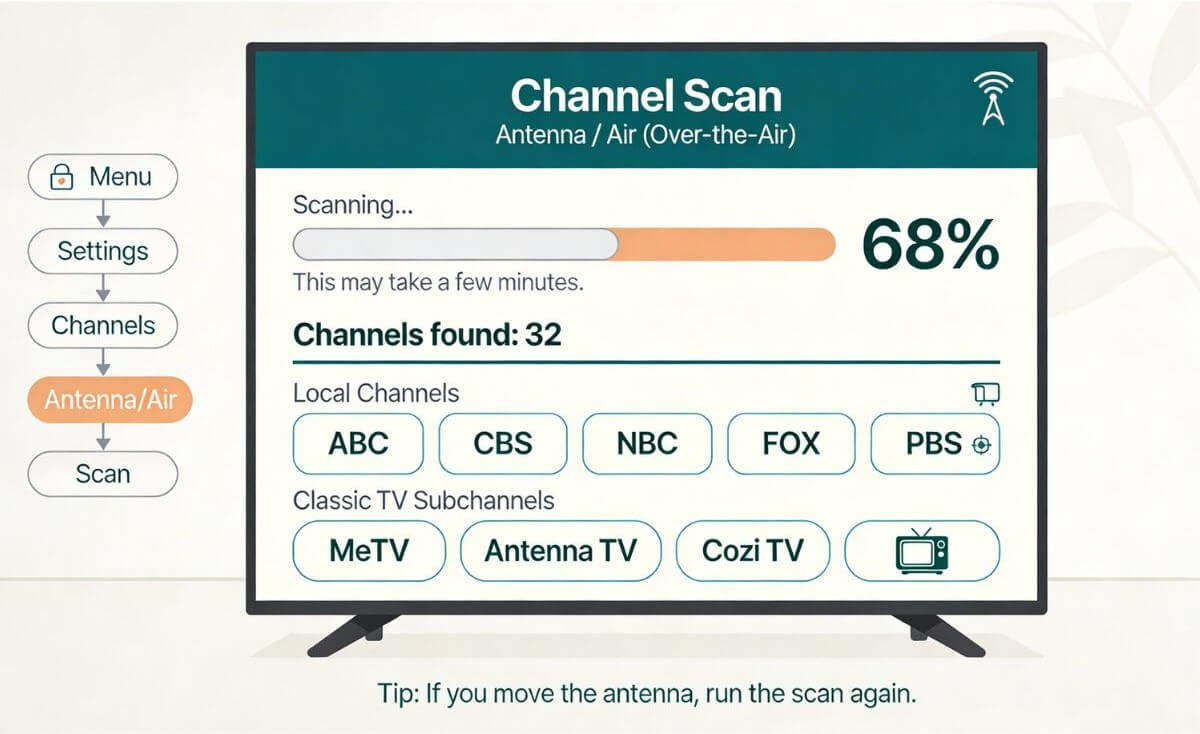
Step 2: Run a channel scan on your TV (the real test)
After installing your antenna, make sure you scan for channels on your TV so the tuner can locate every available station. Your TV will not “find” channels until you scan.
Basic steps (the words may vary by TV brand):
- Press Home or Menu
- Go to Settings
- Look for Channels or Broadcast
- Choose Antenna / Air / Over-the-air
- Choose Channel Scan / Auto Program
Step 3: Compare your scan to the tool
If the tool shows a channel but your TV did not find it, don’t panic. Use the placement fixes below and scan again.
Move and Rescan: The 3 Best Antenna Placements (window, higher, different wall)
If your scan misses channels, don’t give up yet. Indoor antennas are sensitive, and small moves can make a big difference. Try these three spots and scan after each move.
1) Try a window first
Put the antenna on or near a window that faces the TV towers. Windows usually block less signal than interior walls.
Then run a new Channel Scan / Auto Program.
2) Go higher (this helps a lot)
Move the antenna higher up:
- on a taller shelf
- higher on the wall
- upstairs if you can
Higher placement often pulls in more over-the-air TV channels.
Then scan again.
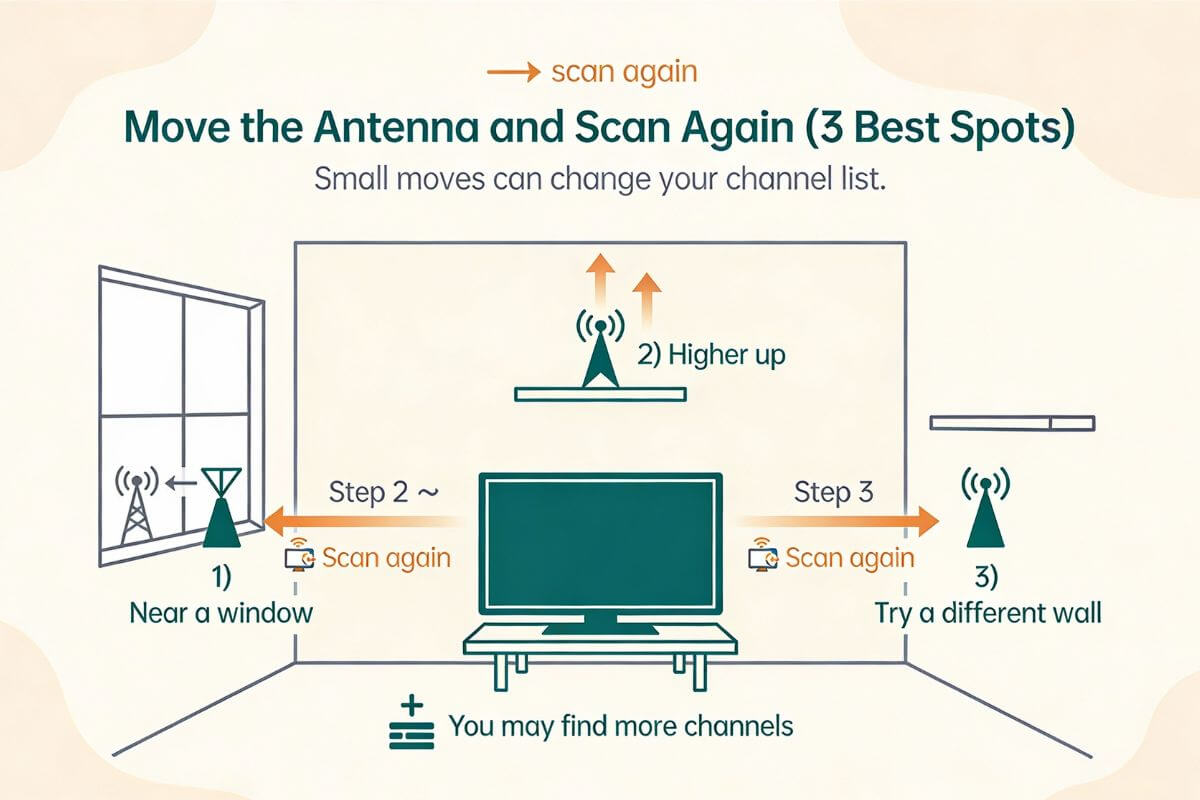
3) Try a different wall (even in the same room)
Some walls have more signal-blockers than others (brick, metal, wiring, appliances). Move the antenna to a different wall, even a few feet away.
Then scan again.
Quick tip: After each scan, check for the channels you care about most:
- ABC, CBS, NBC, FOX, PBS
- MeTV, Antenna TV, Cozi, H&I (and other classic TV subchannels)
If one placement gets those reliably, keep it there.
Three common mistakes (and the quick fix)
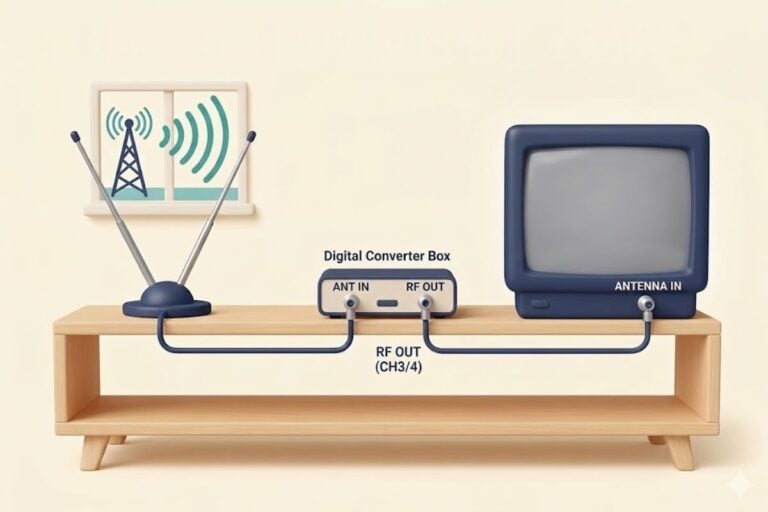
Quick Note: If you’re watching on an old television, you may also need a digital converter box. Our detailed walkthrough explains when an antenna for an old TV requires a converter box and how to connect it.
Mistake 1: Your TV is set to “Cable,” not “Antenna/Air”
If your TV is set to Cable, your scan may find zero channels or the wrong ones.
Quick fix:
- Go to Settings
- Find Channels (or Broadcast)
- Choose Antenna / Air / Over-the-Air
- Run Channel Scan / Auto Program again
Mistake 2: You didn’t rescan after moving the antenna
Many people move the antenna and expect new channels to appear automatically. They won’t.
Quick fix: Every time you move the antenna, run a new scan.
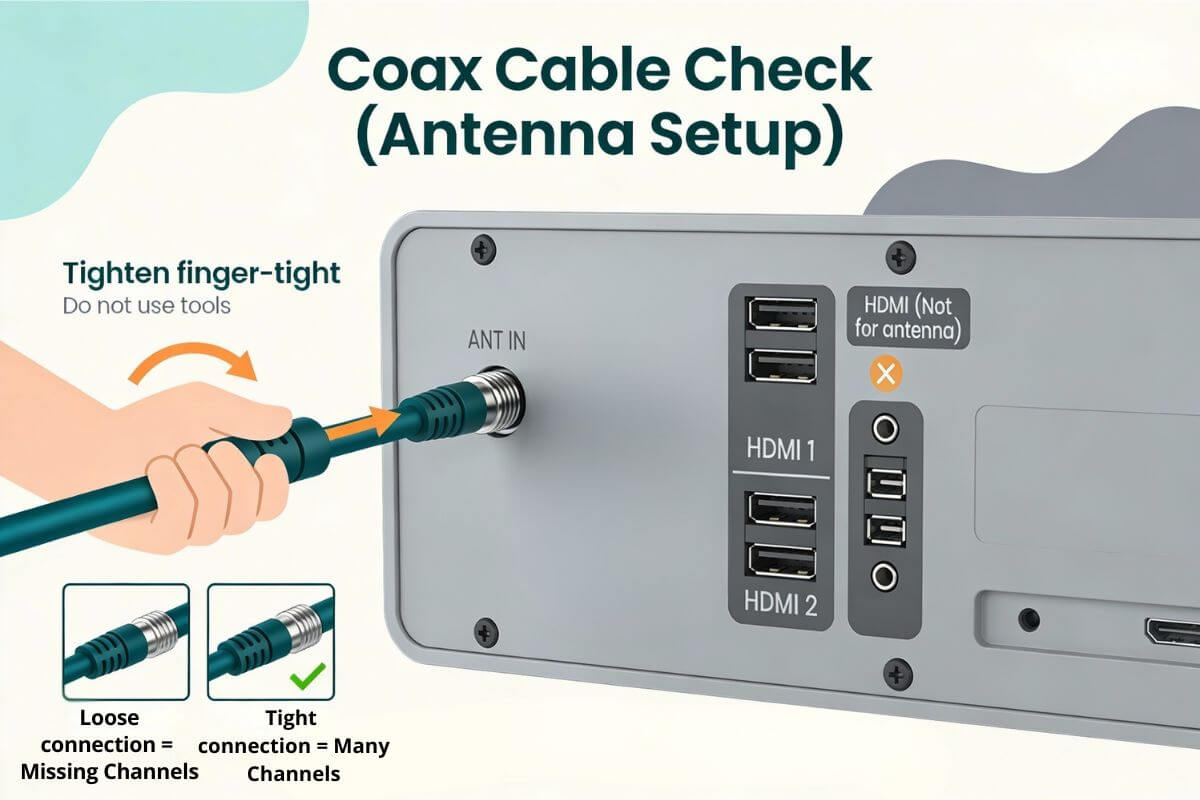
Mistake 3: The coax cable is loose (or on the wrong port)
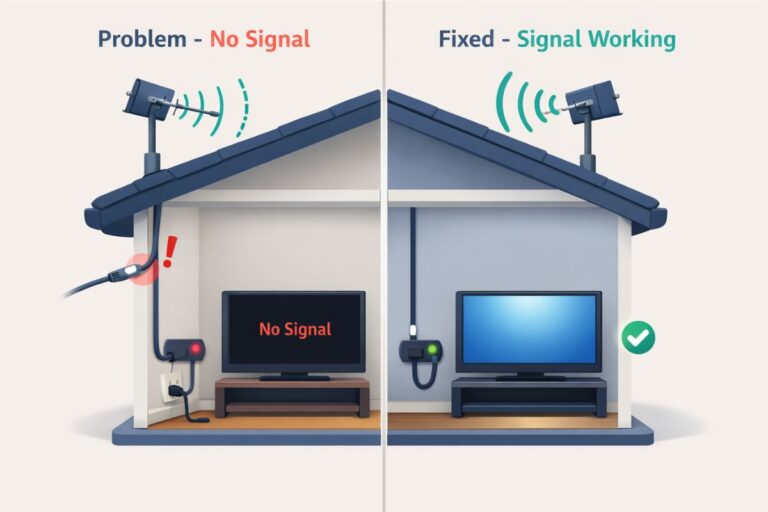
A slightly loose cable can cause weak signals, missing channels, or channels that cut in and out.
Quick fix:
- Tighten the coax cable finger-tight on both ends:
- the back of the TV (often labeled ANT IN, ANT, or CABLE/ANT)
- the antenna’s coax connector
- Make sure the cable is connected to the antenna input, not HDMI
- Run Channel Scan / Auto Program one more time
Not sure how to do the steps above? See our step-by-step guide to rescanning TV channels with an antenna.
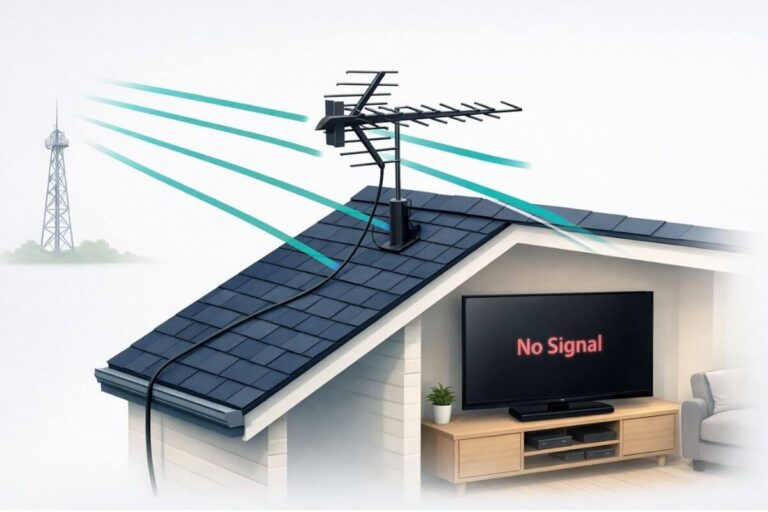
If your scan still misses channels after you tighten the coax and rescan, these indoor antenna picks are a good next step before you jump all the way to outdoor.
What Channels Does an Antenna Typically Get?
A TV antenna picks up over the air TV channels that local stations broadcast from towers near you. Most people can get some local channels antenna stations (depending on location).
TV antenna channels list: the free local channels most people can get
Many people want a simple tv antenna channels list. Here is the clearest way to think about it.
The most-wanted main channels
- ABC
- CBS
- NBC
- FOX
- PBS
You may also get channels like The CW or MyNetworkTV (varies by city).
Antenna subchannels list: where classic TV channels usually show up
Classic TV often lives on subchannels. Subchannels look like this:
- 4.1 (main channel)
- 4.2 (extra channel or subchannel)
- 4.3 (extra channel or subchannel)
These extra channels are where you often find:
- Classic TV networks
- Old sitcoms and westerns
- Old movies
- Reruns and specialty channels
✅If you want a reliable backup when your area doesn’t carry a specific classic channel, these free streaming options can fill the gaps (and they work on the same TV you’re using for your antenna).
Common classic TV networks (not in every area):
- MeTV
- Antenna TV
- Cozi TV
- Heroes & Icons (H&I)
- Catchy Comedy
- Rewind TV
- BUZZR (classic game shows)
- Movies!
- Grit
- GetTV
- Laff
You may not get all of these. It depends on what broadcasts in your city.
How to Find MeTV, Antenna TV, Cozi, and H&I (If They’re in Your Area)
Here is the easiest way to find classic channels:
Step 1: Scan first
Run a channel scan, then scroll your channel list and look for:
MeTV, Antenna TV, Cozi, H&I, Catchy Comedy, Rewind TV, BUZZR, Movies!, Grit, GetTV, Laff.

Step 2: If you don’t see them, check online by ZIP code
Use one of these tools and search your results for the channel names above:
Step 3: Use a “find my channel” tool (optional)
Some networks have a ‘Find Your Channel’ tool by ZIP code.
If you don’t see a classic channel you want, it doesn’t necessarily mean your antenna failed. It may simply not broadcast in your market.
If you want more classic shows even when your area is missing certain subchannels, these free options help:
Over-the-air TV channels vary by location (here’s why)
If your neighbor down the street gets 60 channels and you get 18, that can be normal.
Your channel list changes based on:
- How far you are from the towers
- Hills and mountains
- Tall buildings
- Thick trees
- Which side of the house your antenna is on
- Whether your antenna is blocked by walls or metal
That is why “100-mile” and “300-mile” range claims on antenna boxes are often misleading.
What channels are free with an antenna (and what you will NOT get)
A TV antenna is for free over-the-air TV channels. It will not give you cable-only channels like ESPN or CNN.
If you want cable-only sports/news channels, you usually need:
- a streaming service subscription, or
- a cable/satellite plan
But for free local channels plus many classic TV subchannels, an antenna can be an excellent cable replacement.
Should I try an attic antenna? (Often yes)
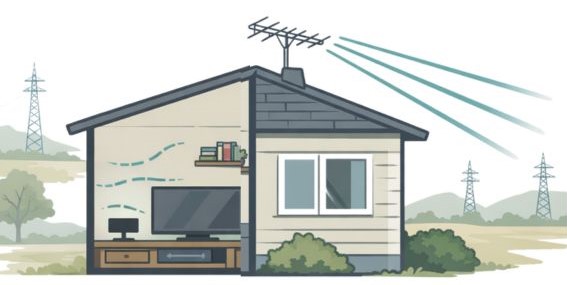
If your indoor antenna is not getting enough channels, the attic is a smart next step.
An attic antenna is still an antenna. It just sits inside your attic instead of in a room.
Why attic antennas can work better than indoor antennas
- The antenna is higher up
- There are fewer walls in the way
- You can often point it more directly at the TV towers
This can help you get more over-the-air TV channels and more stable reception.
When an attic antenna may NOT help
An attic antenna may work poorly if your attic has:
- A metal roof
- Radiant barrier foil (shiny foil insulation)
- Lots of metal ductwork or HVAC equipment
Metal can block signals.
How to try the attic (simple steps)
- Put the antenna in the attic as high as you safely can.
- Aim it toward the towers using AntennaWeb or FCC maps.
- Run a channel scan on your TV.
- If channels are missing, move the antenna a few feet and scan again.
Attic vs outdoor: Quick rule
- If towers are fairly close and signals are moderate, attic can be enough.
- If you are far out (often 50–60+ miles) or blocked by hills/trees, outdoor is usually better.
Frequently Asked Questions
What channels are free with an antenna?
Most free channels are local broadcast channels like ABC, CBS, NBC, FOX, and PBS. You may also get free subchannels (like MeTV or Antenna TV) if they broadcast in your area.
What channels does an antenna get for classic TV?
Classic TV usually shows up on subchannels such as MeTV, Antenna TV, Cozi TV, Heroes & Icons (H&I), Catchy Comedy, Rewind TV, BUZZR, Movies!, Grit, GetTV, and Laff. Not every city has every one.
What channels can I get with a TV antenna in my area?
The only accurate way is to check tv antenna channels by zip code and then scan your TV. Use antennaweb or the FCC channel.
Then run Channel Scan / Auto Program on your TV.
Why am I missing channels after I scan?
This is common. Try these quick fixes:
Make sure your TV is set to Antenna/Air (not Cable)
Move the antenna (window, higher, different wall) and rescan
Tighten the coax cable (finger-tight) and scan again
Can I get ESPN, CNN, or other cable channels with an antenna?
No. Antennas are for over-the-air TV channels. Cable-only channels (like ESPN and CNN) require a streaming subscription or cable/satellite service.
Wrap Up
A TV antenna is one of the simplest ways to beat cable and get free TV again. In many areas, you can watch free local channels with an antenna (ABC, CBS, NBC, FOX, PBS) plus extra subchannels that often carry classic shows.
To get the best results, don’t guess. First, use a ZIP-code tool, then run a channel scan on your TV.
If your scan misses channels, move the antenna (window, higher, different wall) and rescan. And if indoor reception is weak, an attic or outdoor antenna can be the next step.
Once you’re hooked up to receive classic channels like MeTV, etc., be sure to check out these can’t-miss episodes on that iconic 70s detective show, Columbo.
Finally if your area is missing certain subchannels, you can still watch free classics through streaming options like Pluto TV and Tubi.