Why Is My Antenna Not Picking Up Local Channels? Easy Fixes
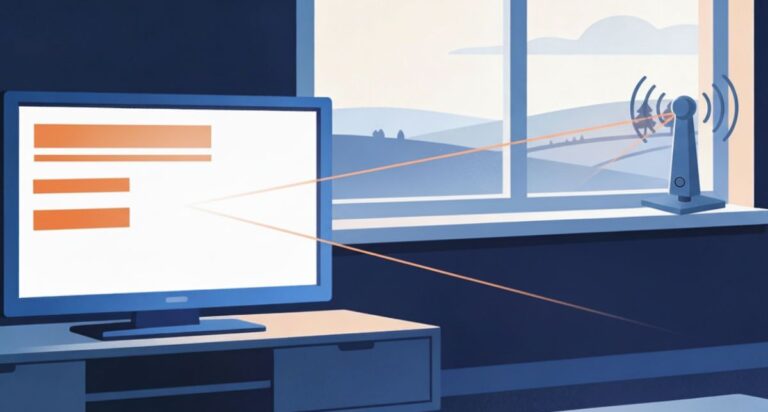
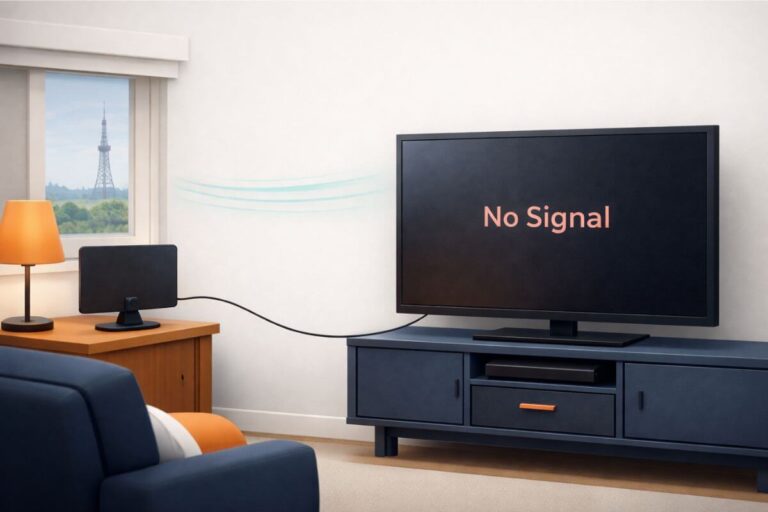
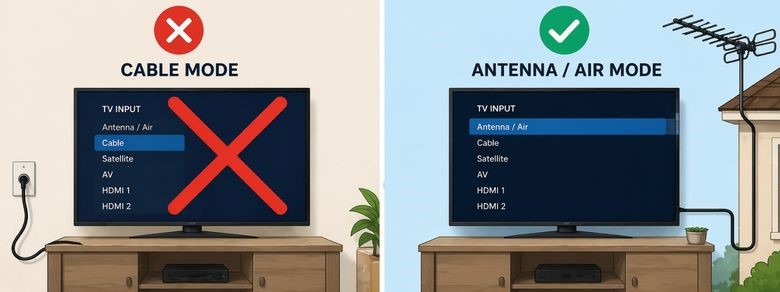
If your TV antenna is not picking up local channels, first make sure the television is set to Antenna, Air, or Broadcast—not Cable. Tighten the coaxial connection and run a complete channel scan. If channels are still missing, move the antenna higher or closer to a window, aim it toward the local broadcast towers, and scan again.
If you receive some channels but not ABC, CBS, NBC, FOX, PBS, or MeTV, the missing station may broadcast from a different tower or use a frequency your antenna receives poorly. The steps below will help you identify the cause before you replace the antenna.
Fast Fix
- Check TV is set to Antenna/Air
- Run a channel scan
- Make sure cable is tight
- Move antenna slightly
Did the channels work before? If several channels suddenly disappeared after working normally for weeks or months, the problem may be a signal change, weather, a shifted antenna, or a station change. See Why Did I Lose Channels on My TV Antenna? for those causes.
Start Here: Check These 7 Things in Order
Work through these fixes before replacing your antenna. Most missing-channel problems come from a TV setting, cable connection, channel scan, antenna position, or weak signal path.
- Make sure the TV is set to Antenna, Air, Broadcast, or Live TV—not Cable.
- Tighten the coaxial cable at the antenna and television.
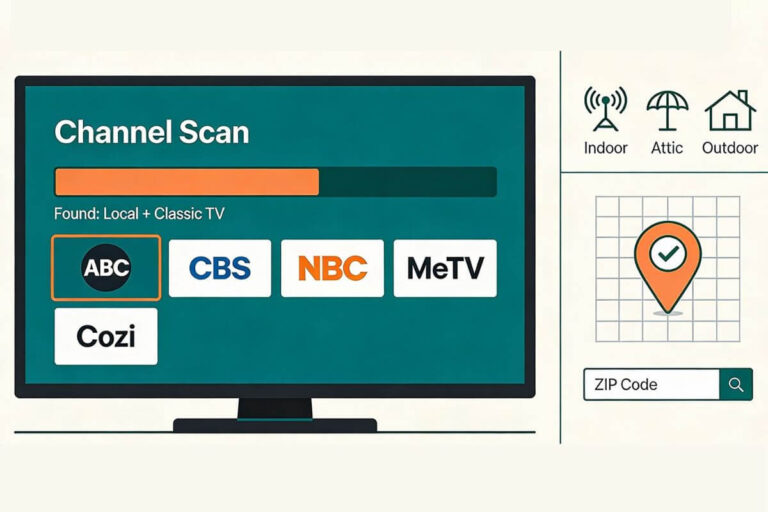
- Run a complete channel scan.
- Move the antenna a few feet, raise it, and check the problem channel again.
- Use an FCC reception map to locate nearby stations and broadcast towers.
- Remove unnecessary splitters and temporarily bypass any amplifier.
- Check the cable, television tuner, tower distance, and station frequency.
After moving or aiming the antenna, check the weak channel first. Run another scan only when a missing channel is not in the television’s saved channel list.
Your antenna notes and quick fixes, all in one place.
Get the Free TV Antenna Troubleshooting Checklist
A 4-page fill-in guide to keep near your TV.
Fill it in once. Use it when a channel disappears, the picture breaks up, or you need to fix your antenna again.
- Write down your must-have channels, tower direction, and antenna setup
- Follow the quick fixes when a channel goes missing or the picture freezes
- Find and record your best antenna spot so you do not have to start over
- Know when to rescan — and when not to rescan
- Keep the questions to ask an antenna pro before paying for new parts

Hi, I’m Kathy — I’ve helped thousands of readers ditch cable and get their local channels working for good.
How to Fix an Antenna Not Picking Up Local Channels
Fix 1: No Channels Found on TV
If your TV antenna is not picking up any channels, the issue is usually related to setup, connections, or signal access—not the antenna itself. This is one of the most common problems people run into, especially after moving the antenna or reconnecting cables.
Start by checking the basics. Make sure the coax cable is firmly connected to both the antenna and the TV. Even a slightly loose connection can prevent your TV from receiving any channels.
Next, confirm that your TV is set to “Antenna” or “Air” mode, not cable. If this setting is wrong, your TV will not detect over-the-air channels at all.
Another common cause is skipping the channel scan. If you haven’t scanned for channels recently, your TV may not recognize what’s available in your area. Running a full scan often restores channels right away. If you’re not sure how to do this, follow these steps to rescan TV channels with an antenna.
Fix 2: TV Finds Some Channels, Not Others
If your antenna gets some channels, it usually means the signal is uneven—not completely missing. This is a very common problem and usually comes down to how different channels are broadcast and received.
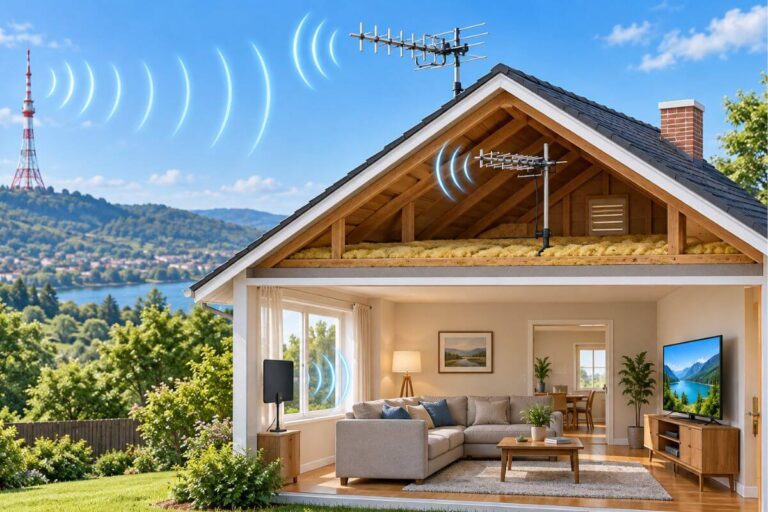
One reason is tower location. Not all channels come from the same direction. You may receive one group clearly while others are weaker or missing because they’re coming from a different angle.
If you use an indoor antenna, these steps show you how to aim an indoor TV antenna toward the strongest towers without guessing.
Another cause is partial signal blockage. Trees, buildings, or even parts of your roof can block certain signals while letting others pass through. This often leads to situations where you get some channels but not all.
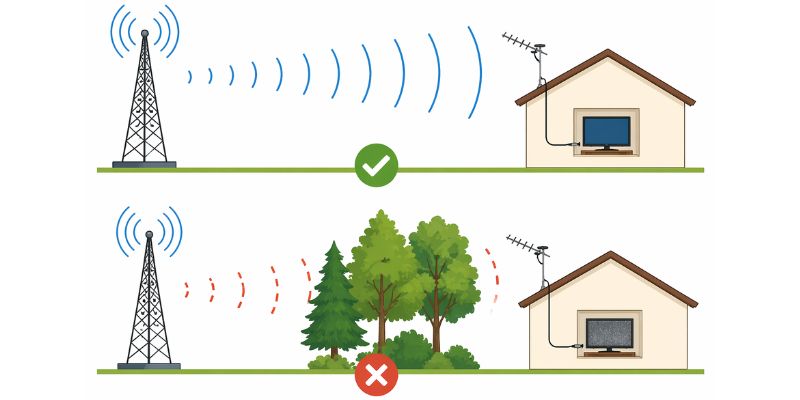
Weather and time of day can also play a role. Signal strength can change slightly depending on conditions, which is why channels may appear and disappear at different times.
If your channels seem to come and go, here’s why a TV antenna can work better at night.
If you have already tried a higher window or better position and your indoor antenna still struggles, compare these indoor TV antennas for rural areas before buying another basic flat antenna.
Fix 3: ABC, NBC, CBS, FOX, PBS, or MeTV Is Missing
If your antenna is missing channels like ABC, NBC, CBS, or FOX, the issue is usually related to how those channels are broadcast—not a problem with your antenna itself. Different networks often transmit from different tower locations, which means one channel can come in clearly while another is weak or missing.
In many areas, major networks are broadcast from different locations. You might be pointed in the right direction for one set of channels but slightly off for another. Even a small difference in direction can affect which channels your antenna receives.
Another factor is signal strength and frequency. Some channels are simply harder to receive, especially if they are farther away or blocked by trees, buildings, or terrain.
Special Tip: Trying to pick up a missing classic TV subchannel? See how to find the getTV channel on an antenna
Fix 4: Signal Is Weak or Keeps Dropping
If your antenna finds channels but they freeze, pixelate, or disappear later, the problem is usually weak or unstable signal.
Try these next:
- Move the antenna higher.
- Aim it toward the broadcast towers.
- Keep it away from routers, lamps, and power strips.
- Remove unnecessary splitters.
- Check for old or damaged coax cable.
- Check the weak channel after each adjustment. Rescan only if the channel is missing from your saved channel list.
If you are not sure whether your signal is actually weak, see how to check TV antenna signal strength and what the numbers mean.
If your antenna already receives the channel but the signal weakens before it reaches the TV, an amplifier may help make up for loss from long coax runs, splitters, or multiple TVs.
Compare TV antenna amplifiers →Fix 5: Check the Station’s Tower and Frequency
If one local channel is missing while other channels work, find out where that station broadcasts from before buying a stronger antenna.
Use the FCC DTV Reception Maps to enter your address and view the stations expected in your area. Pay attention to:
- The direction of the station’s broadcast tower
- The predicted signal strength
- Whether the missing station comes from a different direction
- Whether the station broadcasts on VHF or UHF
- The station’s real broadcast channel, which may differ from the number displayed on your TV
For example, a station displayed as channel 7 may use a different physical broadcast channel. The displayed channel number alone does not tell you which frequency your antenna must receive.
Why VHF and UHF Matter
Local television stations can broadcast on either VHF or UHF frequencies. Some compact, flat indoor antennas receive UHF stations better than VHF stations.
This can explain why your television receives several local networks clearly but consistently misses one station. The missing channel may use VHF while the others use UHF.
Before replacing your antenna, check the missing station’s real frequency. If it broadcasts on VHF, make sure your antenna supports both VHF and UHF reception.
If you haven’t scanned recently, follow these steps to rescan TV channels with an antenna
Fix 6: Test the Splitter, Coaxial Cable, and Amplifier
Every connection between the antenna and television can affect signal strength. A damaged cable, unnecessary splitter, or incorrectly used amplifier can prevent weak channels from reaching the television.
Remove the Splitter
If the antenna feeds more than one television, temporarily remove the splitter. Connect the antenna directly to one TV and check the missing channel.
If reception improves, the splitter or the extra cable runs may be weakening the signal. A distribution amplifier may help when one antenna must supply several televisions, but first confirm that the splitter is actually causing the problem.
If you use a long coaxial cable or splitter, you may wonder whether amplification will help. Here is when a TV antenna booster can improve reception.
Inspect the Coaxial Cable
Check the coaxial cable for:
- Loose connectors
- Sharp bends or crushed sections
- Corrosion or moisture
- Frayed wire
- Damaged outdoor connections
- Unnecessarily long cable runs
If the cable looks fine but you still have no signal, try a different short coaxial cable between the antenna or wall connection and the TV. A cable can fail even when there is no visible damage.
Longer cable runs lose more signal than short ones. Avoid using more cable than the installation requires, especially when the antenna signal is already weak.
If your amplifier requires power, first make sure its power adapter or power inserter is plugged in and working. An unpowered amplifier can weaken the signal instead of helping it.
Bypass the Amplifier
An amplifier does not automatically improve reception. It can help compensate for a long cable run or signal loss from a splitter, but it cannot create a signal the antenna is not receiving.
If you live close to the broadcast towers, an amplifier may make the signal too strong and overload the television tuner.
Temporarily disconnect the amplifier and connect the antenna directly to the TV. If reception improves, leave the amplifier disconnected. In unusually strong-signal areas, an attenuator may be needed to reduce the signal reaching the tuner.
Fix 7: Rule Out a Television Tuner or Equipment Problem
Antenna problems are often caused by placement or signal conditions, but the television tuner or another piece of equipment can occasionally be responsible.
Try connecting the same antenna and coaxial cable to a second television. Then select Antenna or Air mode and run a channel scan on that TV.
- If the second TV receives channels, review the original television’s settings or tuner.
- If neither TV receives channels, the antenna, cable, connection, or available signal is more likely responsible.
- If only one station is missing on both TVs, check that station’s frequency, tower location, and website for maintenance or broadcast changes.
If you use a converter box, DVR, Tablo, or another external tuner, test the antenna directly on a television when possible. This helps determine whether the reception problem comes from the antenna system or the connected device.
Quick Antenna Troubleshooting Guide
Here is a quick summary of the most common antenna problems, what may be causing them, and what to try first.
| What is happening? | Possible cause | What to try first |
|---|---|---|
| No channels are found | Wrong TV mode, loose cable, or no channel scan | Select Antenna or Air, tighten the cable, and scan |
| Some channels are missing | Different tower direction, weak signal, or VHF/UHF difference | Look up the missing station and reposition the antenna |
| The picture freezes or pixelates | Marginal signal, interference, or damaged cable | Raise the antenna and inspect the coaxial cable |
| Reception worsens with an amplifier | The signal may be overloaded | Bypass the amplifier and test again |
| Reception worsens after adding a splitter | The splitter is reducing signal strength | Connect the antenna directly to one TV |
| One TV works but another does not | TV setting or tuner problem | Test the antenna and cable on the working TV |
| Channels suddenly disappeared | Loose connection, station change, obstruction, or equipment problem | Inspect the system and check the station’s status |
If You Live Very Close to a Broadcast Tower
A weak signal is not the only cause of reception trouble. Viewers close to a powerful broadcast tower can sometimes receive too much signal.
Possible signs of signal overload include:
- Channels breaking up even though the tower is nearby
- Reception becoming worse after adding an amplifier
- Some strong stations disappearing during a channel scan
- Reception improving when the amplifier is removed
Try bypassing the amplifier and moving the antenna away from metal objects, electronics, or other antennas. A larger or more powerful antenna will not necessarily solve an overloaded signal.
When a New Antenna May Be Necessary
Consider replacing or upgrading the antenna only after completing the earlier tests.
A different antenna may be appropriate when:
- Your current antenna does not support the missing station’s frequency
- Broadcast towers are farther away than the antenna can reliably receive
- Hills, trees, buildings, or roofing materials block the signal
- An indoor antenna cannot be positioned high enough
- The antenna or its connections are physically damaged
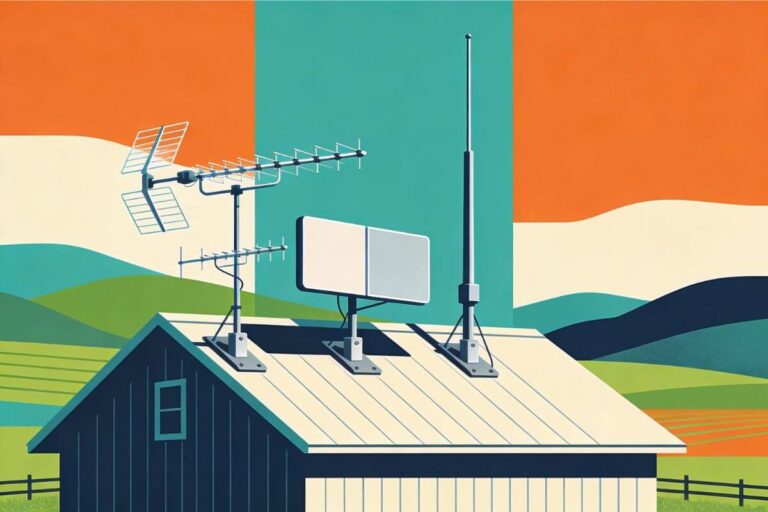
- You need a directional antenna to receive stations from a particular location
If these tests show that you really do need a different antenna, the next step depends on your tower distance, signal conditions, and where the signal is being lost.
Still Missing Local Channels?
Before replacing the antenna, confirm that you have completed these tests:
- The television is set to Antenna or Air
- The coaxial cable is secure
- A complete channel scan has been performed
- The antenna has been tested in more than one position
- The relevant broadcast tower has been located
- The missing station’s VHF or UHF frequency has been checked
- Splitters and amplifiers have been temporarily removed
- The cable has been inspected
- The antenna has been tested on another television, if possible
If your setup looks correct but local channels are still missing, check how far your indoor antenna can realistically reach before replacing equipment.
If one or more stations are still missing after you complete these checks, follow these steps to get missing TV channels back before replacing your antenna.
Why Local Channels Disappear or Fail to Scan
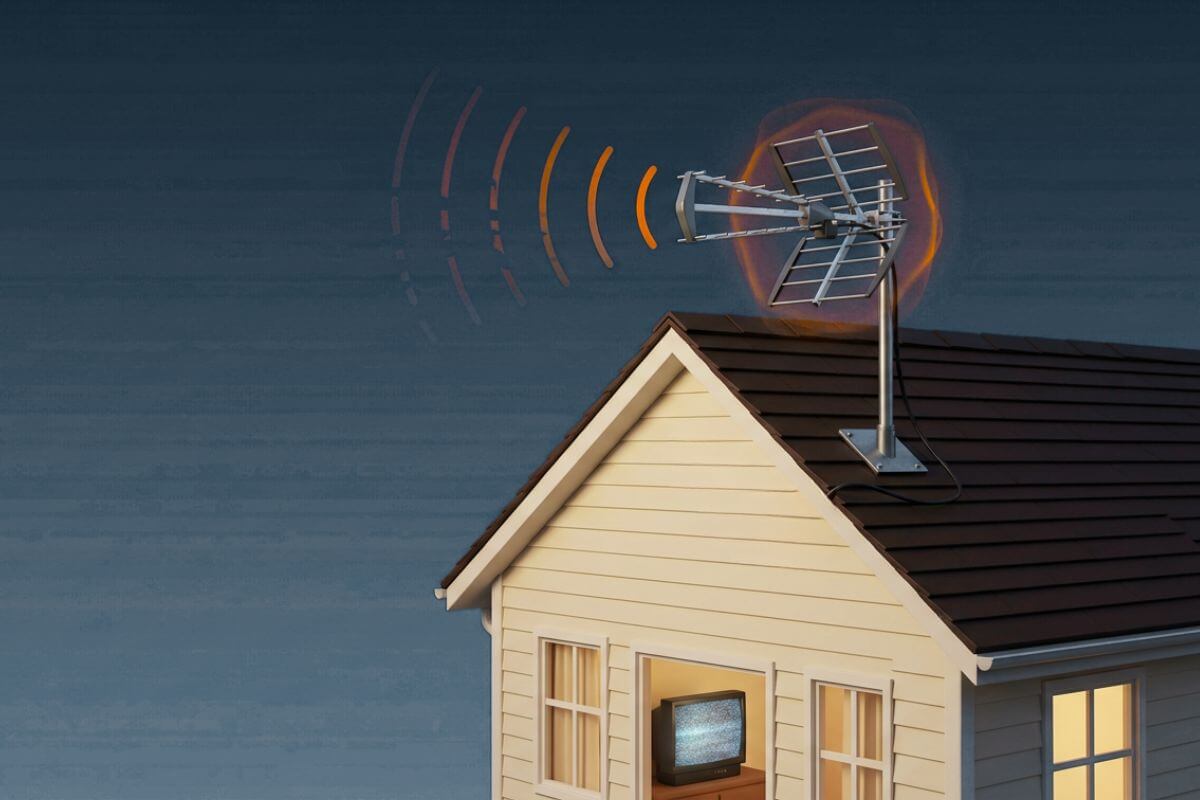
Local channels usually disappear because the signal reaching the TV has become too weak or unstable—not because the antenna is broken. Common causes include poor antenna placement, low mounting height, trees or buildings, damaged cable connections, and changes at the broadcast station.
Even an antenna that worked before can be affected by tree growth, weather, a shifted connection, or a new obstruction.
If several channels remain weak, learn how to strengthen your TV antenna signal and check how high an outdoor TV antenna should be for your location.
Frequently Asked Questions
Why is my antenna not picking up any channels at all?
This usually means the TV is not set to antenna mode, the cable is loose, or a channel scan hasn’t been run. In most cases, fixing the setup restores channels quickly.
Why does my antenna get some channels but not others?
This happens when signals come from different directions or some channels are weaker. Obstructions, distance, and antenna placement can all affect which channels you receive.
Why am I missing channels like ABC, NBC, or FOX?
These channels may broadcast from a different tower or use a weaker signal. Even if one channel works, others can be harder to receive depending on location and setup.
Do I need a new antenna to fix this problem?
Not usually. Most issues are caused by placement, signal strength, or setup. Adjusting your antenna or connections often fixes the problem without buying new equipment.
Why are my Roku TV antenna channels missing?
If your Roku TV antenna channels are missing, make sure the input is set to Live TV or Antenna TV, check the coax cable, then run a new channel scan. Roku TVs still need a scan before local antenna channels will appear.
Wrap Up
If your antenna isn’t picking up local channels, the problem is usually related to signal strength, placement, or setup—not a broken antenna. Small changes can often restore channels quickly without replacing your equipment.
For more help, see my TV Antennas & Free Channels guide.