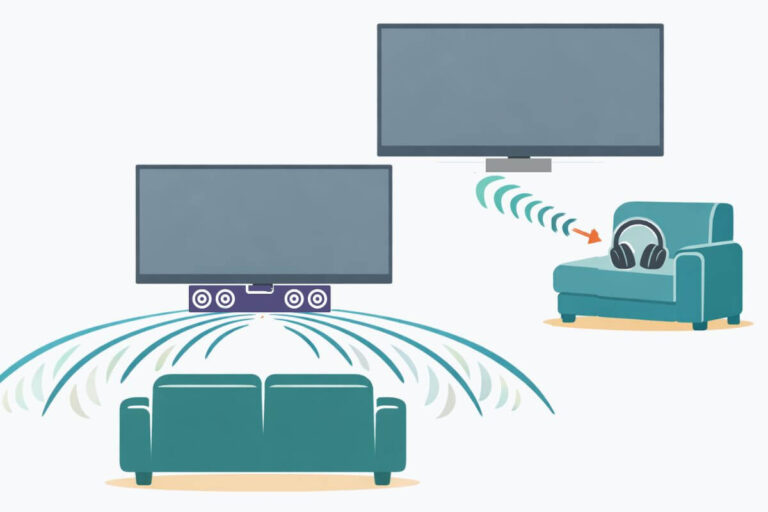
How to Connect a Soundbar to an Older TV Without HDMI
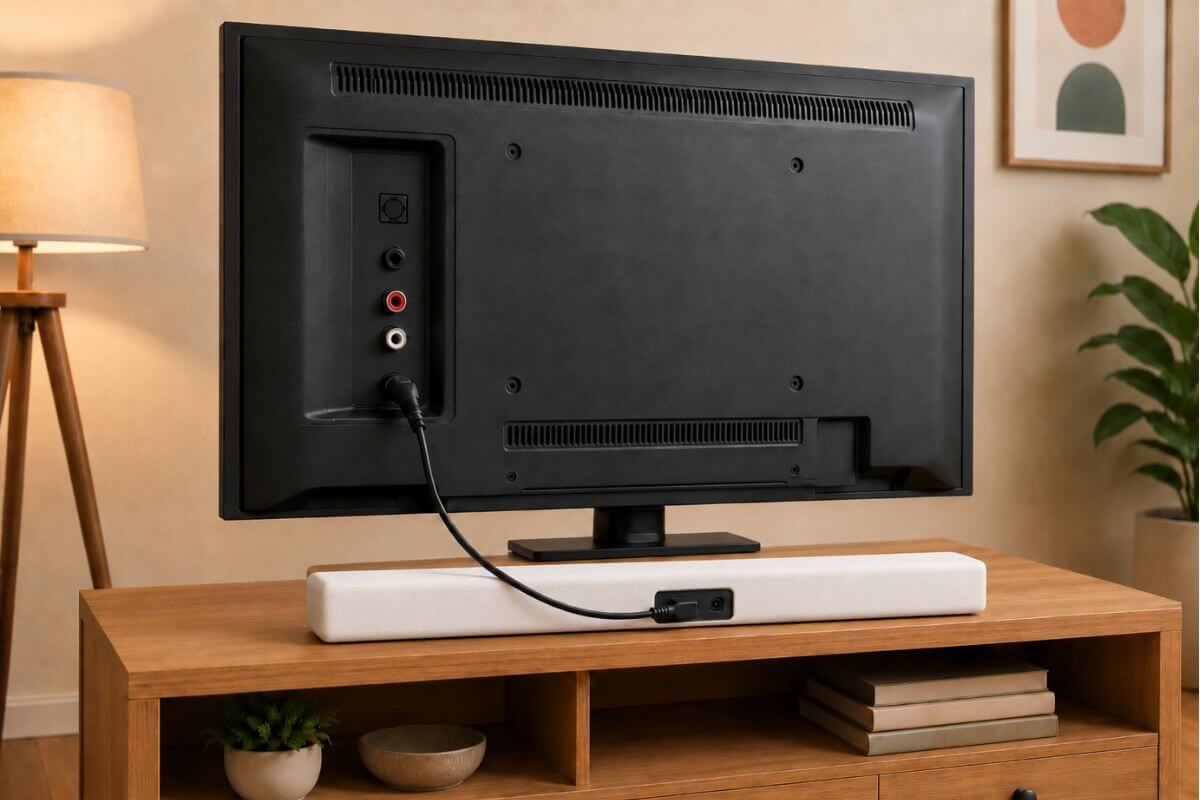
If you need to know how to connect soundbar to TV without HDMI, start by checking the audio output ports on the back of your TV. Most older TVs can still connect to a soundbar with optical, AUX, headphone jack, or red and white RCA cables.
Some older TVs need a simple adapter. Others may need the soundbar connected through a cable box, Roku, or Fire TV device.
Fast Setup: What to Try First
Try these in this order:
- Look at the back or side of your TV.
- Find the audio output ports.
- Use optical if your TV has it.
- Use AUX or headphone jack if there is no optical port.
- Use red and white RCA ports if your TV has audio out.
- If none of those work, connect through your cable box or streaming device.
The main goal is simple: send sound from the TV to the soundbar.
Quick Answer: The Best Way to Connect a Soundbar to an Older TV
The best way to connect a soundbar to an older TV without HDMI is usually with an optical cable.
Optical gives clear sound and is easy to use.
If your TV does not have optical, use one of these:
- AUX cable
- Headphone jack
- Red and white RCA cables
- Cable box audio output
- Streaming device connected through the soundbar
If your main reason for adding a soundbar is clearer voices, start with this guide to the best soundbars for dialogue.
Check the Back of Your TV First
Before you buy any cable, look at the back or side of your TV.
This is the first step when learning how to connect a soundbar to an older TV. The port on the back of the TV decides which cable you need.
You are looking for audio output ports.
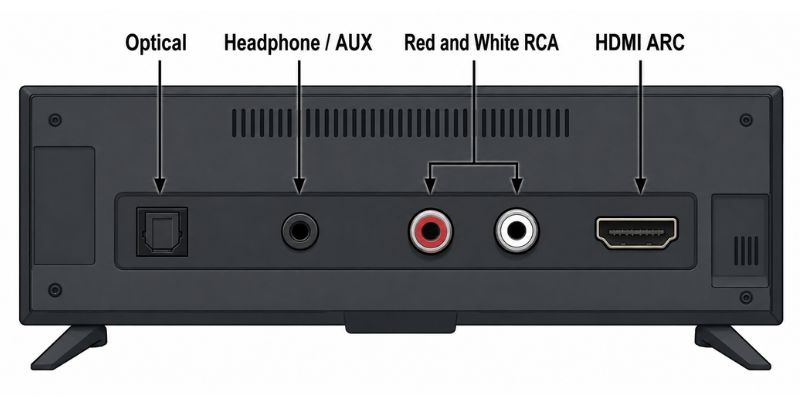
Common labels include:
- Optical
- Digital Audio Out
- Audio Out
- Headphones
- AUX
- RCA
- HDMI
- HDMI ARC
Be careful here. Some red and white ports are inputs, not outputs.
You need ports that send sound out of the TV.
Option 1: Use an Optical Cable
If your TV has an optical port, use it first.
This is often the best choice for an older TV.
You may see it labeled:
- Optical
- Digital Audio Out
- Digital Audio
- Toslink
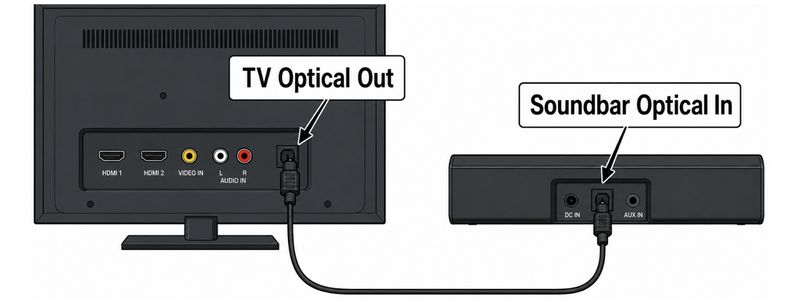
How to connect a soundbar with optical cable
- Turn off the TV and soundbar.
- Plug one end of the optical cable into the TV.
- Plug the other end into the soundbar.
- Turn both devices back on.
- Set the soundbar input to Optical.
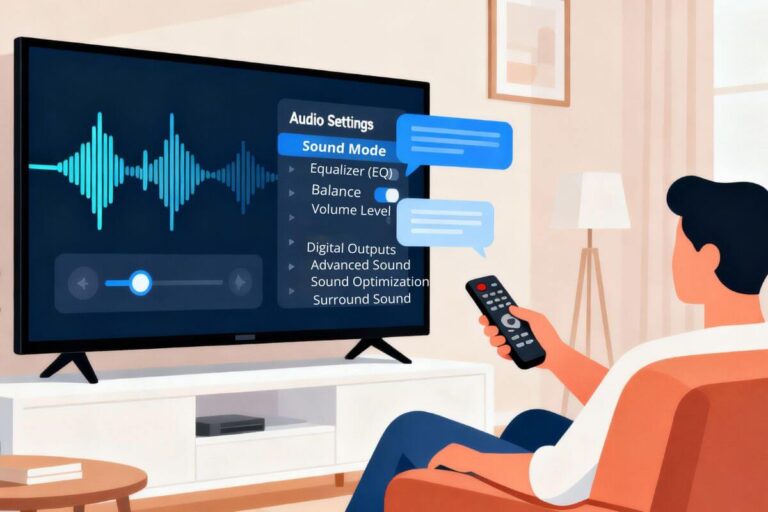
- Open your TV sound settings.
- Choose External Speaker, Optical, or Digital Audio Out.
If you are connecting soundbar to TV using optical cable, make sure the cable is plugged into Optical Out on the TV and Optical In on the soundbar.
- If you hear sound, you are done.
- If you do not hear sound, go into the TV sound menu and change the audio output. You may also need to change the digital sound setting to PCM.
For a full setup walkthrough, use this step-by-step guide on how to set up a soundbar to work with any TV.
Option 2: Use AUX or Headphone Jack
Some older TVs have a headphone jack. This may be labeled:
- Headphones
- AUX
- Audio Out
- 3.5mm
Look for a small round port.
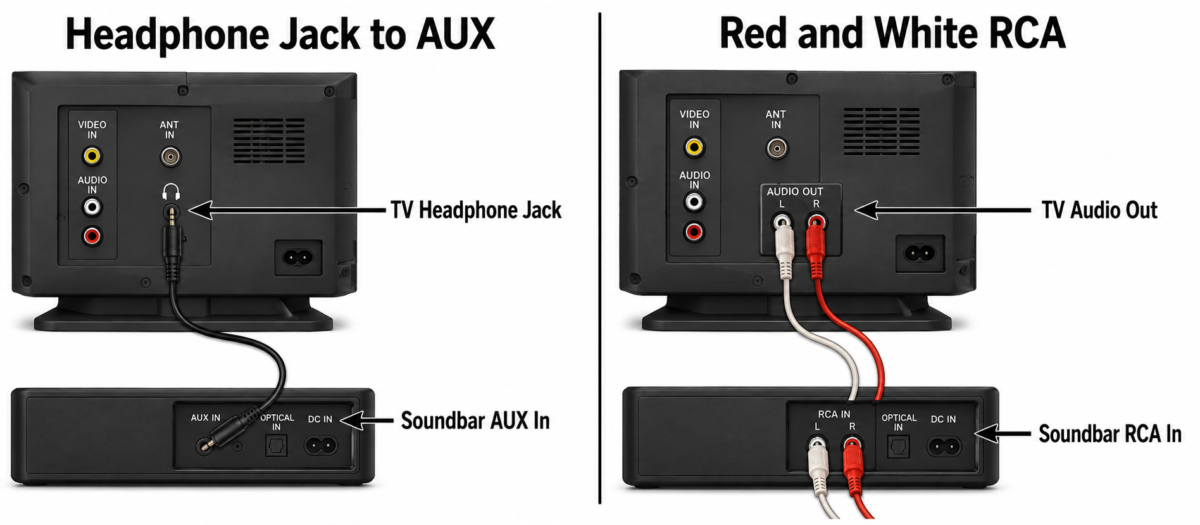
How to connect soundbar to TV with AUX cable
- Plug one end of the AUX cable into the TV headphone jack.
- Plug the other end into the soundbar AUX input.
- Set the soundbar input to AUX.
- Turn up the TV volume.
- Turn up the soundbar volume.
This can work well, but the sound may not be as clean as optical. Also, some TVs turn off the built-in speakers when you use the headphone jack. That is normal.
If the sound is too low, raise the TV volume first. Then adjust the soundbar.
Option 3: Use Red and White RCA Cables
Some older TVs have red and white audio ports. These are called RCA ports.
If you are trying to connect soundbar to old TV models, red and white RCA cables may be the only option.
You want ports labeled:
- Audio Out
- Line Out
- Output
Do not use ports labeled only:
- Audio In
- Input
- AV In
Those are for sound going into the TV, not out of it.
How to connect soundbar to TV with red and white cables
- Find the red and white Audio Out ports on the TV.
- Plug the red cable into the red port.
- Plug the white cable into the white port.
- Plug the other end into the soundbar.
- Set the soundbar input to RCA or AUX.
- Test the TV sound.
Some older TVs have a headphone jack. Even though it is made for wired headphones, you can also use that same jack to send sound from the TV to a soundbar with an AUX cable.
Option 4: Use HDMI Without ARC
Some TVs have HDMI, but not HDMI ARC. That matters. Regular HDMI does not always send TV sound out to a soundbar.
HDMI ARC means Audio Return Channel. It lets TV sound go back to the soundbar.
If your TV has regular HDMI only, try one of these instead:
- Optical cable
- AUX cable
- RCA cables
- Cable box audio output
- Streaming device connection
If your soundbar has HDMI inputs, you may be able to connect a Roku, Fire TV Stick, or cable box into the soundbar first, then send video to the TV.
But for beginners, optical is usually easier.
If you are using a Fire TV Stick with an older TV, follow this beginner guide to set up a Fire TV Stick the right way.
If you use Roku, this Roku Stick setup guide can help you connect the device before working on the soundbar.
Option 5: Use a Cable Box, Roku, or Fire TV Device
If your TV has poor audio ports, you may be able to connect the soundbar through another device.
This can work with:
- Cable box
- Roku
- Fire TV Stick
- DVD player
- Blu-ray player
Look for audio output ports on that device.
- If the device has optical, connect the optical cable from the device to the soundbar.
- If it has HDMI, connect the device to the soundbar first, then connect the soundbar to the TV.
This is not always the simplest setup, but it can help when an older TV has no good audio output.
What If Your Soundbar Is Connected but Has No Sound?
If your soundbar is connected but no sound comes out, do not assume it is broken.
Try these checks first:
- Make sure the soundbar is on.
- Check the soundbar input.
- Raise the TV volume.
- Raise the soundbar volume.
- Check mute on the TV and soundbar.
- Make sure the cable is plugged into Audio Out, not Audio In.
- Try a different cable.
- Change the TV audio setting to PCM.
- Restart the TV and soundbar.
If you are using a Roku remote and the volume buttons are not working, this may help:
If the soundbar works but the Roku remote will not control volume, try these Roku remote fixes first.
Which Connection Is Best for an Older TV?
Here is the simple order:
- Optical — best choice if your TV has it
- AUX/headphone jack — easy backup option
- Red and white RCA — works only if the TV has Audio Out
- Cable box or streaming device — useful if the TV has poor audio outputs
- Adapter — last choice if nothing else fits

If your real goal is clearer voices, a soundbar is not the only fix. If voices still sound low after setup, try these simple ways to make TV voices louder and clearer before buying anything else.
Frequently Asked Questions
How do I connect a soundbar to a TV without HDMI?
To connect a soundbar to a TV without HDMI, use the best audio output your TV has. Optical is usually the best choice. If your TV does not have optical, try AUX, headphone jack, or red and white RCA cables.
Can I connect a soundbar to an older TV?
Yes. Many older TVs can connect to a soundbar with optical, AUX, headphone jack, or red and white RCA cables. The key is finding an audio output port on the back or side of the TV.
Why is my soundbar connected but no sound comes out?
Your soundbar may be on the wrong input. For example, if you used an optical cable, the soundbar must be set to Optical. Also check your TV sound settings and choose External Speaker, Audio Out, or PCM if that option appears.
Do red and white RCA cables always work with a soundbar?
No. Red and white cables only work if the TV ports are labeled Audio Out, Line Out, or Output. If the ports say Audio In or AV In, they are for bringing sound into the TV, not sending sound to the soundbar.
What cable should I buy before connecting a soundbar to an older TV?
Do not buy a cable until you check the back of your TV. If you see Optical or Digital Audio Out, buy an optical cable. If you see a headphone jack, buy an AUX cable. If you see red and white Audio Out ports, buy RCA cables or an RCA-to-AUX adapter.
Wrap Up
You do not need a new TV just to use a soundbar.
First, check the back of your TV. If it has optical, use that. If not, try AUX, headphone jack, or red and white RCA cables.
If your soundbar is connected but has no sound, check the input, volume, mute button, and TV audio settings.
For most older TVs, the best setup is simple: Use the best audio output your TV already has, then set the soundbar to the matching input.