7 Best Wireless TV Headphones for Clear Dialogue in 2026

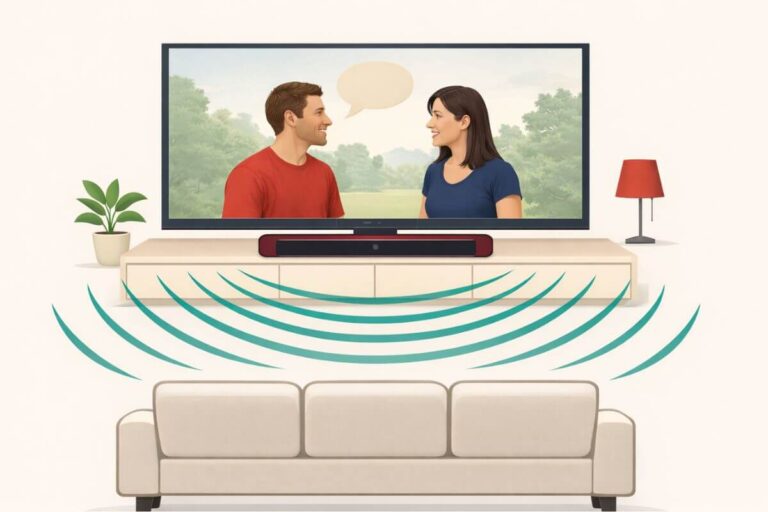
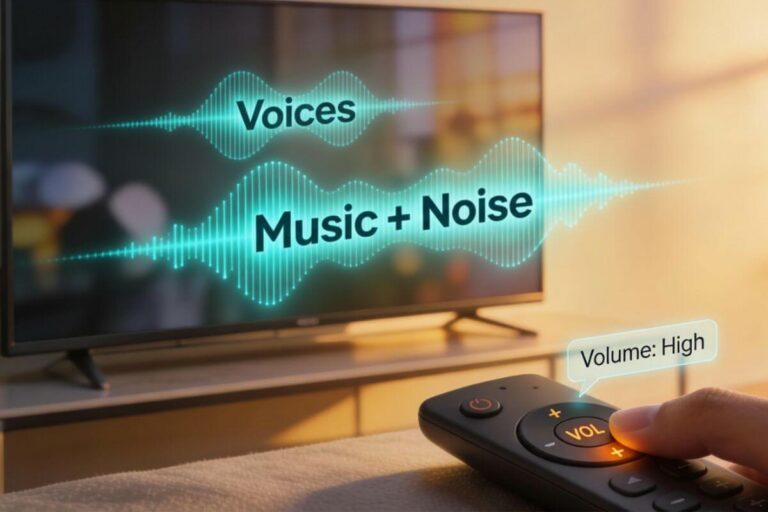
Can’t hear the actors clearly—but everyone else says the TV is already too loud?
The best wireless TV headphones for clear dialogue let you hear voices at your own volume without blasting the room. The Sennheiser RS 275 is my best overall pick because it offers Speech Clarity, four hearing profiles, and left-right balance control. The Avantree Opera Plus is a simpler choice when you want clearer voices, extra volume, and easy TV connections.
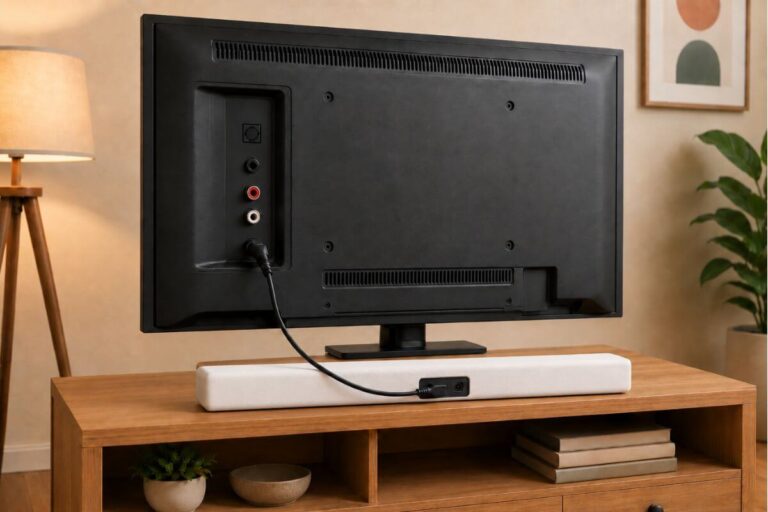
For easier setup, choose a TV headphone set marked “pre-paired.” This means the headphones and the included transmitter are already set to work together. Plug the transmitter into your TV’s sound output and power, then follow the setup steps. You do not need to find the headphones in your TV’s Bluetooth menu.
Below are seven choices for different needs, including simple setup, lightweight comfort, under-the-chin listening, and watching with another person.
Quick Picks
Choose the TV headphones that match your listening needs, comfort, connection type, and number of viewers.
| Best For | Our Pick | Works Best When | Check It |
|---|---|---|---|
| Best overall | Sennheiser RS 275 | You want speech controls, hearing profiles, and left-right balance | View on Amazon |
| Clear-dialogue value | Avantree Opera Plus | You want clearer voices, extra volume, and simple TV connections | View on Amazon |
| Simple TV listening | Insignia NS-HAWHP2 | You want easy setup with no app or Bluetooth pairing | View on Amazon |
| Bluetooth TV + everyday use | Soundcore Space One Pro | Your TV has Bluetooth and you want one pair for TV, music, and travel | View at Soundcore |
| Under-chin design | Avantree HT381 | You wear glasses, dislike headbands, or need separate balance controls | View on Amazon |
| Lightweight comfort | Sennheiser RS 120-W | You want lightweight on-ear headphones for everyday TV listening | View on Amazon |
| Two viewers | Avantree Duet | Two people need headphones with separate volume controls | View on Amazon |
This page contains affiliate links. I may earn a commission at no extra cost to you. As an Amazon Associate I earn from qualifying purchases.
Detailed Product Comparisons: Best Wireless TV Headphones for Clear Dialogue
Most picks below include a TV transmitter or base. The Soundcore Space One Pro does not. It connects through Bluetooth and needs a TV with Bluetooth audio output or a separate transmitter. Sound delay can vary with that connection.
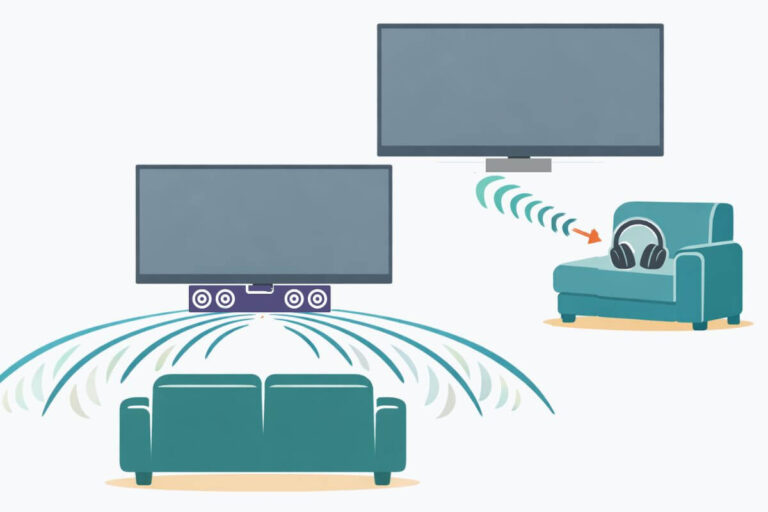
Every model can be used for private listening. Some also let another person hear the TV through its speakers or a soundbar. This depends on the product connection and your TV’s audio settings.
Sennheiser RS 275 – Best Overall
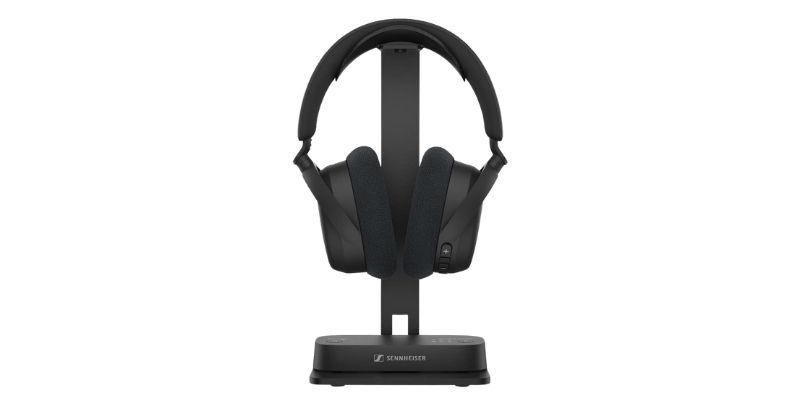
The Sennheiser RS 275 is the best overall choice for clear TV dialogue. Its Speech Clarity mode brings voices forward, while Normalize Volume helps control sudden jumps during ads and action scenes.
The included transmitter keeps the sound matched with the picture. It connects through HDMI ARC, optical, or a 3.5mm audio output. Unlike ordinary Bluetooth headphones, the RS 275 is built for watching TV.
Benefits
- Clearer TV voices: Speech Clarity makes words easier to understand
- Fewer volume jumps: Normalize Volume softens loud ads and action scenes
- Personal sound: Four hearing profiles help match the sound to your needs
- Separate ear balance: Make one ear louder than the other
- Lightweight comfort: The headphones weigh only 6.9 ounces
- Shared listening: Other Auracast headphones can connect with their own volume
Features
- Pre-paired BTA1 TV transmitter
- HDMI ARC, optical, and 3.5mm audio connections
- Low-delay wireless sound
- Speech Clarity and Virtual Surround modes
- Four personal hearing profiles
- Left-and-right balance control
- Up to 50 hours of battery life
- Replaceable battery and ear cushions
- Up to 164 feet of wireless range
- Bluetooth connection for phones and tablets
Pros
- Strong dialogue tools
- Very light and comfortable
- Long battery life
- Works with both newer and older TV audio outputs
- Sound stays closely matched with the picture
- Can connect several Auracast headphones
- Battery and ear cushions can be replaced
Cons
- More expensive than most TV headphones
- Some advanced settings require the Sennheiser app
- Setup may take extra work with some TVs or sound systems
- The included stand stores the headphones but does not charge them
- Using the TV speakers and headphones together depends on your TV settings
My Take
The Sennheiser RS 275 is the strongest all-around choice in this guide. It makes voices clearer without removing the rest of the soundtrack. It also gives you more control over volume, hearing balance, and sudden loud sounds than most TV headphones.
It is not the cheapest or simplest option. The Avantree Opera Plus costs less, and the Sennheiser RS 120-W is easier to use. But the RS 275 offers the best mix of dialogue clarity, comfort, TV connections, and personal sound controls.
Best if you want premium wireless TV headphones with clear speech, long battery life, and sound you can adjust for each ear.
Avantree Opera Plus – Best Clear-Dialogue Value
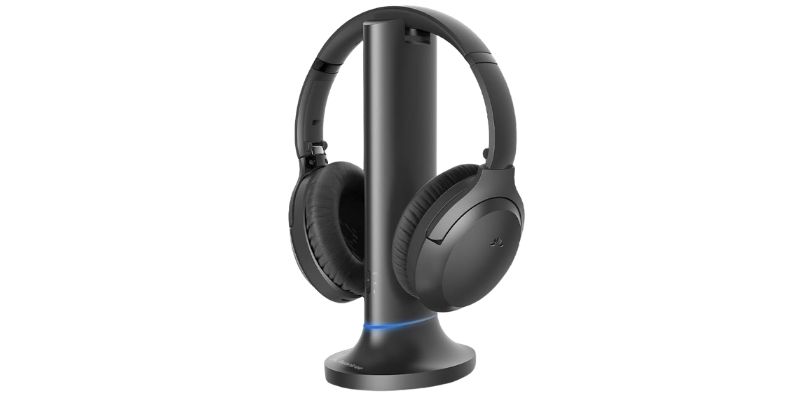
The Avantree Opera Plus is the best value for people who want clearer voices and more volume without paying for the Sennheiser RS 275.
Clear Dialogue mode brings voices forward. The transmitter also has an extra volume boost. It comes paired with the headphones, so you do not need to connect them through your TV’s Bluetooth menu.
Benefits
- Clearer speech: Clear Dialogue mode makes words easier to hear
- Extra volume: The transmitter provides an 8 dB volume boost
- Low sound delay: Voices stay closely matched with the picture
- Easy charging: Place the headphones on the transmitter base
- Soundbar sharing: Optical passthrough lets a soundbar and headphones play together
- Phone use: The headphones can also connect to a phone or tablet
Features
- Dedicated 2.4 GHz wireless transmitter
- HDMI ARC, optical, and 3.5mm AUX inputs
- Clear Dialogue and Cinema sound modes
- Less than 30 milliseconds of sound delay
- Up to 164 feet of wireless range
- Up to 20 hours of battery life
- Built-in charging dock
- Over-ear design with 40mm speakers
- Supports a second Opera Plus headset
- Separate volume control for each connected headset
Pros
- Good speech clarity for the price
- Extra volume when voices are too soft
- Simple pre-paired connection
- Works with many newer and older TVs
- Optical soundbar passthrough
- Can also be used as regular Bluetooth headphones
- Costs much less than the Sennheiser RS 275
Cons
- The TV may need to be changed to PCM or Stereo
- HDMI soundbar passthrough is not supported
- No separate left-and-right balance control
- No personal hearing profiles
- Shorter battery life than the Sennheiser RS 275
- Not meant to replace hearing aids
My Take
The Avantree Opera Plus is the better buy if you want clear voices and extra volume without paying for premium sound controls.
It does not have the four hearing profiles, separate ear balance, or 50-hour battery found on the Sennheiser RS 275. However, its Clear Dialogue mode, volume boost, low-delay transmitter, and charging dock cover the needs of most TV viewers.
Best if you want clearer TV dialogue, extra volume, and simple setup at a lower price.
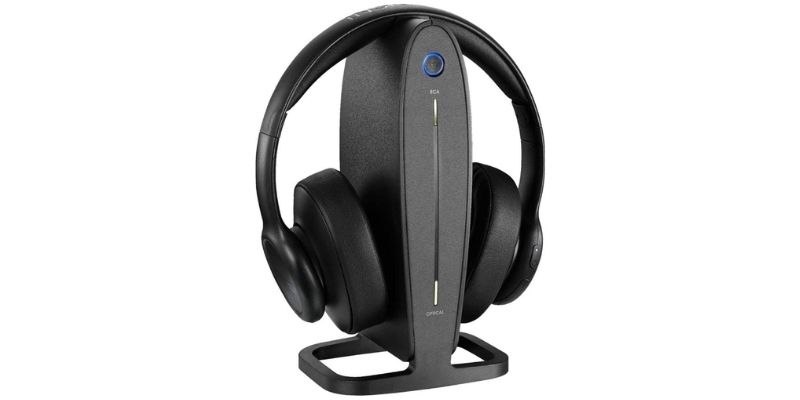
Insignia NS-HAWHP2 – Best for Simple TV Listening.
The Insignia NS-HAWHP2 is a basic wireless TV headphone system for people who want private volume without apps or Bluetooth pairing.
It does not have a special dialogue mode. However, sending the TV sound directly to your ears may make words easier to hear than listening through the TV’s small speakers.
Benefits
- Your own volume: Listen without making the TV louder for everyone
- No Bluetooth pairing: The headphones connect to their own transmitter
- Simple charging: Place the headphones on the dock when finished
- Several TV connections: Works with optical, RCA, and 3.5mm audio outputs
- Easy controls: Adjust the volume directly on the headphones
Features
- 5.8 GHz digital wireless connection
- Up to 33 feet of wireless range
- Up to 10 hours of battery life
- About two hours to recharge
- Digital optical input
- Red-and-white RCA input
- 3.5mm connection through the included adapter
- Over-ear design with an adjustable headband
- Charging and storage dock
Pros
- Simple to understand and operate
- No phone app required
- No regular Bluetooth pairing
- Supports both digital and older analog TV outputs
- Volume control is on the headphones
- Well suited to private TV listening in one room
Cons
- No Clear Dialogue or speech mode
- No extra volume boost
- Shorter range than the other picks
- Only 10 hours of battery life
- Optical cable may need to be purchased separately
- Your TV may need its digital audio setting changed to PCM
- The regular price is sometimes too close to better models
My Take
The Insignia NS-HAWHP2 is worth considering when it is priced well below the Avantree Opera Plus. It is simple, supports common TV audio outputs, and does not require an app.
However, it does not have speech enhancement, extra volume, or personal sound controls. If its price is close to the Opera Plus, buy the Opera Plus instead.
Best if you find it at a good price and only need a simple wireless system for private TV listening.
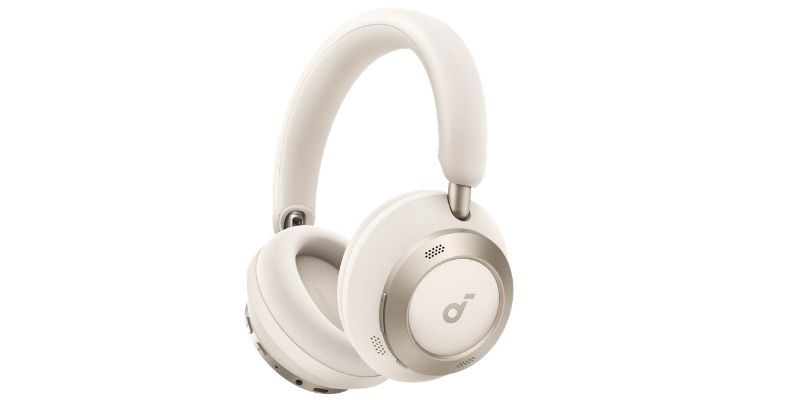
Soundcore Space One Pro – Best for Bluetooth TV + Everyday Use
The Soundcore Space One Pro is a good choice if your TV has Bluetooth and you want headphones you can also use for music, travel, and everyday listening.
These are different from the other TV headphones in this guide. They do not come with a TV transmitter or charging dock. Instead, they connect directly to a Bluetooth TV.
The soft over-ear cups and padded headband are made for long listening. You can also use the Soundcore app to adjust the sound with a custom EQ.
Benefits
- One pair for more than TV: Use them with your TV, phone, tablet, or other Bluetooth devices.
- Long battery life: Get up to 60 hours without noise canceling or 40 hours with it turned on.
- Comfortable fit: Soft earcups and a pressure-relieving headband help during longer shows or movies.
- Adjustable sound: The Soundcore app includes HearID 2.0 and custom EQ settings.
- Easy to travel with: The folding design cuts the headphones’ stored size by about half.
- Blocks room noise: Adaptive noise canceling can reduce sounds around you while you watch TV.
Features
- Bluetooth 5.3
- Adaptive ANC 3.0 noise canceling
- Custom EQ with HearID 2.0
- Multipoint Bluetooth connection
- Up to 60 hours of battery life
- Up to 40 hours with ANC
- 5-minute charge provides up to 8 hours of listening
- Foldable over-ear design
- Soft earcups and padded headband
- AAC, SBC, and LDAC audio support
- Weight: about 10.1 ounces
Pros
- Works for TV, music, and travel
- Very long battery life
- Comfortable over-ear design
- Sound can be adjusted in the app
- Strong noise canceling
- Folds down for storage
Cons
- Your TV must have Bluetooth, or you need a separate Bluetooth transmitter
- No TV transmitter or charging dock is included
- No special TV dialogue mode
- No separate left-right hearing balance control
- Bluetooth can sometimes cause a slight delay between the picture and sound
- Not as simple as dedicated TV headphones for someone who does not like Bluetooth
My Take
The Soundcore Space One Pro is my pick for someone who wants one good pair of headphones for both TV and everyday use.
It is not the best choice if you need special hearing controls or the simplest possible TV setup. For that, I would choose one of the dedicated TV headphone systems above.
Best if your TV has Bluetooth and you want one pair of headphones for TV, music, and travel.
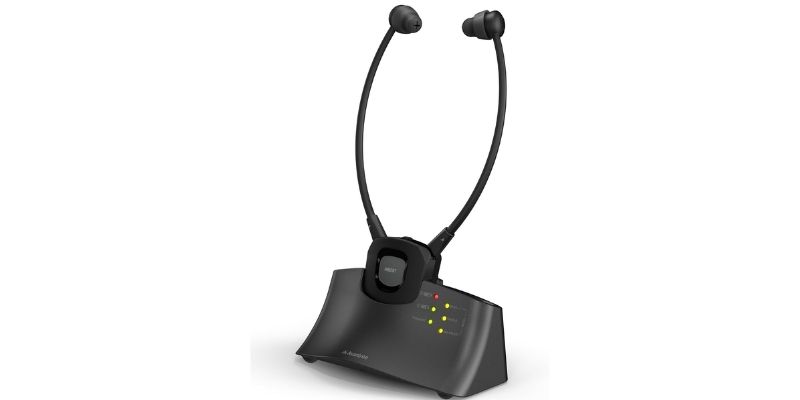
Avantree HT381 – Best Under-Chin Option
The Avantree HT381 is a good choice if you dislike full-size headphones or wear glasses. The receiver rests under your chin, so there is no headband pressing against your head.
Clear Dialogue mode helps voices stand out. You can also adjust the left and right sides separately if one ear needs more volume.
Benefits
- Clearer TV voices: Clear Dialogue mode brings speech forward.
- No headband: The under-chin design works well with glasses.
- Left-right balance: Adjust each side to match your hearing.
- Easy setup: The headset and transmitter arrive already paired.
- Hear the room: Ambient mode lets you hear someone nearby without removing the headset.
- Fewer interruptions: One removable battery can charge while you use the other.
Features
- Clear Dialogue, balanced, and bass sound modes
- Separate left-right balance control
- Optical, 3.5mm, and RCA TV connections
- Stable 2.4GHz wireless connection
- Range of up to 100 feet in open areas
- Ambient sound mode
- Two removable rechargeable batteries
- Charging and storage dock
- No app or Bluetooth pairing needed
Pros
- Good dialogue controls
- No headband pressing against glasses
- Easy daily operation
- Works with common TV audio outputs
- Includes a spare battery
Cons
- The earpieces may not feel comfortable to everyone
- No HDMI ARC connection
- Does not pass sound through to a soundbar
- Your TV may need its digital audio setting changed to PCM
- Each battery lasts less time than many over-ear headphones
My Take
The Avantree HT381 is a good current choice for people who want an under-chin design. It provides Clear Dialogue mode, separate balance control, and simple setup.
Choose it if you wear glasses or dislike headbands. Skip it if you do not like earpieces resting inside your ears.
Best if you wear glasses, dislike headbands, or need different volume levels for each ear.
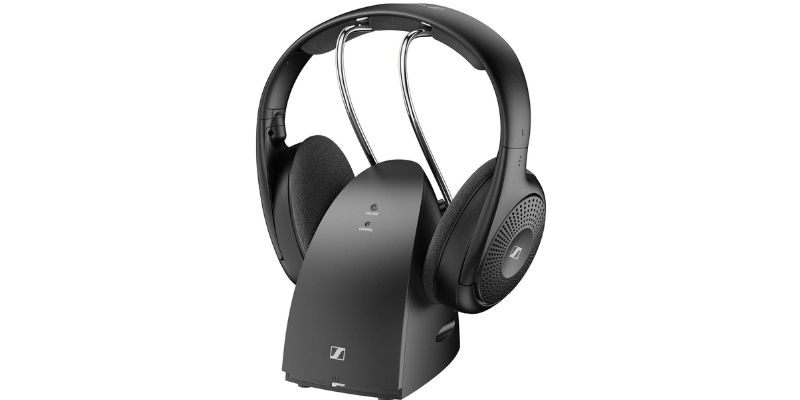
Sennheiser RS 120-W – Best Lightweight Option
The Sennheiser RS 120-W is a good choice if heavy over-ear headphones feel tiring. Its light, open, on-ear design allows more airflow and puts less pressure around your ears.
You can choose Speech, Music, or Neutral sound mode. Speech mode helps voices stand out, but it does not offer the advanced hearing controls found on the Sennheiser RS 275.
Benefits
- Lightweight design: Easier to wear during long TV sessions.
- Speech mode: Helps bring voices forward.
- Simple setup: The headphones connect to their own transmitter with no app or pairing menu.
- Easy volume control: A large wheel is built into the headphones.
- Long battery life: Provides up to 20 hours of listening.
- Replaceable batteries: Uses two rechargeable AAA batteries.
Features
- Speech, Music, and Neutral sound modes
- Open, on-ear design
- Up to 20 hours of battery life
- Wireless range of up to 200 feet in open areas
- Volume wheel on the headphones
- Transmitter, charging stand, and storage dock
- RCA cable and 3.5mm adapter included
- Bluetooth LE Audio connection between the transmitter and headphones
Pros
- Light and easy to wear
- Simple controls
- Long battery life
- Replaceable rechargeable batteries
- Charging stand keeps the headphones ready
- No app needed
Cons
- No optical input
- No HDMI ARC input
- Some newer TVs may require an audio converter
- Open earcups do not block room noise
- Sound may be heard by someone sitting nearby
- Speech controls are basic compared with the RS 275
My Take
The Sennheiser RS 120-W is a good everyday choice for people who value light weight and simple controls. Speech mode can make voices easier to follow, while the open design feels less hot than thick over-ear headphones.
Check your TV before buying. If it does not have RCA or a 3.5mm audio output, you will need a converter.
Best if you want lightweight TV headphones with simple controls and long battery life.
Avantree Duet – Best for Two Viewers
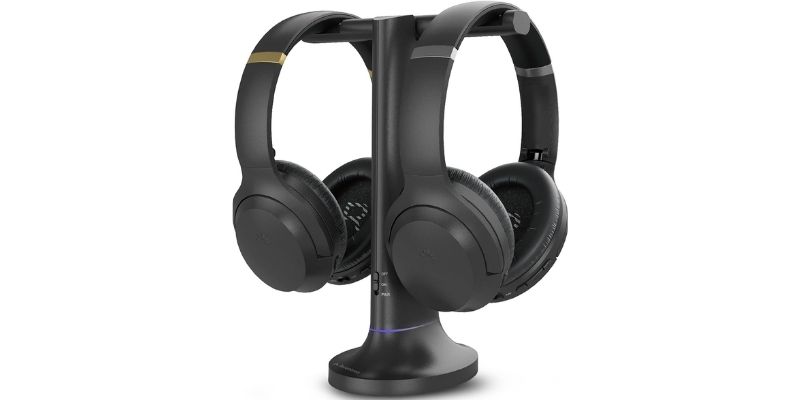
The Avantree Duet includes two wireless headphones that connect to one TV transmitter. Each person can choose their own volume without changing the other person’s sound.
Clear Voice mode helps make dialogue easier to follow. The system arrives already paired, so there is no app or Bluetooth menu to manage.
Benefits
- Two headphones included: Both viewers can listen at the same time.
- Separate volume controls: Each person chooses the volume that works for them.
- Clearer dialogue: Clear Voice mode helps speech stand out.
- Simple setup: The headphones arrive paired with the transmitter.
- Private listening: Watch TV without raising the room volume.
- Soundbar support: Optical passthrough may let the headphones and a soundbar play together.
Features
- Two over-ear wireless headphones
- Separate volume control on each headphone
- Clear Voice mode
- Boosted volume
- Optical and 3.5mm TV connections
- Stable 2.4GHz wireless connection
- Up to 20 hours of battery life
- Range of up to 100 feet in open areas
- Transmitter and charging dock
- No app or Bluetooth pairing needed
Pros
- Made for two viewers
- Each person controls their own volume
- Clear Voice mode helps with dialogue
- Soft, deep ear cushions
- Low audio delay
- Both headphones charge on the base
Cons
- No HDMI ARC connection
- Does not connect directly through the TV’s Bluetooth
- Your TV may need its digital audio setting changed to PCM
- Bulkier than the Sennheiser RS 120-W
- Not designed to replace hearing aids
My Take
The Avantree Duet is the best choice when two people want to hear the same TV at different volume levels. It avoids the pairing problems that can happen when trying to connect two regular Bluetooth headphones.
Choose it for a couple or two family members who watch TV together. If only one person needs headphones, the Avantree Opera Plus is the better fit.
Best if two viewers need clear TV sound with separate volume controls.
Each Pick Had to Offer:
I did not test every model myself. I compared product specs, TV connections, sound delay, battery life, range, and long-term owner feedback.
I compared these features:
- Speech modes and other sound controls
- Sound delay when watching TV
- Ease of setup and daily use
- Weight and fit
- TV connections and any extra adapters needed
Not every model offers every feature. The notes for each pick explain its strengths and limits.
Before You Buy: Headphones vs TV Settings vs Soundbar
You may not need new headphones. Start with the easiest fix:
- Try free TV settings first if voices sound only a little muffled. Follow these steps to make TV voices louder and clearer.
- Choose wireless TV headphones if one person needs clearer sound, a different volume, or private listening.
- Choose a dialogue soundbar if everyone in the room has trouble hearing voices. Compare the best soundbars for clear dialogue.
Quick answer: One listener usually benefits most from headphones. The whole room usually benefits more from a soundbar. If changing the TV settings fixes the problem, you may not need to buy either one.
Over-Ear vs Under-Chin TV Headphones
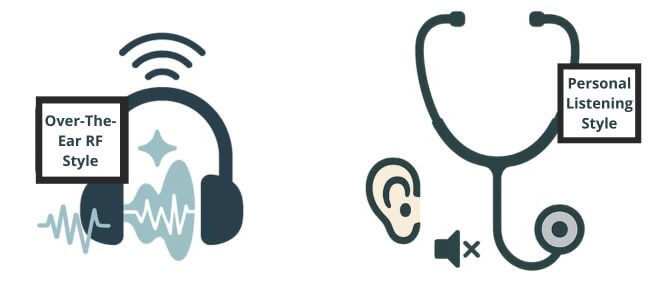
Over-ear headphones have padded cups that fit around your ears. They usually provide fuller sound and block more room noise. However, they can feel warm or heavy during long TV sessions.
The best style depends on what feels comfortable to you.
Choose over-ear headphones if you:
- Want fuller sound
- Need to block room noise
- Prefer soft cushions around your ears
- Do not mind wearing a headband
Under-chin headphones use small earpieces joined by a frame that hangs below your chin. They do not press against the top of your head, making them useful for people who wear glasses or dislike headbands.
Choose under-chin headphones if you:
- Wear glasses
- Dislike heavy headphones
- Get hot wearing over-ear headphones
- Need separate left-right balance controls
The earpieces rest inside or against your ears, so they may not feel comfortable to everyone.
What about on-ear headphones?
On-ear models, such as the Sennheiser RS 120-W, sit directly on your ears. They are lighter and cooler than most over-ear headphones, but they do not block as much room noise and may leak a little sound.
Quick answer: Choose over-ear headphones for fuller sound, under-chin headphones to avoid a headband, or on-ear headphones for a lighter fit.
How do I improve TV dialogue before buying headphones?
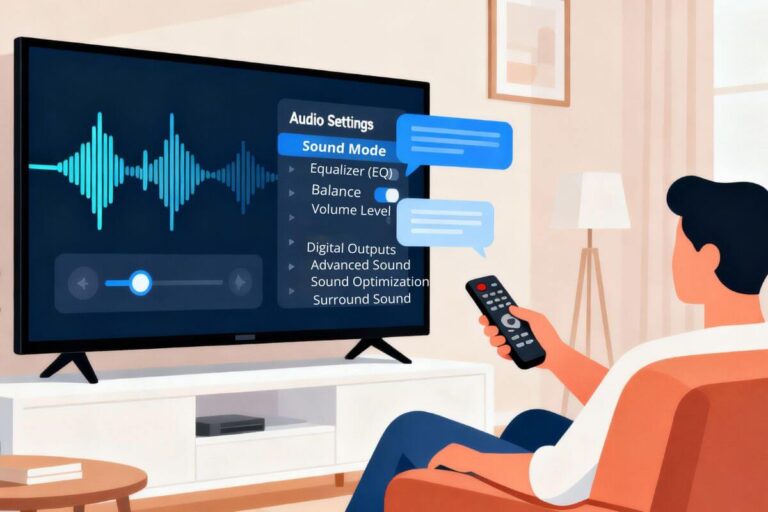
Simple sound-setting changes may make voices easier to hear. Try these before buying headphones:
Turn on a voice setting if your TV has one:
- Dialogue Enhancement
- Clear Voice or Clear Speech
- Amplify
- Voice Priority
Turn off sound effects that may bury voices:
- Surround
- Virtual Surround
- Bass Boost
- Stadium, Cinema, or Theater mode
Adjust the equalizer:
- Raise the midrange slightly
- Lower the bass
- Keep the treble near the middle
These changes can bring voices forward without making every sound louder.
Can TV Speakers and Headphones Play Together?
Yes, but not with every TV or connection. This setup is often called shared listening. One person hears the TV through headphones while everyone else listens through the TV speakers or a soundbar.
There are two ways it can work:
1. Your TV supports two audio outputs
Open your TV’s sound settings and look for:
- TV Speakers + Audio Out
- Simultaneous Audio
- Multi-Output Audio
- Speakers and Headphones
If you see one of these settings, your TV may play through its speakers and the headphones at the same time.
2. The headphone transmitter has audio passthrough
Some transmitters can send sound to the headphones and pass it to a soundbar. The Avantree Opera Plus and Avantree Duet offer passthrough with supported connections.
If your TV does not support two outputs and the transmitter does not have passthrough, connecting headphones may turn off the TV speakers.
Before buying: Check your TV’s sound menu and audio-output ports. If shared listening is important, do not assume it will work with every TV.
If you hear an echo between the headphones and speakers, look for an Audio Delay or AV Sync setting in your TV’s sound menu.
Frequently Asked Questions
Do wireless TV headphones work with older TVs?
Yes, if the TV has an audio-output port. Look for a 3.5mm headphone jack or red-and-white RCA ports marked Audio Out. The round coax port used for an antenna is not a headphone output. You may need an adapter if the TV output does not match the headphone transmitter.
Are wireless TV headphones better than a soundbar for hearing dialogue?
It depends. Headphones are usually better when one person needs clearer speech or a different volume. They send the sound directly to that person’s ears. A soundbar is usually better when everyone in the room needs clearer voices.
Will wireless headphones disturb someone sleeping nearby?
Closed over-ear headphones keep most sound from escaping at a normal volume. Turn off the TV speakers for the quietest setup. Open on-ear headphones, such as the Sennheiser RS 120-W, may leak a small amount of sound.
Can I Use Wireless TV Headphones With Roku , Fire TV, or Chromecast?
Yes. The headphone transmitter connects to the TV, not the streaming stick. Connect the Roku, Fire TV, or Chromecast to the TV’s HDMI port. Then connect the headphone transmitter to the TV’s optical, RCA, or 3.5mm audio output. If you use optical, you may need to change the TV’s digital audio setting to PCM or Stereo.
Can two people use wireless TV headphones at the same time?
Yes, if the system supports more than one headset. The Avantree Duet includes two headphones, and each person controls their own volume. Some other systems allow you to buy a second compatible headset. Check the product details before buying because regular Bluetooth headphones may not work with the transmitter.
Do wireless TV headphones have audio delay?
Dedicated TV headphone systems are designed to keep sound close to the picture. However, the TV’s audio processing can still cause delay. If voices do not match the actors’ mouths, change the TV’s digital audio setting to PCM or Stereo and look for an AV Sync or Audio Delay setting.
Which TV Headphones Are Right for You?
Start with what bothers you most. If voices get lost in the sound, compare the Sennheiser RS 275 and Avantree Opera Plus. If headbands bother you, consider the Avantree HT381. If two people need their own volume, look at the Avantree Duet.
Before you order, check your TV’s sound outputs. If someone else will listen through the TV speakers, confirm that both can play at once. Check the return policy, too—comfort is hard to judge until you wear the headphones.
The goal is to follow the conversation at a comfortable volume, without making the room louder.
Ready to find something to watch? Try these easy ways to watch classic TV.